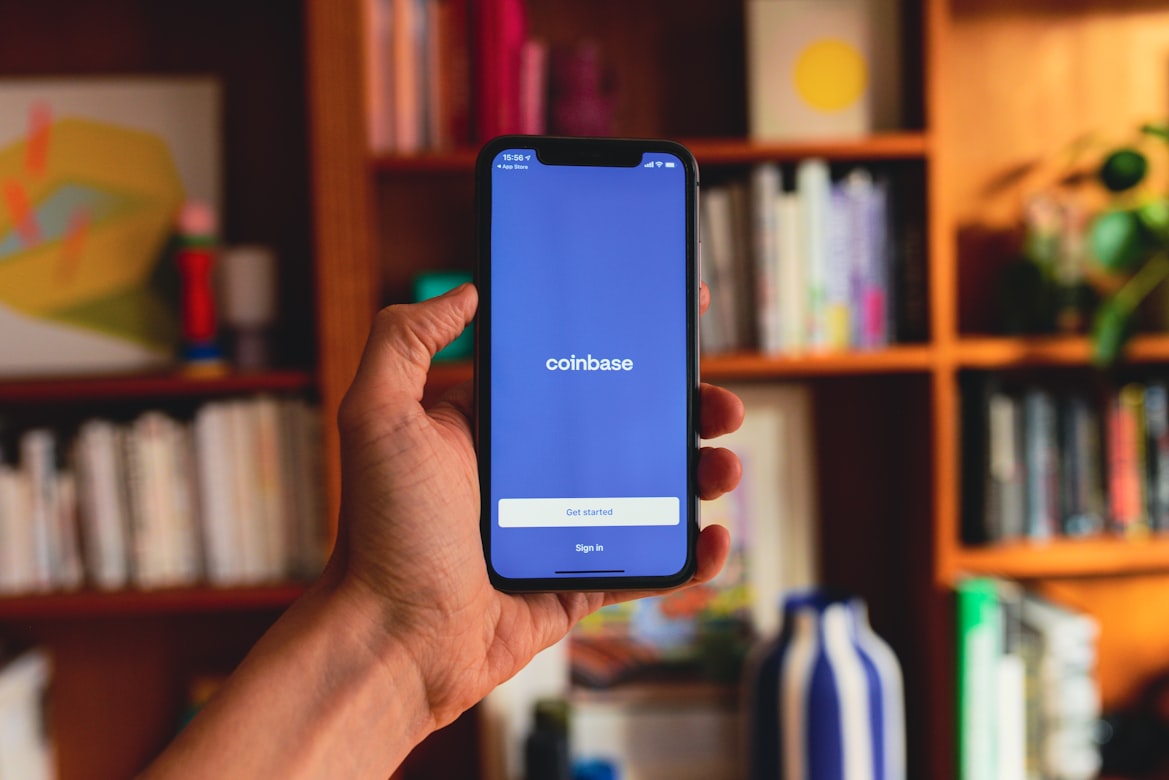





In this Ledger Nano S Plus review, we explore why this hardware wallet is a top choice for secure offline storage of crypto assets.
The Nano S Plus combines advanced security features, support for thousands of cryptocurrencies, and a user-friendly interface, making it ideal for managing your private keys and digital collectibles.
Read on to explore the key features of the Ledger Nano, including its bigger screen, robust design, and seamless integration with the Ledger Wallet (formerly Ledger Live app).
Let’s dive into this Ledger device to see how it meets the needs of today’s crypto world while offering cold storage at a reasonable price.
Ledger Nano S Plus Review
- Affordable at $79, offering secure cold storage for crypto and NFTs.
- Supports 5,500+ cryptocurrencies and works with the Ledger Live app.
- High security with PIN protection, USB-C connectivity, and physical confirmations.

- Show Full Guide
Ledger Nano S Plus review: Key takeaways
The Ledger Nano S Plus is easily one of the best cold wallets for keeping private keys safe.
It stands out from the crowd as an affordable device that fuses essential security with ease of use for serious digital asset investors.
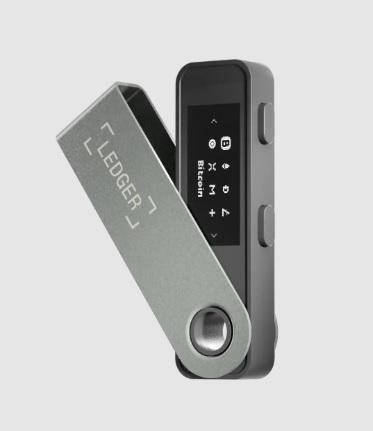
Here’s a snapshot of what this hardware wallet device brings to the table:
- Affordable security: Available for just $59, the Nano S Plus boasts high-level security featuring a certified secure element chip with PIN protection. This hardware wallet easily fits into one of the best positions in cold storage wallets for keeping private keys safe.
- Expansive asset compatibility: Supporting over 5,500 crypto assets and non-fungible tokens (NFTs), the Ledger Nano S Plus is ideal for users looking to manage a diverse portfolio across multiple crypto wallets without sacrificing security.
- Enhanced display and storage: When compared with the original Ledger Nano S, this Ledger wallet has a bigger screen and increased storage space, enabling users to manage several apps at the same time. This makes it a perfect solution for users who own more blockchain assets or are involved in DeFi, and therefore crypto investors looking for scalability often choose it.
- Seamless Ledger Wallet integration: Compatible with the Ledger Wallet application, Nano S Plus makes crypto management as simple as checking balances and performing a transaction. Interaction with third-party software wallets, such as MetaMask and Phantom, extends functionality to the end user. If you are also interested in exploring hot wallets, our Best Wallet review offers insights into one of the best online solutions for managing crypto assets.
- USB-C connection only: While the Ledger Nano X did feature Bluetooth connectivity, the Nano S Plus offers only a USB-C connection. This can make it less handy for mobile, but perfect for those users who would prefer a wired connection.
Ledger Nano S Plus pros and cons
The Ledger Nano S Plus delivers a well-rounded solution for secure crypto storage.
However, like any hardware wallet, it has advantages and drawbacks. Here’s a closer look at what users can expect.
Pros
- Priced at $59, the Nano S Plus is affordable for users seeking secure cold storage.
- Supports over 5,500 cryptocurrencies and NFTs, allowing users to easily manage a wide-ranging portfolio.
- High-level security includes a secure element chip, PIN protection, and physical transaction confirmations to safeguard private keys.
- Works seamlessly with the Ledger Wallet app, enabling users to manage assets, stake, and interact with dApps directly from the interface.
- Its compact design and USB-C connectivity ensure that it is portable, durable, and compatible with modern devices.
Cons:
- The lack of Bluetooth functionality limits convenience for users preferring wireless connectivity.
- Memory capacity may not suffice for users managing numerous blockchain apps simultaneously.
- The top-positioned buttons can be less ergonomic for frequent or complex transactions.
- The Ledger Recover subscription, at $99.99 per year, requires KYC, which may not suit privacy-focused users.
Ledger Nano S Plus wallet: Key facts
| Feature | Details |
| Storage type | Hardware, cold storage |
| Security | Certified secure element (CC EAL6+), BOLOS OS, PIN protection, physical transaction confirmation |
| Networks | 100+ blockchains, including Bitcoin and Ethereum |
| Cryptocurrencies | 5,500+ coins, tokens, and NFTs |
| Crypto swaps | Yes, allows in-app crypto swaps via third-party integrations |
| Fiat purchase | Yes, buy crypto with fiat through third-party providers on Ledger Wallet (formerly Ledger Live) |
| Staking | Yes, available for select cryptocurrencies |
| Connection | USB-C |
| Compatibility | Windows, MacOS, Linux, and Android |
| Price | $59 |
What is the Ledger Nano S Plus crypto wallet?
The Ledger Nano S Plus is a hardware crypto wallet engineered to secure digital assets with maximum protection.
It has been designed for both beginners and experienced users of cryptocurrencies, providing high-security cold storage for over 5,500 crypto assets and NFTs, protected offline and against other online threats.
This hardware wallet contains a certified secure element chip (CC EAL6+) and Ledger’s proprietary BOLOS operating system, which stores your private keys safely in isolation.
Due to this design, the wallet is completely resistant to most common forms of online risk because users have to physically confirm transactions on the device.
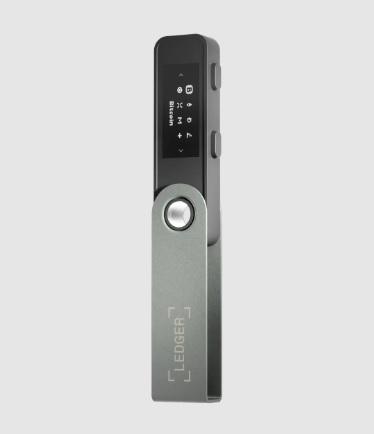
The wallet is easily connected to computers through USB-C and supports multiple operations via the user-friendly Ledger Wallet app for wallet management, cryptocurrency exchange, and access to DeFi tools and staking options.
The Nano S design is compact but still boasts and improved display and lots of onboard memory.
Ledger Nano S Plus review: Key features
The Ledger Nano S combines maximum security, practical design, and versatile asset management features. It is one of the best Ledger hardware wallets for storing crypto assets.
Let’s take a closer look at what makes this crypto hardware wallet stand out.
Design and display
The Ledger Nano S Plus offers a larger 128×64 pixel screen, making it easier to read and confirm transactions.
Its compact USB stick-style design and USB-C connection make it portable and compatible with most modern devices, including Android phones and the latest laptops.
The metal casing adds durability, giving users a wallet built to last and easy to carry.
Enhanced security
Ledger prioritizes security, featuring a CC EAL6+ secure element chip that Ledger employs to protect against unauthorized access.
Combined with Ledger’s BOLOS operating system, which isolates each app, this setup keeps data safe across assets.
For added security, every transaction requires PIN entry and physical button confirmation, minimizing risks from phishing and unapproved access.
Supported cryptocurrencies and blockchains
Ledger Nano S Plus comes with support for more than 5,500 coins and tokens that make it flexible to many assets and networks. Popular coins include:
- Bitcoin (BTC)
- Ethereum (ETH)
- Binance Coin (BNB)
- Solana (SOL)
- Polkadot (DOT).
With Ledger Wallet support, users can manage a variety of assets and even NFTs, while also tracking crypto prices across many top blockchain ecosystems.
Asset management with Ledger Wallet
With Ledger Wallet, users can organize all their crypto assets and NFTs in one place.
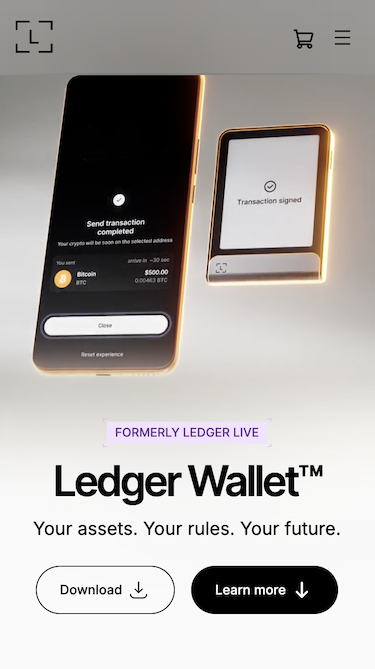
This app is available for both desktop and Android. It allows users to buy, sell, and swap directly without third-party platforms, simplifying the process of managing their crypto.
Its intuitive layout suits beginners but also offers advanced features for experienced users.
Ledger Recover service (optional)
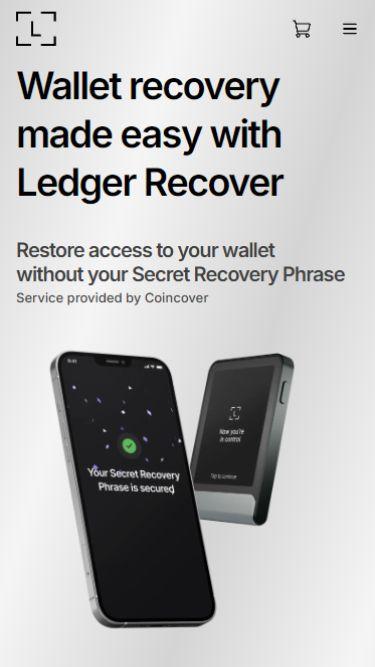
Ledger offers Ledger Recover, a premium backup service for the recovery phrase for some extra peace of mind.
This optional service costs €9.99 per month and securely stores the seed phrase through encrypted, identity-verified storage, providing added protection for those worried about losing access to their wallet credentials.
OTG Kit for Android (optional)
For users who prefer to manage crypto on a mobile device, Ledger offers an optional OTG Kit for Android.
Priced at 17.99 dollars, it includes the necessary cables to connect the Ledger Nano S Plus to smartphones and tablets using either USB-C or USB-A connection.
This accessory is not required for desktop use, but it makes the hardware wallet more versatile for Android users who want to access their digital assets, run the Ledger Wallet app, and confirm transactions on the go.
Flexible blockchain and dApp access
The Nano S Plus accepts an incredibly wide variety of digital assets across multiple blockchains, making it suitable for any portfolio.
Through Ledger Wallet, users can connect directly to DeFi apps and NFT platforms such as Lido or 1 inch, managing assets regardless of their market cap.
This creates an edgeless experience interacting with decentralized finance, all under one secure interface.
Ledger Nano S Plus pricing and fees
The Ledger Nano S Plus is priced at $59, making it one of the most affordable hardware wallets for storing crypto assets securely.
The standard cost can increase slightly depending on shipping, but there are no recurring fees for using the device.
In practice, the only additional fees you will encounter are blockchain network fees when sending or receiving transactions.
However, these are not fees from the Ledger wallet itself and apply to all crypto wallets on the market.
Optional extras, such as the Ledger Recover subscription at $99.99 per year or the OTG Kit for Android at $17.99, can also raise the overall cost for those who choose them.
Ledger hardware wallets compared
When deciding between different Ledger wallets, it helps to understand how each model fits specific needs.
All Ledger devices share the same certified secure element and industry-leading security, and they remain among the only hardware wallets trusted by millions, though they differ in features, mobility, and price.
Below, we look at the key differences before a full comparison table.
Ledger Nano S Plus vs Ledger Nano X
The Nano S Plus and Nano X both support more than 5,500 cryptocurrencies, NFTs, and DeFi apps through the Ledger Wallet app.
The main difference is mobility: the Nano S Plus connects with a USB-C cable, while the Nano X includes Bluetooth connectivity and an internal battery, making it easier to use on a mobile device without wires.
The Nano X also costs more at 149 dollars, compared to 59 dollars for the Nano S Plus.
Ledger Nano S Plus vs Ledger Flex
The Ledger Flex is a newer model designed with a thin e-ink display and biometric authentication, focusing on portability and user experience.
It supports fewer assets (around 3,000 coins and tokens) compared to the Nano S Plus, but it introduces Bluetooth support and wireless charging. At 249 US dollars, it’s considerably more expensive than the S Plus in price.
Ledger Nano S Plus vs Ledger Stax
The Ledger Stax is Ledger’s premium model, with a large curved touchscreen, wireless charging, and Bluetooth support.
It offers the same robust security as the Nano S Plus but is designed for advanced users managing an entire portfolio with a more modern interface.
At $399, it is significantly more expensive, making the Nano S Plus the better value choice for users focused on cold storage without additional design features.
Ledger cold wallet models: In-depth comparison table
Below is a side-by-side look at the four main Ledger hardware wallets, covering key aspects from security features to price and usability.
| Feature | Ledger Nano S Plus | Ledger Flex | Ledger Nano X | Ledger Stax |
| Security | Secure element (CC EAL6+), BOLOS OS, PIN, physical confirmation | Secure element (CC EAL6+), biometric login | Secure element (CC EAL6+), BOLOS OS, PIN, Bluetooth pairing | Secure element (CC EAL6+), touchscreen PIN, biometric login |
| Networks | 100+ blockchains | 50+ blockchains | 100+ blockchains | 100+ blockchains |
| Cryptocurrencies | 5,500+ coins, tokens, NFTs | 3,000+ coins and tokens | 5,500+ coins, tokens, NFTs | 5,500+ coins, tokens, NFTs |
| Crypto swaps | Yes, via Ledger Wallet third-party integrations | Limited support via partners | Yes, advanced swaps in Ledger Wallet | Yes, with multi-swap options |
| Fiat purchase | Yes, buy crypto with fiat through third-party providers on Ledger Wallet | Yes, basic fiat options via partners | Yes, extensive fiat gateways | Yes, with added in-app fiat transaction support |
| Staking | Yes, for select assets via Ledger Wallet | Yes, basic staking | Yes, with real-time tracking | Yes, enhanced staking visualization |
| Connection | USB-C only | USB-C and wireless adapters | USB-C and Bluetooth | Bluetooth and USB-C |
| Battery | No | Yes | Yes (100 mAh) | Yes (200 mAh) |
| Compatibility | Windows, MacOS, Linux, and Android (via USB-C/OTG kit) | Windows and MacOS (cable). Android and iOS (Bluetooth) | Windows and MacOS (cable). Android and iOS (Bluetooth) | Windows and MacOS (cable). Android and iOS (Bluetooth) |
| Display | 128×64 pixel OLED screen | 2.84-inch e-ink touchscreen | 128×64 pixel OLED screen | 3.7-inch curved touchscreen |
| Build quality | Brushed stainless steel and plastic | Aluminum and plastic | Stainless steel and plastic | Aluminum and glass |
| Weight | 21 g | 57.5 g | 34 g | 45 g |
| Price | 59 USD | 249 USD | 149 USD | 399 USD |
How to use Ledger Nano S Plus
Setting up and using the Ledger Nano S Plus is relatively easy and ensures the safety and security of your digital assets. Follow these steps to manage your cryptocurrencies confidently.
Step 1. Install Ledger Wallet
First and foremost, download the application called Ledger Wallet from the official Ledger site. It will serve as a control center for further managing cryptocurrencies, staking assets, and using DeFi tools.
Then, install it on a computer or an Android mobile device. After installation, follow the instructions to create an account and connect it to your Ledger device.
This step will ensure that your device is updated and has all the latest security protocols.
Step 2. Connect and initialize your device
Connect the Ledger Nano S Plus to your computer or Android phone with the provided USB-C connection. Power on and begin following the on-screen instructions.
Select PIN code using the device’s physical buttons to complete the initial setup. This PIN acts as an essential layer of security, and you need to decide on a combination that is hard to guess by others but easy for you to remember.
Once the PIN has been confirmed, the device will be ready for the next step.
Step 3. Write down your recovery phrase
Your seed phrase or recovery phrase is a set of 12 or 24 words that acts as the ultimate backup of your wallet.
The device will flash out this phrase one word at a time. Carefully write it down using the recovery sheet included in the package and double-check the sequence.
Store the recovery phrase securely in an offline location, such as a safe or a lockbox. Do not save it digitally or tell anyone since this is the only backup in case your wallet gets lost or damaged.
Step 4. Install blockchain apps
Your Ledger Nano S Plus does not automatically manage cryptocurrencies; it requires installing some blockchain-specific apps through Ledger Wallet.
Launch the app and head to the “My Ledger” section. Find and install apps for any cryptocurrencies you might want to store, including the Bitcoin app, Ethereum, or Solana.
The apps will enable the device to interface with the respective blockchains so you can securely send, receive, and store crypto assets.
Step 5. Transfer crypto to your Ledger wallet
After installing blockchain apps, you can transfer your digital assets to the wallet.
First, open Ledger Wallet, go to the “Receive” option, and select the cryptocurrency you want to deposit.
The Ledger device screen and the app show a wallet address. Double-check that the address truly matches and copy it.
From an exchange or any other wallet, you may now send funds to that address, taking great care of accuracy to avoid mistakes.
Recent updates to the Ledger Nano S Plus
We reviewed the latest information for this model and found some updates that matter for anyone using the Nano S Plus in 2025.
Firmware update version 1.4.1
The Nano S Plus is still receiving active firmware support as of late 2025. Ledger released version 1.4.1 on 30 September 2025, which includes enhanced device integrity checks and expanded cryptographic curve support.
For users of the device, this translates into a more robust defense against tampered firmware and broader compatibility with newer crypto assets, without requiring a new device.
‘Ledger Live’ is now called ‘Ledger Wallet’
Ledger has renamed its main app to Ledger Wallet. The core features remain the same, but the updated app puts more focus on simpler direct fiat on-ramp purchases (bank to stablecoins) and smoother access to dApps.
The layout is cleaner and easier to navigate, especially for users who are new to self-custody.
From ‘hardware wallets’ to ‘signers’
Ledger has also introduced a clearer way to describe its hardware devices.
Instead of calling them hardware wallets, the company now uses the word signer. This helps avoid the old idea that the device stores your crypto like a vault.
In reality, the signer protects your private keys inside the secure element and confirms every action you approve.
Ledger Wallet is the app where you manage your assets, while the signer is the secure device that proves the action is coming from you.
Why choose the Ledger Nano S Plus?
You already know that the Ledger Nano S Plus is affordable and comes with plenty of useful features. But the real reason to choose it has more to do with what is happening in the crypto world right now.
In 2025, the scale of crypto losses reached new heights. According to CertiK, more than 2.47 billion dollars was stolen in just the first half of the year.
This was mainly driven by the Bybit hack—the largest exchange hack ever recorded—and the Cetus Protocol exploit, which together accounted for 1.78 billion dollars.
According to a Chainalysis report, 2025 is on track to surpass 4 billion dollars in stolen funds, making it potentially the worst year in history. Add to this well-known collapses of platforms like FTX and Celsius, and the message is clear: keeping crypto on exchanges is a gamble.
The Ledger Nano S Plus answers this problem by putting you in control. Your keys stay offline, safe from hackers, phishing scams, and custodial risks.
That is why, beyond its price and features, its greatest strength is the peace of mind it provides in an industry where security is never guaranteed.
Ledger Nano S Plus review: why is this hardware wallet worth buying in 2025?
The Ledger Nano S Plus excels in keeping crypto assets safe thanks to its certified secure element and its usability, enhanced by the Ledger Live application.
Available at just $59, the wallet extends huge support to over 5,500 cryptocurrencies and tokens for a complete newbie and an active investor. Lacking Bluetooth but offering connectivity via USB-C, this device has become both reliable and affordable.
For those looking for a balance between top-notch security, ease of use, and affordability, Nano S Plus is a great addition to your crypto toolkit.
FAQs
Is Ledger Nano S Plus safe?
Is Ledger Live safe?
Is Ledger a cold wallet?
Is the Ledger Nano S Plus Worth It?
How Many Coins Does Ledger Nano S Plus Hold?
Is the Nano S Plus a good Ledger?
Do I lose my crypto if I lose my Ledger?
What are the disadvantages of a Ledger wallet?
What is the difference between Ledger Nano S and Ledger Nano S Plus?
References
- What Is a Hardware Wallet? | Ledger Academy | 2025
- Hardware vs. software wallets: Key differences | CoinTelegraph | 2025
- Ledger’s Custom Operating System: BOLOS | Ledger Academy | 2024
- Hardware Wallet Secure Element: The Complete Guide | Cool Wallet Blog | 2023
- Ledger Device OS™ (Operating System) Update Guide | Ledger Support | 2025
- Why Ledger Live is now known as Ledger Wallet | Ledger Support | 2025
- From Hardware Wallet to signer: A New Era for Digital Ownership | Ledger Academy | 2025