


The Ledger Nano X and D’CENT Wallet are two crypto hardware wallets with distinct design approaches and transaction signing methods. However, their security is essentially the same, they support a similar number of cryptos, and share many other features.
So, which should you choose? It’s not an easy choice to make, which is why we’ve prepared this complete D’CENT Wallet vs Ledger Nano X comparison. You’ll see a summary of each one, along with comparisons of features, supported cryptocurrencies, Web3 capabilities, user experience, mobile app experience, and more. Let’s begin.
D’CENT Wallet vs Ledger Nano X – Brief overview
Both D’CENT Wallet and Ledger Nano X are hardware crypto wallets, i.e., physical devices that provide cold storage for crypto assets. They use Secure Element chips with CC EAL5+ certifications, keeping private keys offline and entirely in your hands, as they are both non-custodial.
The two have companion apps that offer additional capabilities, especially when connected to third-party services. Ledger Live is a companion app that can be installed on phones and computers, whereas D’CENT offers a mobile-only app that functions as an independent software wallet.
The central unique aspect of D’CENT Wallet is its biometric capabilities, i.e., a fingerprint scanner that makes signing transactions easier and safer. Ledger Nano X uses physical buttons and relies on PINs. The D’CENT Wallet also features a slightly higher-resolution OLED display, although its actual size remains almost the same.
- Similar approaches to security are used, but Ledger utilizes PINs, while D’CENT employs fingerprints and PINs.
- Both feature companion apps, with Ledger’s having more embedded features, while D’CENT’s app doubles as an independent hot wallet.
- Ledger is more popular, while D’CENT offers a more distinctive form factor and authentication method.
| Category | D’CENT Wallet | Ledger Nano X |
| Number of supported cryptos | 4,600+ | 5,500+ |
| Fees | Only gas fees and fees for third-party services used in the app | Only gas fees and fees for third-party services used in the app |
| Mobile app | Android and iOS | Android, iOS, macOS, Windows, Linux |
| Secure element chip | Certified Secure Element (CC EAL5+) | Certified Secure Element (CC EAL5+) + ANSSI CSPN certification |
| Authentication | Fingerprint and PIN | PIN |
| NFT support | Yes | Yes |
| dApp explorer | Yes | Yes |
| Trading tools | Swapping. Added tools through third parties. | Swapping, buying with fiat, and staking. Added tools through third parties. |
| Warranty | 1 year | 1 year (3 years for $19.99 with Ledger Replace service) |
| Battery | Lithium-ion 530mAh | Lithium-ion 100mAh |
| Battery life | Up to 4 hours | Up to 5 hours |
| Display | OLED | OLED |
| Display size | 128×128 pixels1.10 in | 128×64 pixels1.09 in |
| Device size | 4.3 x 7.7 x 1.1 cm1.69 x 3.03 x 0.43 in | 7.2 x 1.86 x 1.17 cm2.83 x 0.73 x 0.46 in |
D’CENT Wallet vs Ledger Nano X
Before we start comparing features, crypto support, and every other important aspect, let’s quickly explain what each of these two wallets is and what makes it an interesting choice.
D’CENT Wallet summarized
D’CENT is a brand founded in 2018 by the Korean blockchain and crypto company IoTrust. It began with the launch of its signature D’CENT Wallet, featuring biometric capabilities, and remains the company’s main product to this day.
There’s only one other hardware wallet, the D’CENT Card Wallet, that comes in the shape of a bank card. The D’CENT Mobile app serves as both a companion app for D’CENT hardware wallets and an independent software wallet, allowing it to have its separate address.
The D’CENT Wallet is shaped like an old media player, with the screen positioned at the top and the fingerprint scanner and four buttons located at the bottom.
You can store over 4,600 different cryptocurrencies from 84 networks on this wallet, while NFTs are also supported, as long as they are on one of the supported networks.
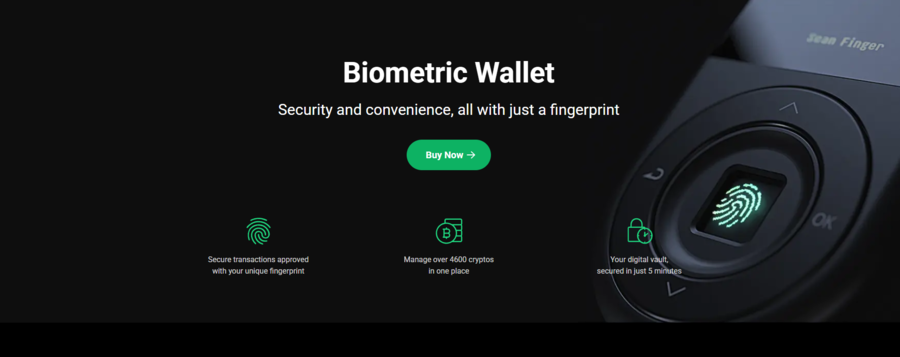
The wallet keeps private keys in offline storage and uses a CC EAL5+ certified Security Element chip. The device runs automatic verification checks every time you power it on, a neat way of ensuring the software hasn’t been tampered with in the meantime.
Besides storing crypto and NFTs and signing transactions, the wallet comes with various additional features that can be accessed through the app. The app features an embedded swapping function, but you can also connect multiple dApps and DeFi apps for options such as staking, lending, and more.
The wallet is $159, but it’s often available at a discount. The package includes the device, a welcome guide, a recovery phrase record sheet, and a specification sheet. If you don’t need the full picture and comparisons because you’ve already made your decision, you can buy a D’CENT Wallet right now.
Ledger Nano X summarized
Ledger Nano X is produced by one of the most renowned hardware wallet manufacturers, also named Ledger. The French company started in 2014, but it launched the Ledger Nano X in 2019. It’s the company’s mobile-first wallet, designed for convenient day-to-day use and easy transport.
Ledger makes three additional wallets:
- Ledger Nano S Plus: Similar in design to the Nano X, but acting as the entry-level device under a very affordable price tag of $79.
- Ledger Flex: This is Ledger’s next-generation device, shaped like an e-book reader, featuring a 2.84-inch E-Ink touchscreen.
- Ledger Stax: Similar to Flex in design, but made with a curved E-Ink screen and the ability to stack several Staxes together.
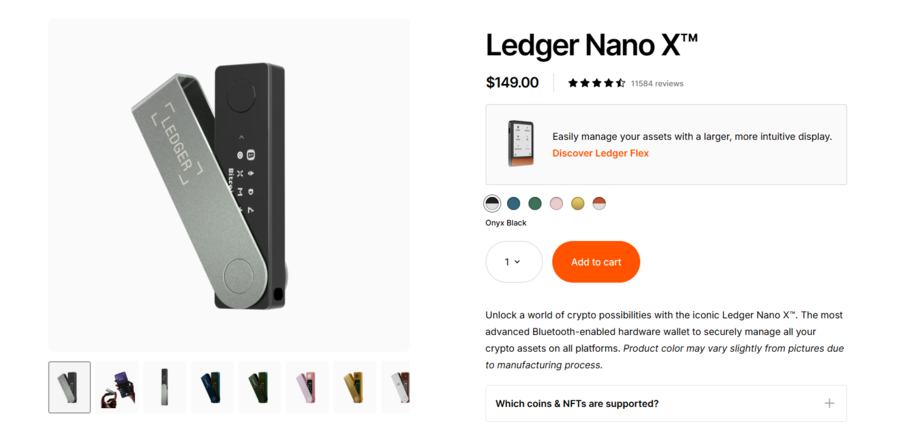
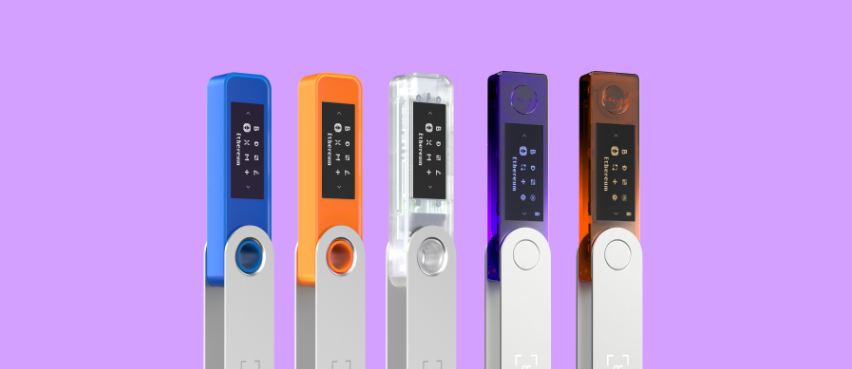
The Ledger Nano X is designed as a USB stick with a screen and two buttons. It’s made of plastic, but it features a stainless steel swivel for added protection and privacy.
It’s a bit cumbersome to use, but like most hardware wallets, it’s designed primarily for signing transactions, while advanced, daily use is facilitated through the Ledger Live companion app.
The wallet supports over 5,500 cryptocurrencies and also allows you to store NFTs. The app offers swapping and staking capabilities, and it also allows you to buy crypto with fiat currency. It can connect with various dApps that unlock additional features and more staking options.
The device utilizes the company’s industry-leading security system, which combines its proprietary BOLOS operating system with a CC EAL5+ Secure Element chip. The wallet also has ANSSI CSPN certification and is entirely open-source.
The wallet costs $149, and the package contains the wallet, a USB-C to USB-A cable, a getting-started leaflet, three recovery sheets, and even a keychain strap. If you’ve already made your decision, you can order your Ledger Nano X today.
D’CENT vs Ledger: Supported cryptos comparison
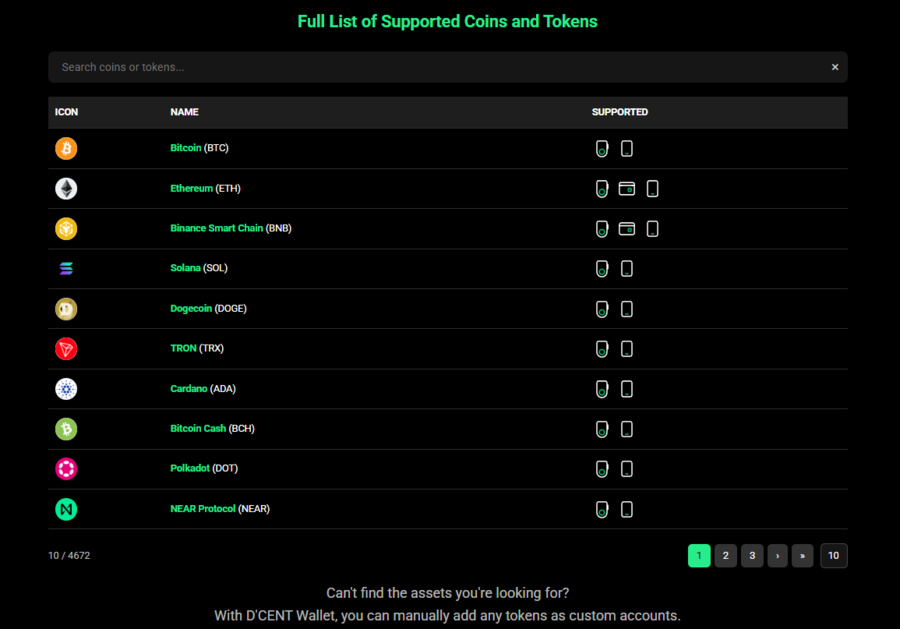
D’CENT Wallet is very open about the cryptocurrencies it supports. You can store over 4,600 different cryptos, while the wallet supports more than 84 networks, meaning you can add thousands of smaller tokens and NFTs.
You can check the complete list of supported cryptocurrencies on this page, where you’ll also see which of the three D’CENT wallets can store each of the listed coins.
The Ledger Nano X is on par with D’CENT and even surpasses the competitor’s mark.
The wallet, like all others from Ledger, supports over 5,500 cryptocurrencies. However, it would be more accurate to say that the Ledger Live app supports over 500 cryptocurrencies and countless NFTs from Ethereum and Polygon. At the same time, you can add multi-chain NFTs and over 5,000 coins with the help of third-party wallets.
Ledger Nano X can pair with over 50 other wallets, which explains the extensive support. You can check which exact coins are supported on this page, where you’ll also see which features (send and receive, swap, buy, stake) are supported for each of the listings.
Web3 support on the D’CENT and Ledger apps
As expected, both of these wallets, being cold storage devices, don’t and can’t have Web3 support as their goal is to remain minimalist and offline for security. However, both companion apps have these capabilities.
D’CENT is consistently integrating with many Web3 services and decentralized applications, including NFT marketplaces. It also runs the Tap That Drop campaign through which it offers rewards to users who complete various quests within the D’CENT Mobile App.
You can use new tools and features that cover portfolio management, access to decentralized ecosystems, staking, lending, borrowing, and cross-chain swaps, among other services. D’CENT primarily utilizes WalletConnect to facilitate interactions with dApps that provide these services.
The wallet app features a dApp browser, accessible through a separate tab called Discovery, where you can search for dApps and view the most popular ones currently available.
As for the Ledger Live app, the situation is very similar, although the app itself has a few more integrated features, like staking and buying crypto with fiat.
The wallet also relies on WalletConnect to integrate with dApps, DeFi apps, and NFT marketplaces. MetaMask is supported, and people often connect it to their Ledger device to get a straightforward interface for dealing with dApps.
Ledger also has its own browser extension, simply called the Ledger Extension, which you can use to directly connect your Ledger Nano X to various dApps and NFT marketplaces.
D’CENT vs Ledger fees compared & contrasted
If you’re not already aware, neither of these wallets has fees. This is largely because they are hardware wallets, which typically do not incur transaction fees. Additionally, they don’t have any required subscription costs (aside from those for optional services), overnight fees, or inactivity fees.
The only fees you need to worry about aren’t connected to the wallets themselves, and include:
- Blockchain (gas) fees: You still need to pay a fee to the underlying blockchain on which transactions are handled, like always. For instance, if you send ETH from your address to another, a gas fee will be paid to the Ethereum blockchain.
- Fees for third-party services: Most third-party services used in the wallet, like staking, borrowing, lending, and swapping, often incur their own sets of fees in addition to the standard blockchain fees.
The important thing is that you’ll always get an overview of the fees you’re paying in the app once you initiate a service like swapping coins.
Are D’CENT and Ledger user-friendly?
Both these wallets are as user-friendly as they can be. Their design is compact, although Ledger Nano X is slightly safer thanks to its steel swivel that covers the screen and compact USB design.
The wallets are relatively fast, at least compared to other hardware wallets. They are easy to use for basic tasks, which is what they are designed for, with apps handling the more complex aspects. The D’CENT Wallet is easier to use and set up, as it features four buttons instead of Ledger’s two, which makes menu navigation faster and more seamless.
Additionally, it features a fingerprint scanner, further simplifying the signing of transactions.
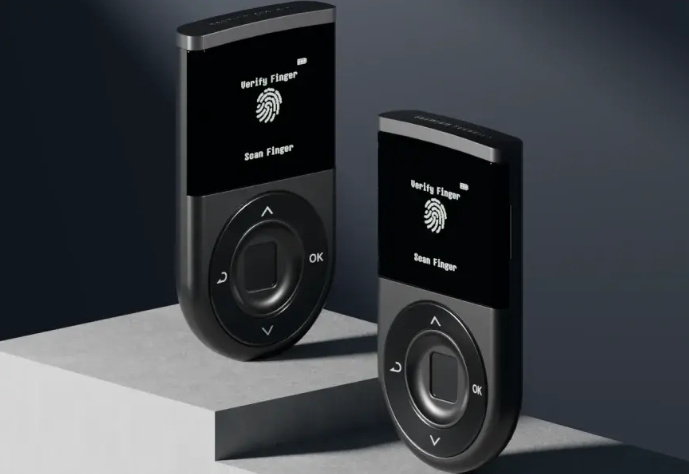
Due to these design choices, D’CENT is easier to set up and can be more appealing to beginners, although Ledger is a more established brand, so you might get more community support.
D’CENT and Ledger mobile applications
D’CENT features a mobile app designed to serve as both a companion to the D’CENT hardware wallets and a standalone software wallet. You can install the app on either an iOS or an Android device and create a new wallet address on it or as an extension of your D’CENT Wallet.
The app is designed to enable 24/7 asset monitoring, allowing you to view your portfolio, its market value, and real-time changes to the price of each cryptocurrency. You can use the app to send or receive crypto, view your entire transaction history, and manage your NFTs.
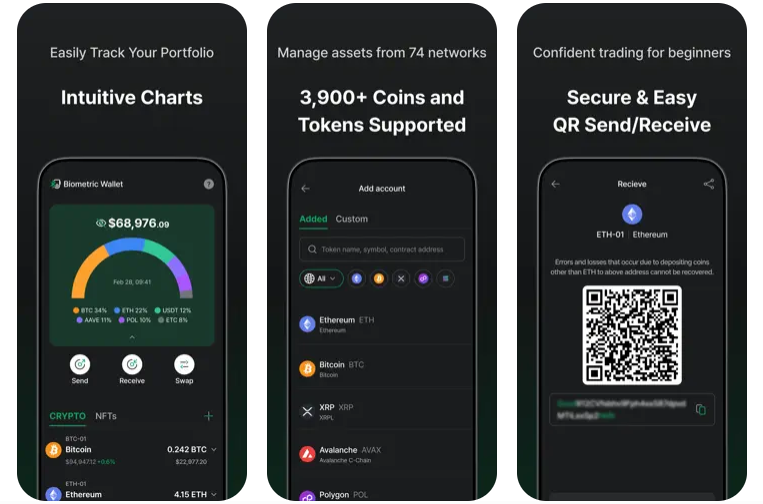
The D’CENT app also features a Discovery tab, where you can browse and interact with various decentralized applications (dApps).
Once you start using the app as a companion or a standalone hot wallet, you’ll still be able to change this by simply switching to a different mode. The three supported ones are Biometric Wallet, Card Wallet, and App Wallet. Every wallet will have its own recovery phrase, so you’ll have to be careful not to confuse them if you use more than one.
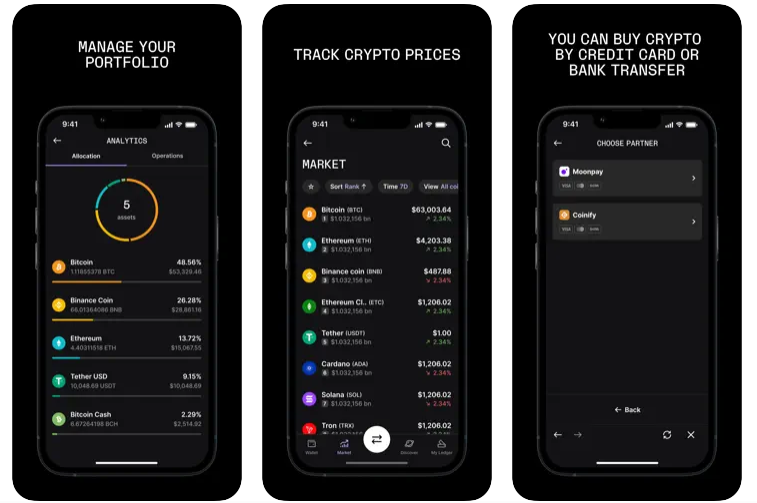
Ledger also has a proprietary app called Ledger Live, which isn’t an independent wallet in its own right like D’CENT’s app, but just a companion. It’s designed to make using crypto through a hardware wallet easier, and it also acts as a Web3 gateway.
You can download it on iOS or Android, as well as on desktops, provided the computer uses macOS, Windows, or Linux operating systems.
You can use the app to manage your portfolio, where you can view live prices of each of your holdings. You can also use it to swap cryptocurrencies or buy coins using credit cards, debit cards, or bank transfers, typically through one of several providers, such as Ramp, MoonPay, and PayPal. The app also lets you stake a few coins.
However, through its connection to the world of Web3, also largely via WalletConnect, like in the case of D’CENT, you’ll have access to a much broader range of services, including more staking options.
Ledger Nano X vs D’CENT Wallet features compared
Being hardware wallets, D’CENT Wallet and Ledger Nano X don’t have many features, as they are designed to be minimalist and thus safe. Most features come from their Web3 capabilities.
D’CENT’s main feature that sets it apart from most competitors, including the Ledger Nano X, is its biometric capabilities. It features a standard Capacitive Touch Sensor for fingerprint scanning, similar to what most smartphones use on their touchscreens.
You can register up to two fingerprints, both of which get the same permissions. You can also add a PIN between 4 and 8 digits, as you can on other hardware wallets.
Ledger doesn’t have this and relies on standard PINs. However, it comes with more embedded options in the app, and optional paid services like Ledger Recover, which provides a digital backup for your 24-word recovery phrase that’s encrypted, fragmented, and stored with three providers to ensure complete privacy and security.
| Feature | D’CENT Wallet | Ledger Nano X |
| Biometric authentication | Yes, fingerprints | None |
| Private keys | Created and stored offline, within the SE Chip | Created and stored offline, within the SE Chip |
| Physical buttons | 4 buttons for menu navigation and confirming actions | 2 buttons for menu navigation and confirming actions |
| Bluetooth connectivity | BLE 4.1 | BLE 4.2 |
| USB connectivity | USB-C on new, micro USB 5-pin on old devices | USB-C |
| Firmware check | Automatic firmware checks performed every time the device is powered on | You can perform a manual check at all times |
| Recovery seed phrase | BIP39 standard, 24-word phrase | BIP39 standard, 24-word phrase |
| Cryptocurrency applications | Up to 80 | Up to 100 |
| Portfolio management | Real-time market prices, pie charts, and a customizable dashboard in the app | Real-time tracking and historical data in the app |
| NFT management | Viewing, sending, and receiving NFTs in the app | Viewing, sending, and receiving NFTs in the app |
| dApp browser | Built in Web3 browser called Discovery Tab in the app | Integrated browser in the app |
| WalletConnect | Fully compatible with WalletConnect | Fully compatible with WalletConnect |
Ledger vs D’CENT customer support
The customer support could be better on both options. The agents aren’t easy to reach, as there’s no straightforward type of functionality, such as a live chat. Only Ledger has something akin to a live chat, where you’ll be met by the chatbot called LedgerBot.
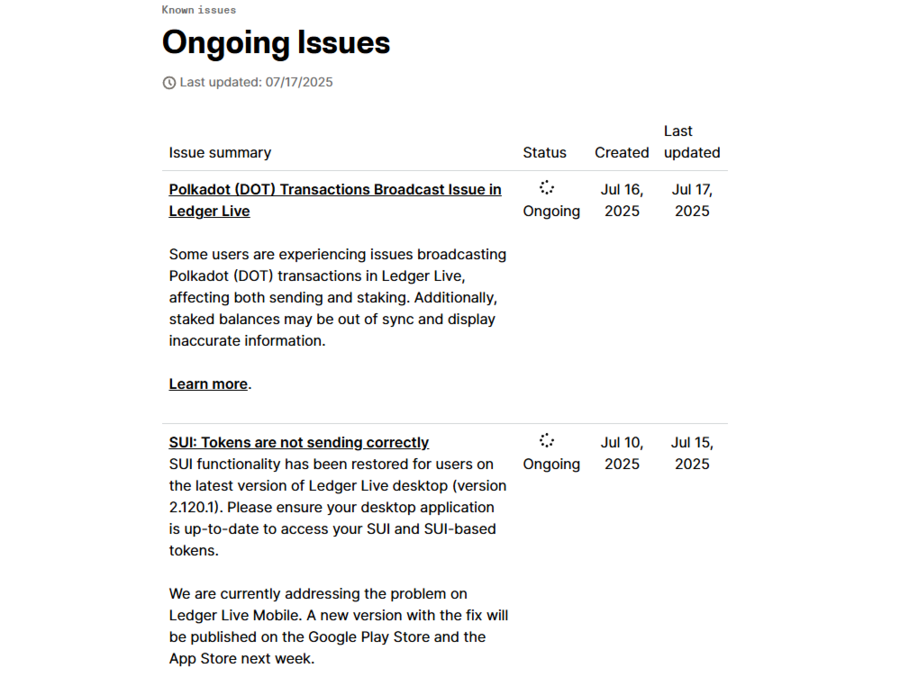
The primary method for reaching the agents with both brands is a ticketing system and very detailed help centers.
There’s no talk of 24/7 support on either option. Ledger has no information on this, while D’CENT lists its working hours.
| Customer support | D’CENT | Ledger |
| Availability | 10 am to 5:30 pm KST Mon-Fri with daily on-hour launch breaks from 12:30 pm to 1:30 pm | Not listed |
| Live chat | None | LedgerBot |
| Ticket system | Yes | Yes |
| Only for responses on tickets | Only for responses to tickets and live chat queries | |
| Phone support | No | No |
How secure are D’CENT Wallet and Ledger Nano X?
The cornerstone of crypto hardware wallet security is a Secure Element (SE) chip, which both of these wallets utilize. Both are also CC EAL5+ certified, meaning that they are effectively tamper-proof, both in the physical and cyber sense.
Private keys are generated and stored on the chips completely offline. Transactions are also signed offline, and only data is sent as confirmation that the signing did occur within the chip.
This makes both the Ledger Nano X and D’CENT Wallet next to impossible to breach, which is precisely what every hardware wallet needs to strive for and why crypto enthusiasts buy them.
Both use PINs, while D’CENT Wallet takes it a step further with a fingerprint sensor, allowing you to sign transactions with your thumb. Both methods are there to ensure that if your device is stolen, no one can use it. And if they try to tamper with the hardware or software, the SE chips are designed to wipe themselves.
Naturally, both wallets allow you to set 24-word recovery seed phrases, ensuring you can always recover your assets and transfer them to another device, regardless of the brand.
D’CENT also has automatic firmware integrity checks that are run every time the device is powered, while Ledger lets you do this manually.
Lastly, both wallets are non-custodial, meaning you keep ownership of your private keys. They are stored locally on the device, within the SE chip, and no one, not even the device’s manufacturer, can gain access to them.
D’CENT Wallet vs Ledger Nano X – Our conclusion
Both D’CENT Wallet and Ledger Nano X are robust hardware wallets with excellent security, making crypto cold storage a breeze. They come with companion apps that allow for advanced trading options through their connection to the Web3 market.
There are no hidden fees, and both allow you to store thousands of coins and even more tokens on all the leading blockchains.
Ledger is the obvious choice for many due to its brand recognition, but D’CENT offers a companion app that doubles as a hot wallet and features a fingerprint scanner, making signing transactions faster. If this is something you need, D’CENT Wallet should be the obvious choice.
FAQs
Is Ledger better than the D’CENT Wallet?
Is Ledger still the best cold hardware wallet in 2025?
Is D’CENT a good hardware wallet?
Is Ledger Nano X the safest wallet?
References
- D’CENT Wallet (D’CENT)
- Ledger (Ledger)
- What is a hardware wallet? (Coinbase)
- Decentralized Applications (dApps): Definition, Uses, Pros and Cons (Investopedia)
- What Is WalletConnect and How to Use It (Coingecko)
- Hot Wallets vs. Cold Wallets (Gemini)