



Trezor is among the oldest and most trusted cryptocurrency cold hardware wallets.
SatoshiLabs, the company behind Trezor wallets, has been delivering highly secure devices for over a decade now. Over the years, the company has developed multiple products to cater to varying and changing user needs.
Our Trezor wallet review will give you detailed information on each of Trezor’s hardware wallets to help you decide the best one for you.
Trezor Wallet review summary
When it comes to Bitcoin security, the more secure the method, the less flexibility it offers in terms of features. For instance, a secure paper wallet, which is considered to be the safest, only allows users to deposit coins.
Trezor Bitcoin wallet, on the other hand, delivers the best of both. Trezor wallets work as highly secure cold storage (offline) devices while still giving users the flexibility to spend their funds. Moreover, Trezor offers apps for ERC20 storage, in terms of price and features, to meet the needs and preferences of different types of users.
Such features make Trezor hardware wallets a good fit for users who want simple, offline storage with high security and don’t mind sacrificing a few ease-of-use features, such as a mobile app or Bluetooth connection.
Is Trezor safe and secure?
Day to day, security is handled in a simple and practical way. Private keys stay inside the device, transactions must be approved on the hardware screen, and access is protected with a PIN and optional passphrase. Newer models also include a certified EAL 6+ Secure Element to strengthen resistance against physical tampering.
Trezor has been around for more than ten years, and there has never been a confirmed case of funds being drained through a remote attack on a correctly set-up device. Also, the company has consistently responded to found vulnerabilities through firmware updates and improved hardware design.
As with any hardware wallet, most real-world risks come from phishing or poor storage of recovery phrases rather than the device itself. When bought from an official source and set up correctly, Trezor offers a level of security that is one of the safest options for long-term crypto storage.
Trezor wallet product range
Over the years, SatoshiLabs has come up with many Trezor models to meet the changing needs of crypto users. These models are:
Trezor Safe 3
- Screen size: 0.96″ monochrome OLED (128×64)
- Price: $79
The Trezor Safe 3 is a compact, easy-to-use device that supports all major assets or Ethereum-based tokens. The device is touted as a beginner-friendly wallet with a user-friendly interface. Setting up the wallet, managing assets, and accessing accounts on the device is fairly simple.
Trezor’s Safe 3 doesn’t feature a touchscreen like the more pricey Safe 5, but a monochromatic display with physical buttons to navigate and confirm transactions. The build quality is solid, and the physical buttons are responsive.
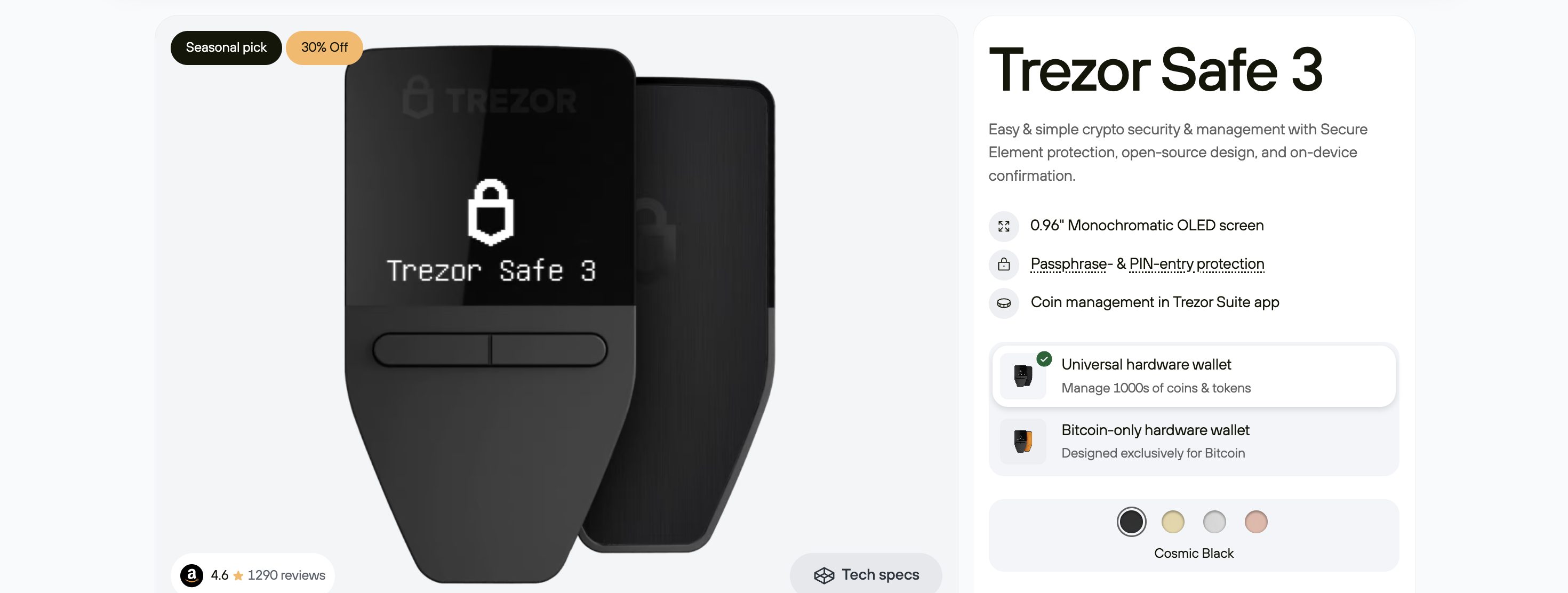
What makes Trezor Safe 3 different from other Trezor cold wallets is the presence of a dedicated security chip, which enhances its physical security. The device offers several backup options, including the standard 12-, 20-, and 24-word recovery seeds, as well as advanced Shamir Backup (SLIP39).
Trezor’s Safe 5 wallet costs just $79, making it an excellent option for any level of crypto user.
Pros
- Affordable crypto wallet
- Easy to set up
- Supports more than 7,000 digital assets
- Optional Shamir backup
Cons:
- Users accustomed to touch screens may face difficulty
- Plastic screen can get easily scratched
Trezor Safe 5
- Screen size: 1.54″ color touchscreen (240×240)
- Price: $169
The Trezor Safe 5 is one of Trezor’s latest non-custodial wallets, featuring a sleek design and advanced technological features. The device features a vibrant touchscreen and tactile feedback to provide users with an intuitive experience.
Trezor’s Safe 5 uses the NDA-free EAL 6+ Secure Element, as well as PIN and passphrase protection to safeguard against online and offline threats. Moreover, its improved 20-word wallet backup standard offers better recovery options.
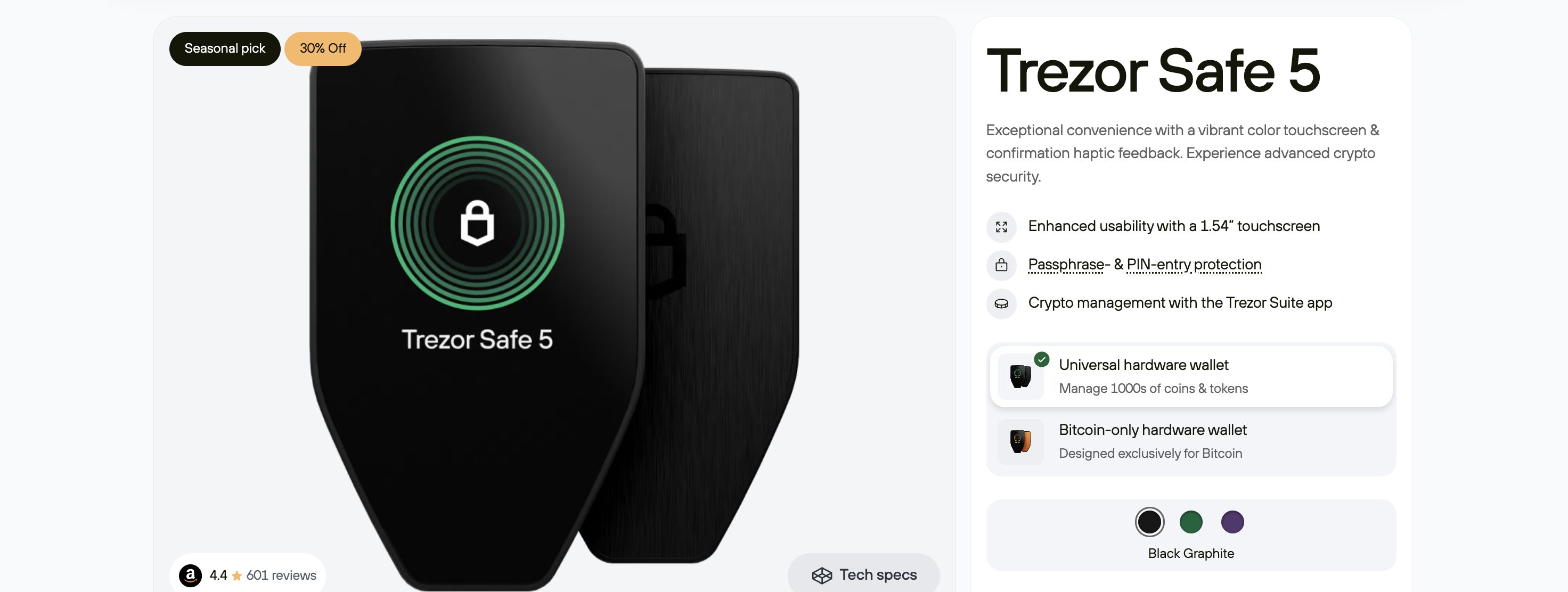
When compared to previous Trezor models, Safe 5 integrates better with the Trezor ecosystem to simplify buying, selling, and exchanging cryptocurrencies. The device also supports many third-party services, making it a good fit for both beginners and experienced users.
Another plus of Safe 5 is that it supports more than 7000 different crypto assets, including major cryptocurrencies, as well as numerous ERC-20 tokens and other blockchain-specific assets. The Safe 5, however, is the most expensive Trezor wallet in the product range, costing $169.
Pros
- The 1.54″ color touchscreen with haptic feedback makes navigation easy
- Supports thousands of cryptocurrencies and tokens
- EAL 6+ Secure Element offers top-notch protection
- Simplifies passphrase management by reducing the need for long, complex passphrases.
Cons:
- One of the most expensive crypto wallets on the market
- Not a cost-effective option for those preferring a simpler interface
Trezor Safe 7
- Screen size: 2.5″ high-resolution color touchscreen (520 × 380 px)
- Price: $249
The Trezor Safe 7 is Trezor’s most premium hardware wallet to date and is designed for users who want the highest level of physical and long-term device security available in the brand’s lineup. It builds on the Safe series by introducing a new internal architecture and a more durable, high-end form factor.
The wallet combines a certified EAL 6+ Secure Element with an additional open and auditable security chip, separating sensitive operations and strengthening resistance to advanced physical attacks. Standard protections such as PIN access, passphrase support, and mandatory on-device transaction confirmation are also baked into the device.
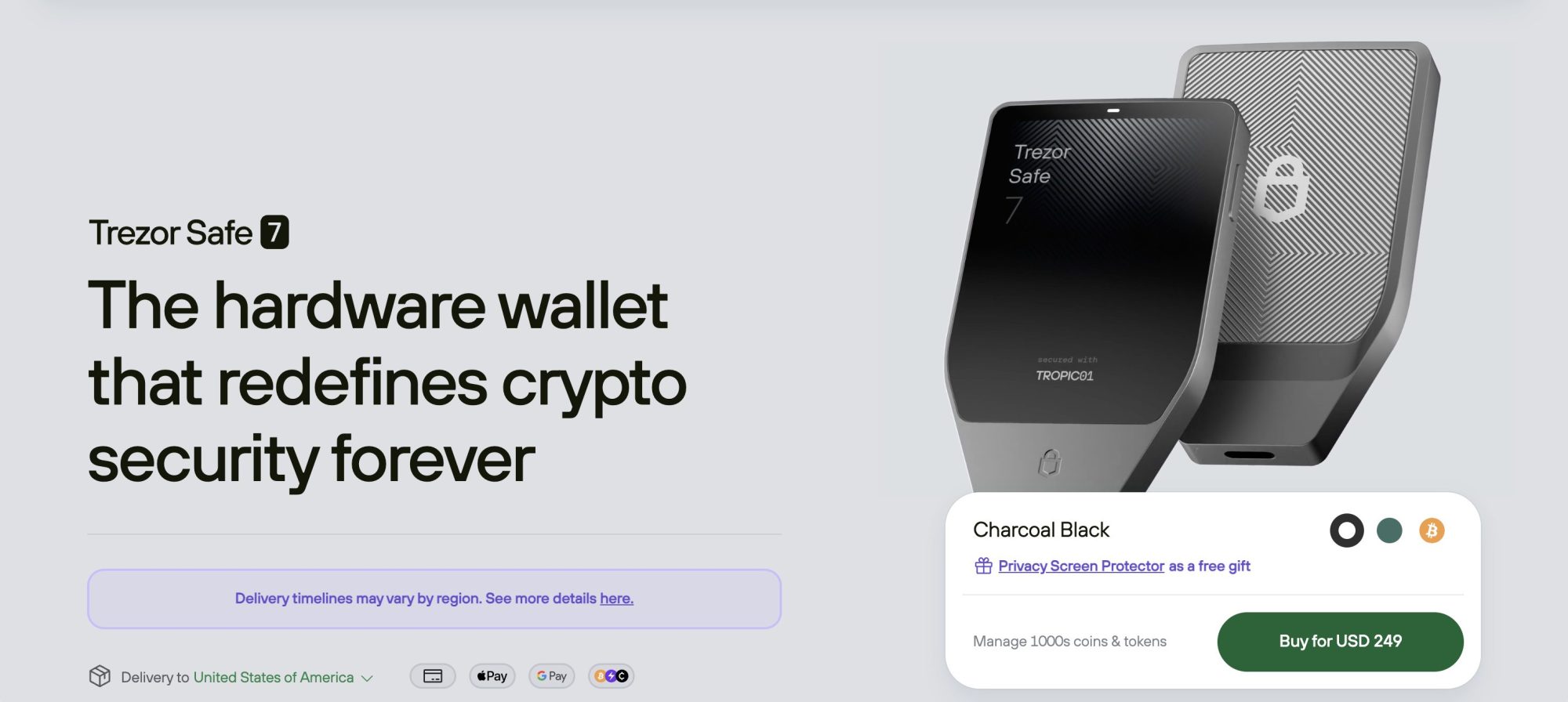
From a hardware perspective, Safe 7 moves away from plastic enclosures and adopts a solid metal body with a noticeably larger color touchscreen. The device also introduces features not found on earlier Trezor models, including wireless charging and optional Bluetooth connectivity, while still allowing fully wired use via USB-C for users who prefer it.
With an expected price of around $249, it is aimed at experienced users storing higher-value portfolios who want added physical protection and device longevity.
Pros
- Dual-chip security design with certified and auditable hardware
- Large color touchscreen with durable metal construction
- Introduces wireless charging alongside standard USB-C use
- Retains full PIN and passphrase protection
Cons:
- Highest-priced wallet in the Trezor range
- Bluetooth functionality may be unnecessary for some users
Trezor Model One
- Screen size: 0.96″ monochrome OLED (128×64)
- Price: $49
The Trezor Model One was the first hardware wallet to hit mainstream markets. Being the first and the longest-surviving hardware wallet around, the wallet has set the gold standard for crypto security.
Trezor’s Model One features a 128×64 pixel OLED display screen, which is small but is enough to give users a clear view. The device weighs just 12 grams and measures a few millimeters in size, making it super easy to store, hide, and carry.
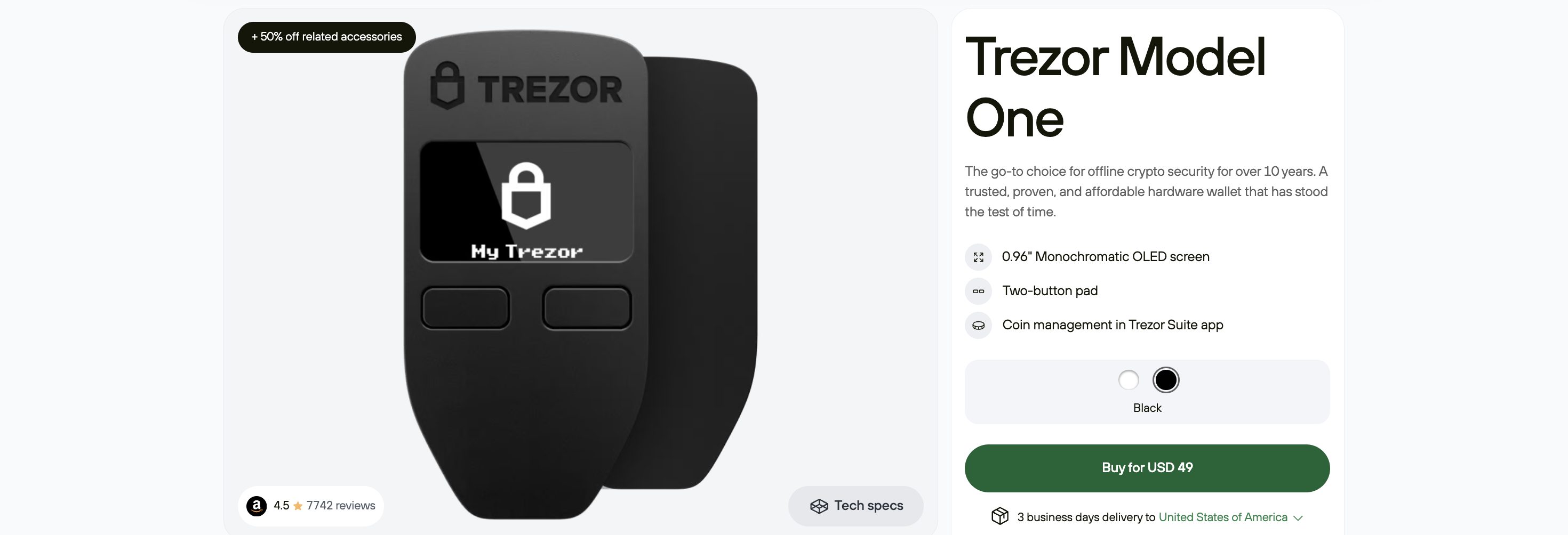
Trezor’s Model One supports fewer assets than the other two models, but it still covers many of the major coins.
Priced at just $49, the Trezor Model One is one of the lower-priced wallets on the market. The device has no connective bolts, nails, or adhesives to hold the case together. Such a design ensures that hackers can’t forcefully open the device without damaging it.
Pros
- Affordable crypto wallet
- Small and compact device
- Monochrome display with two buttons for easy navigation
- Offers top-notch security
Cons:
- Small screen
- Plastic body feels fragile
Trezor Model T
- Screen size: 1.54″ color touchscreen (240 × 240)
- Price: $170
The Trezor Model T is the older “premium” Trezor, sitting between the entry-level Model One and the newer Safe series. It keeps the focus on security, but swaps buttons for a full color touchscreen, so PINs, passphrases, and addresses can be entered and confirmed directly on the device instead of on your computer. 
One of the main reasons people move to the Model T is coin support. It handles all the usual blue chips such as Bitcoin and Ethereum, plus a wider range of altcoins like XRP, Cardano, and Monero that are not available on the Model One. In total, it works with more than a thousand coins and tokens through Trezor Suite and supported third-party wallets.
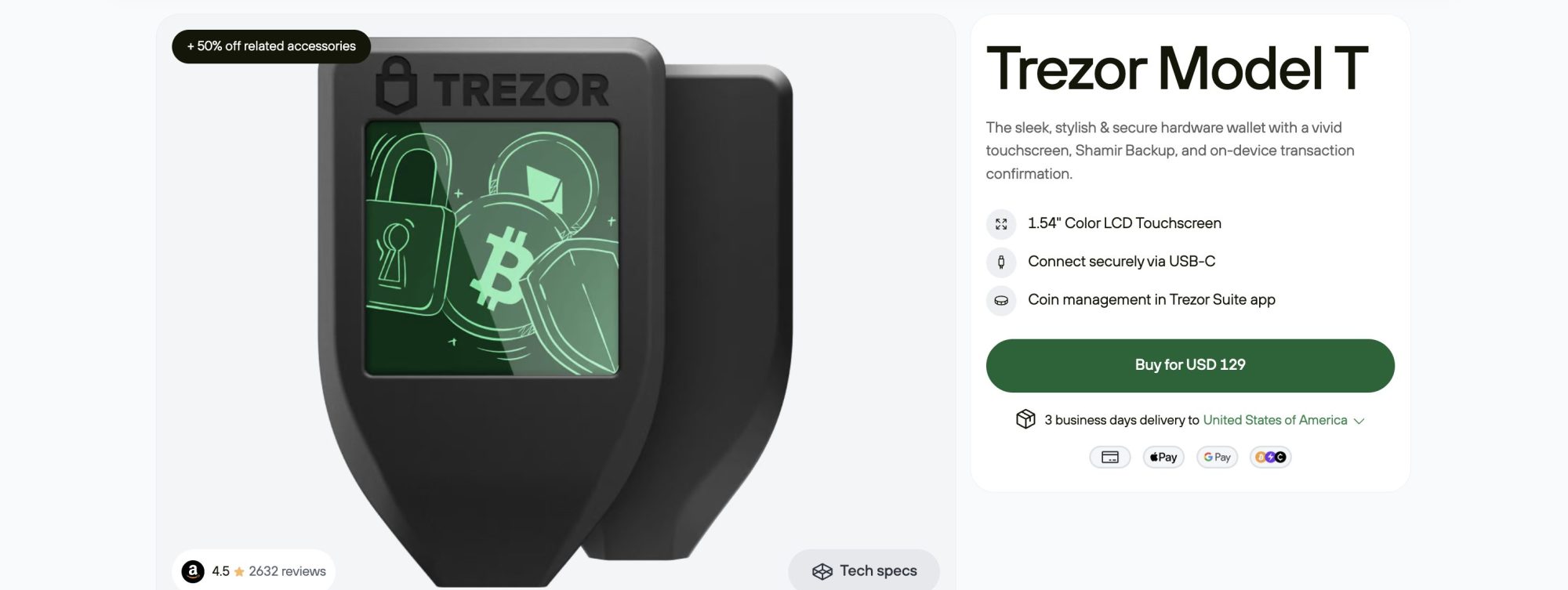
From a security point of view, the Model T adds a microSD slot for advanced backup and encryption features and supports Shamir Backup for splitting your recovery into multiple shares.
The official price usually sits around the mid-range of Trezor’s lineup, below the Safe 5 and Safe 7, which makes it a solid choice for users who want a touchscreen wallet with strong altcoin support without going all the way to the most expensive models.
Pros
- Touchscreen interface that keeps PIN and passphrase entry on the device
- Supports a wider range of altcoins than the Model One
- MicroSD slot and Shamir Backup for more flexible recovery setups
- Offers broader third-party wallet compatibility for assets not supported in Trezor Suite
Cons:
- More expensive than the basic Model One
- Lacks some of the newer hardware refinements found on the Safe series
Trezor models compared
| Model | Price | Key features | Connectivity |
| Trezor Model One | $49 | PIN and passphrase protection, open-source firmware | USB |
| Trezor Safe 3 | $79 | Certified EAL 6+ Secure Element, Shamir Backup support, improved physical security | USB-C |
| Trezor Safe 5 | $169 | Color touchscreen with haptic feedback, EAL 6+ Secure Element, advanced passphrase handling | USB-C |
| Trezor Model T | $170 | Color touchscreen, wider altcoin support, Shamir Backup, microSD features | USB-C |
| Trezor Safe 7 | $249 | Dual-chip security architecture, EAL 6+ Secure Element, large color touchscreen, wireless charging, and Bluetooth support | USB-C, Bluetooth |
Staking with Trezor
Trezor wallets also support staking for selected cryptocurrencies directly through Trezor Suite, allowing users to earn rewards while keeping full control of their funds.
The process is straightforward: users can choose a supported asset, select how much they want to stake, and confirm the delegation on the hardware wallet. Rewards are then generated over time and can be monitored directly in the app, without handing custody over to an exchange.
Trezor biometric authentication
Trezor added biometric authentication to its Trezor Suite. The authentication works with Touch ID and Windows Hello. The new privacy feature is not used to confirm transactions, but for logging into the suite.
To activate biometric authentication, the experimental features must be enabled in ‘Application.’ If activated, an authentication must be made every 5 minutes.
How to set up a Trezor wallet
Setting up a Trezor wallet may prove challenging if you don’t know the setup process. Follow the steps below to easily set up your Trezor wallet:
Connect Trezor to computer
To start the set-up process, you need to connect your Trezor device to your computer via a USB cable. Once the device is connected, a lock icon will appear on the wallet’s screen. Click on the icon to proceed.
Download Trezor Suite
You need to download and install Trezor Suite on your device to use the Trezor crypto wallet. Visit the Trezor website and select the ‘Get desktop app’ option to get the latest version of the software.
Once the download is complete, execute the installer and select the “Only for me” option when prompted. You might be asked to eject and connect the wallet a few times during the installation.Enter Your Script
Now, you can paste the script you created into the text input field or, alternatively, import a script. You’re free to edit the text at this stage, too. The character limit is 2,000 if you’re working with the free plan, which is handy to know in case you’re planning on using this for a lengthy text.
Choose a Voice
Next, you can select an appropriate speaker for your voiceover from the 500+ unique voices. You can filter voices by age, gender, region, and best use case. If you’ve created a voice clone, you’ll also select it from the library to generate the voice content in your own voice.
Set PIN
A pin code is required each time the device is plugged into a computer to verify whether you are the owner. Your computer screen will show a 3×3 grid without numbers, but your Trezor device will show the same grid with numbers.
Create the pin you want by transferring the exact position of these numbers in sequence onto your computer. When you are setting up a device for the first time you will have to enter your new pin twice.Set Backup Passphrase
Once the pin is set, you will be prompted to note down your recovery seed (seed phrase). The 24-word seed phrase will help you recover your money if you lose the Trezor device. It must be noted that the seed phrase isn’t unique to Trezor; i.e., you will be able to use it with other popular wallets if you cut ties with Trezor.
You have completed the set-up process and are ready to send Bitcoin and other cryptocurrencies to whoever you like.
Trezor alternatives
Trezor is well known for its open-source approach and focus on offline security, but it is not the only option for storing crypto safely.
Trezor and Ledger are often mentioned together when comparing hardware wallets, while other providers such as BitBox, Ellipal, SafePal, and Keystone take different approaches to design, security, and ecosystem integrations that may suit different types of users.
When comparing Trezor with other top cold wallets, factors such as firmware transparency, physical security, supported assets, and ease of use can vary significantly. A broader overview of these differences can help clarify which approach fits your needs best.
Some users may also find that hot wallets are more suitable for everyday use, especially when interacting frequently with decentralized applications or managing smaller balances, even if it comes with different security trade-offs.
Conclusion
Trezor wallets should be the top choice of users who prioritize security. They are also easy to set up and intuitive to operate.
Trust is another factor that makes Trezor wallets among crypto users’ top choices. The fact that Trezor’s hardware and software are open-source increases transparency and trust. Moreover, Trezor offers different wallets to meet the budgets of all types of users.
For instance, Trezor One caters to budget-conscious users, and Safe 5 is for users who want more features and are willing to pay more for them. Safe 3, on the other hand, is for users who want the best of both and are ready to compromise on features and price.
FAQs
What happens if I lose my Trezor hardware wallet?
Can I use Trezor with my phone or tablet?
Does Trezor support all cryptocurrencies?
Is Trezor suitable for beginners?
What fees apply when using a Trezor wallet?
References
- Trezor Launches Safe 7 Hardware Wallet With Auditable Secure Element | BitcoinMagazine | 2025
- Trezor Suite Now Supports Solana Staking | CryptoSlate | 2025
- Trezor Suite Now Supports ADA Staking via Everstake with Zero Fees for Four Months | U-Today | 2025
- Stop Wallet Losses: Trezor Expert Turns Setup Into Secure Habits | DLNews | 2025
- Trezor Suite Launches MEV Protection for Safer, More Reliable Transactions | BeInCrypto | 2025