



UK traders requiring access to a wide array of tradeable instruments and sophisticated charting tools seek out brokers that offer the MetaTrader 5 (MT5) trading platform.
Developed by MetaQuotes in 2010, MT5 offers an extensive library of technical indicators, 44 charting tools, including Gann and Fibonacci tools, geometric shapes, and trend channels, enabling in-depth market analysis. It also allows traders to automate their strategies through creating tailor-made bots, known as Expert Advisors (EAs.)
MetaTrader 5 facilitates trading across various asset classes, including forex, stocks, commodities, and cryptocurrencies, from a single platform. It prioritises security with encryption based on 128-bit keys to safeguard user accounts. View our selection of the seven best MT5 brokerages in the UK today in this guide.
The top UK MT5 brokers ranked
Here is our quicklist of prominent UK brokers that offer MT5 among their trading platforms:
- Pepperstone: The Australian broker specialises in foreign exchange (forex) and CFD trading. It offers a diverse range of platforms, including MT5, tools and instruments, such as commodities and cryptocurrencies.
- FP Markets: The Australian broker’s platform works well with MT5, creating better opportunities for scalping and Expert Advisors (EA), thanks to raw pricing and fast trade execution.
- Admiral Markets: Present in the UK since 2012, the platform offers stocks, ETFs, forex and CFD trading on more than 4,000 financial instruments on MT5 and MT4. It’s known for low forex fees.
- PrimeXBT: Based in Seychelles, the multi-asset MT5 broker offers CFD products covering crypto, forex, indices, and commodities with leverage up to 1000:1. It’s known for low spreads starting at 0.1 pips.
- FxPro: Based in the UK, the online broker offers a range of trading services, including forex, CFDs, and spread betting. It supports MT5 and other trading platforms.
- XM: The UK-based broker has clients across 190 countries and specialises in forex, and CFDs on precious metals, energies, equity indices and stocks. It supports more than 10 trading platforms, including MT5.
- Vantage: Founded in 2009 in Australia, the MT5 broker offers more than 1,000 instruments to trade as CFDs including forex, indices, commodities, shares, ETFs and bonds via its FCA regulated Vantage UK unit.
- Show Full Guide
Reviewing the best MT5 brokers in the UK
UK and their offerings:
1. Pepperstone: Strong MT5 brokerage choice for day traders
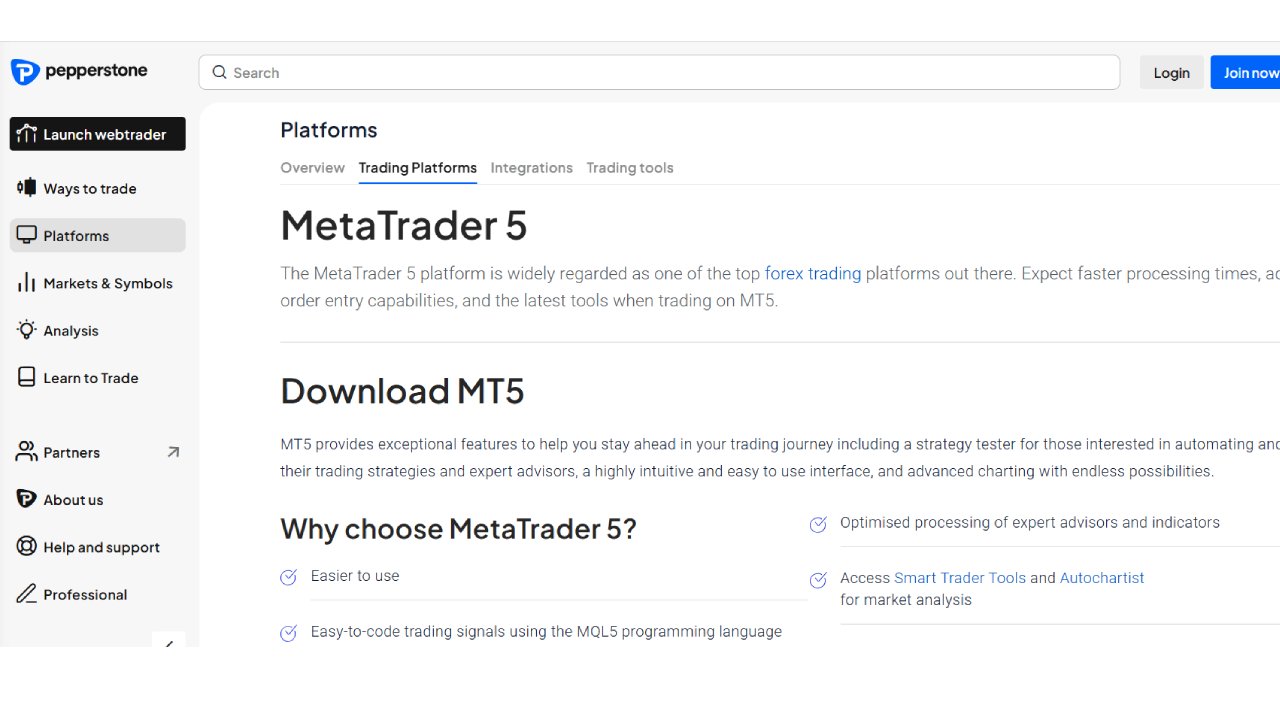
The Australia-based platform is a strong choice for UK traders seeking a reliable, well-regulated CFD broker with competitive pricing and excellent customer support that offers the MT5 platform.
It offers two types of accounts: the Razor account, which is the company’s flagship platform with tight spreads and low commissions of $3.50 per lot, per side and is designed for high-frequency traders and scalpers.
The Standard account is commission-free, but has wider spreads, from 0.02% on oil CFDS to 0.05% on gold CFDs . This is better suited for swing traders and other longer-term trading strategies.
The platform is available in 160 countries, and its multilingual customer support is offered 24/5. Traders can buy a wide range of assets, including commodities, cryptocurrencies, ETFs, forex, indices, and stocks, with quick execution speeds. It is important to note, though, that crypto CFD trading is not allowed in the UK.
Find out more about this broker from our Pepperstone review.
Pros
- Competitive spreads
- Spreads close to zero on the Razor account
- More than 90 forex pairs offered
No minimum deposit requirement
Cons
- Short demo account period
- No direct share trading
| Average GBP/USD Spread: | 0.3 pips on Pepperstone Razor; 1.3 pips on the standard account |
| Minimum Deposit: | None |
| Demo account: | Yes, but it lasts for only 60 days |
| FCA Regulation: | Yes |
2. FP Markets: MT5 broker focusing on low-cost trading
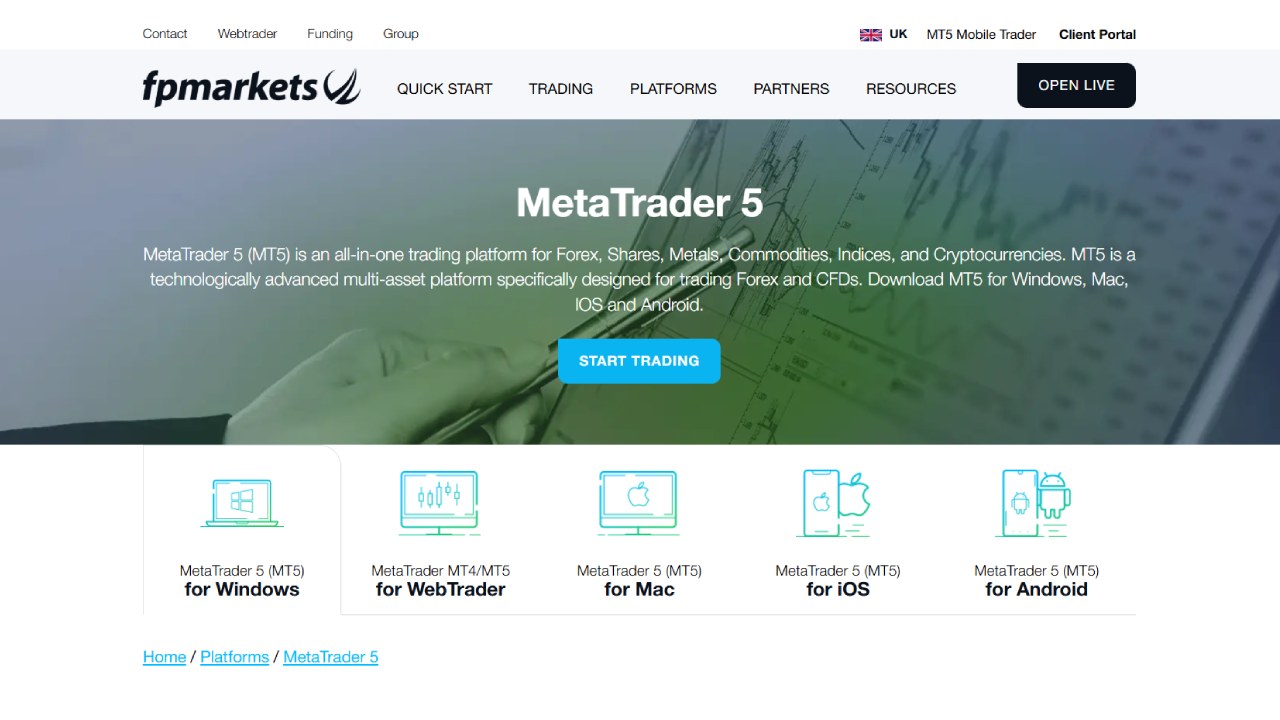
FP Markets is an Australian multi-asset broker known for low-cost trading. It has a daily trading volume exceeding $1 billion and serves clients in over 80 countries. It allows trading in more than 10,000 financial instruments, including
The MT5 broker specialises in CFD trading and offers a comprehensive MT5 platform, enabling you to access a diverse range of trading instruments, including forex, stocks, indices, commodities, and cryptocurrencies. It also offers trading on the MT4, Iress, cTrader, and TradingView platforms.
Some of this MetaTrader 5 broker’s best features include its ability to customise your MT5 platform with charts, indicators, and timeframe as well as the potential of doing automated trading with expert advisors.
Check out our FP Markets review for more information on this broker’s features.
Pros
- Low forex fees
- Demo account available
- Copy trading through Autotrade feature
Cons
- Not FCA regulated
- No direct share trading
| Average GBP/USD Spread: | Ranges from 0.39 for Raw accounts to 1.49 pips for Standard accounts |
| Minimum Deposit: | The equivalent of AUD $100 |
| Demo account: | Yes |
| FCA Regulation: | No |
3. Admiral Markets: Strong assortment of trading options, educational resources
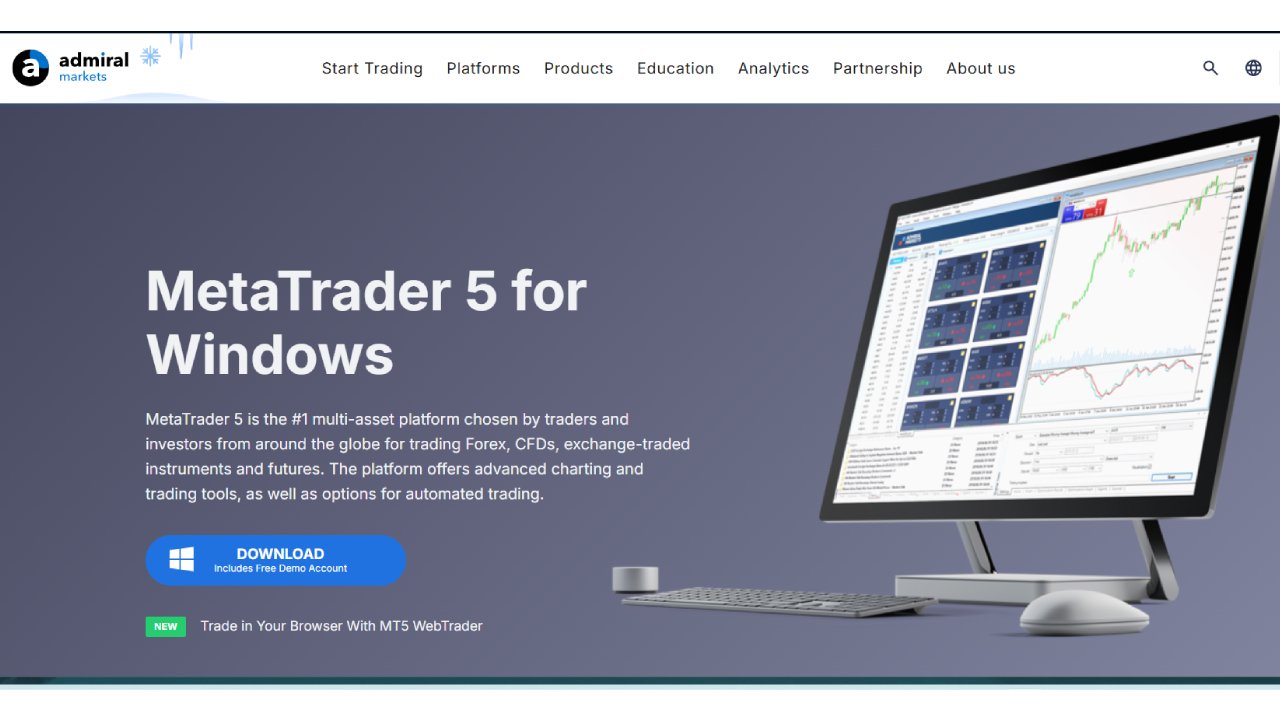
Admiral Markets is part of the Estonia-based Admirals Group and it’s regulated by the UK’s FCA. While it has real stocks and ETFs available to trade, it focuses on trading in forex and CFDs on indices, commodities, crypto, stocks, ETFs, and bonds. CFD trading is also available on commodities, futures, and index futures.
The platform enables you to use MT5 directly in your browser or download it for free. It also offers MetaTrader WebTrader and an Admiral Markets mobile app. Those traders who use MT5 with Admiral Markets also have access to the broker’s Premium Analytics portal, regular market analysis, and its educational articles library.
The MT5 broker allows copy trading, where users can automatically mirror a specific investor’s trades, based on a certain ratio set by the user.
It only requires a minimum deposit of £100 to begin trading on an MT5 account for trading forex, and CFD trading in commodities, indices and stocks. However, it does have an Invest MT5 account with more than 4,500 financial instruments where you can invest on real stocks and ETFs, and for that, the minimum deposit is only £1.
Read our Admiral Markets UK review for a comprehensive assessment of this broker’s offerings.
Pros
- Plenty of CFD trading options and more than 80 forex pairs
- Demo account available
- A wealth of educational materials is available
Cons
- Demo account only lasts 30 days unless you sign up for a live account
- Limited direct share and ETF trading opportunities compared to the CFD range on offer
| Average GBP/USD Spread: | Ranges from 1.1 pips for Standard accounts, but it also charges a $3 commission per lot |
| Minimum Deposit: | £100 for MT5 CFD accounts, £1 for MT5 trading accounts |
| Demo account: | Yes |
| FCA Regulation: | Yes |
4. PrimeXBT: Low-fee multi-asset CFD platform
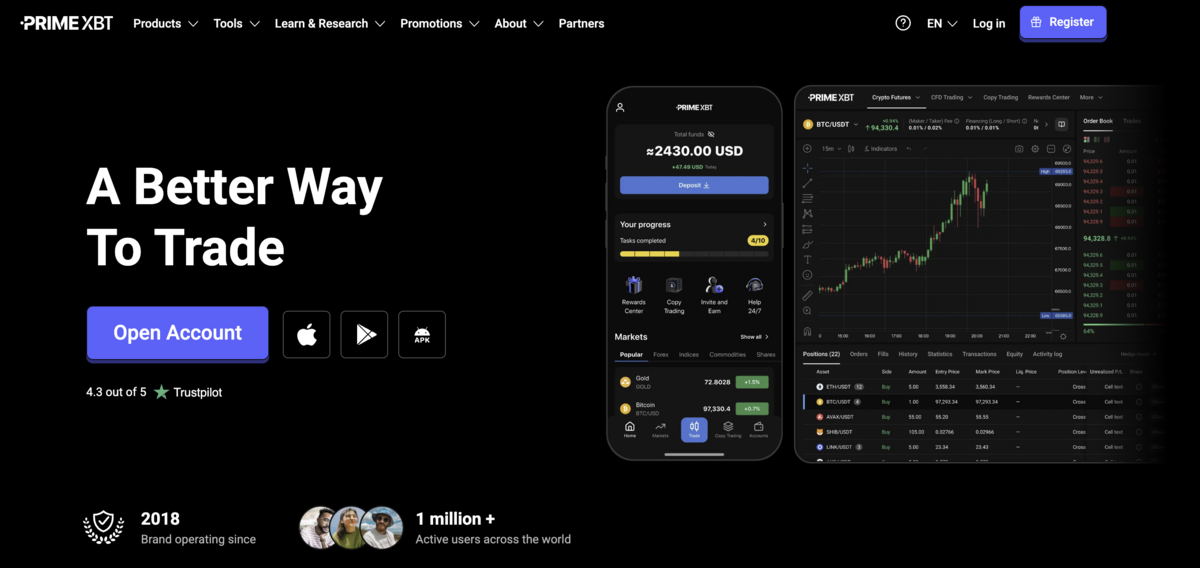
Next on our list is PrimeXBT. It’s a popular multi-asset CFD broker catering to traders looking for low spreads and flexible trading options. It offers its proprietary WebTrader, MT5, and a mobile app.
With MT5, you can access more than 100 markets, including cryptos, forex, commodities, and indices. This platform offers powerful charting and analytical tools, including over 38 technical indicators and 44 charting options.
Although it doesn’t allow direct ownership of shares (only shares via CFDs), PrimeXBT compensates for this with zero-commission CFDs on many markets and 24/7 customer support.
Learn more about this broker’s services from our PrimeXBT review.
Pros
- Low spreads starting from 0.1 pips
- Free $10,000 demo account for practice
- 24/7 customer support and a global user base
Cons
- No direct share ownership, only share CFDs
- Not regulated by the FCA
| Average GBP/USD Spread: | 1.2 pips (WebTrader & MT5) |
| Minimum Deposit: | 0.001 BTC, roughly £65 |
| Demo account: | Yes |
| FCA Regulation: | No |
5. FxPro: CFD broker with plenty of account options
FxPro is a seasoned global broker and offers CFD trading on forex, shares, crypto, spot indices, futures, spot metals, and spot energy. It has been around as FxPro since 2003, longer than many of its competitors. Over that time, it has built a strong reputation and a loyal client base of more than 11 million accounts across 173 countries.
The broker has facilitated more than 786 million trades and has cemented its position as a market leader through its prestigious sponsorship of the McLaren F1 team.
FxPro offers multiple account types, including a demo account with $100,000 in practice money. It offers Islamic accounts that adhere to Sharia law principles, as well as professionally managed accounts.
Some of the negatives for FxPro include its high minimum deposit requirement and an inactivity fee of $5 a month that kicks in after six months of inactivity.
Pros
- Simple and understandable user interface
- Demo account available
- Plenty of account types tailored to various trader needs
Cons
- Limited educational resources
- High minimum deposit of $100
- One-time inactivity fee of $15 after six months of inactivity, then $5 per month after that for each inactive month.
| Average GBP/USD Spread: | Variable spreads, from 1.2 pips on Standard account, or 0 pips with $3.50 commission per side on Raw account. |
| Minimum Deposit: | £100, though £1,000 is recommended |
| Demo account: | Yes, with a FxPro Direct account |
| FCA Regulation: | Yes |
6. XM: MT5 broker strong on technical analysis for CFD trading
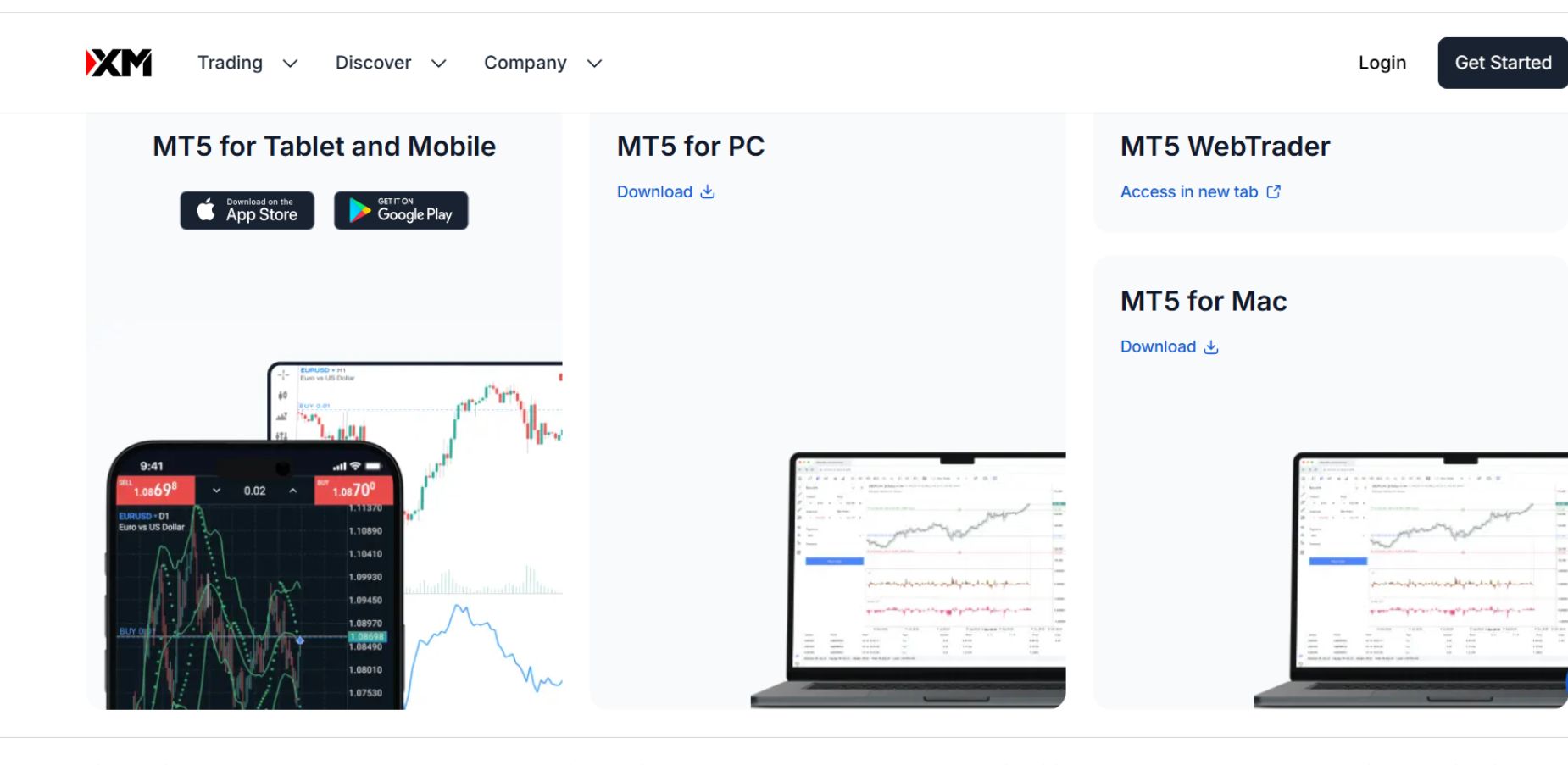
XM is a solid choice for UK-based traders seeking a broker with a diverse range of assets and robust educational resources, including Reuters news on investments and plenty of free technical analysis.
The trading platform serves more than 10 million customers in 190 countries, though it is not regulated by the FCA. It offers CFD trading on stocks, indices, commodities, energies, and metals along with forex trading.
Its XM Zero account has its lowest spread, but it charges a commission. Its XM Ultra Low and Ultra Low accounts are commission-free but with higher spreads
However, the higher spreads and limited platform options might be a concern for some. It also charges a $15 one-off maintenance fee after a year of inactivity, followed by a $5 monthly fee if the account remains inactive for 90 days.
Pros
- No minimum deposit requirement
- Demo account available
- Copy trading feature
Cons
- Above-average spreads
- Amount of trading vehicles is diverse but limited
| Average GBP/USD Spread: | Around 0.7 pips on the Ultra Low Micro and Ultra Low accounts; but 1.0 on the Standard Account. It is 0.4 pips on the Ultra Low Zero account, which also charges a commission. |
| Minimum Deposit: | No minimum deposit. Start trading for as little as $5 |
| Demo account: | Yes |
| FCA Regulation: | No |
7. Vantage: Popular UK-licensed MT5 broker with commission-based raw accounts
Founded in Sydney Australia and present in the UK, this FCA-regulated MT5 broker offers competitive spreads, especially through its commission-based raw pricing accounts.
Clients can access more than 1,000 tradable instruments, including forex and CFDs on currency pairs, commodities, precious metals, energy, shares, ETFs, and bonds.
The broker integrates well with the MT5 platform, and its predecessor, MT4 and it emphasises the ability by its clients to build their own trading robots, Expert Advisors, using both iterations of the MetaTrader family.
The Standard STN account has no-commission trading and spreads generally from 1.1 pips, while there is a commission of $1 or $0.75 per trade on the Raw and Premium accounts. Spreads are as low as 0.0 pip on the Raw accounts.
Opening an account is free, though there is a minimum account balance of $50 to maintain on the Standard and the Raw account, while the Premium account aimed at professional traders requires a $25,000 minimum deposit.
Deposits and withdrawals are fast and a big positive is that it charges no inactivity fee, almost uniquely among UK MT5 brokers.
Vantage has solid offerings of market research, making Autochartist and Trading Central available for its clients along with educational materials. It also provides a demo account, copy trading and algorithmic trading, and there is a free Virtual Private Server (VPS) hosting for low-latency execution and running trading robots.
Pros
- Competitive non-trading fees
- FCA-regulated for UK traders’ peace of mind
- No inactivity, deposit or withdrawal fees
Cons
- Above-average spreads
- Trading instrument selection is diverse but not broad
- Only lists CFDs, it has no stocks or ETFs for direct investing
| Average GBP/USD spread: | from 0.5 pips on the raw account; from 1.1 pips on the Standard account |
| Minimum deposit: | the equivalent of $50 |
| Demo account: | Yes |
| FCA regulation: | Yes |
MT5 trading platforms in the UK compared
Let’s compare some of the features of these UK MT5 brokers at a glance:
| Broker | FCA Regulated | Demo Trading | Social Trading | Customer Support | Virtual Private Server (VPS) |
| Pepperstone | Yes | Yes | Yes | Phone, chat, email | Yes |
| FP Markets | No | Yes | Yes | Chat, phone, email | Yes |
| Admiral Markets | Yes | Yes | Yes | Chat, phone, email | Yes |
| PrimeXBT | No | Yes | Yes | Chat, phone, email | No |
| FX Pro | Yes | Yes | Yes | Chat, phone, email | Yes |
| XM | No | Yes | Yes | Chat, phone, email | Yes |
| Vantage | Yes | Yes | Yes (but only on MT4) | Email, chat, phone | No |
What is MT5?
MetaTrader 5 (MT5) is a cutting-edge, multi-asset trading platform offering a comprehensive suite of tools for traders of all levels. While renowned for its forex trading capabilities, MT5 extends its reach to a wide range of markets, including stocks, indices, cryptocurrencies, and commodities.
MT5 is also the improved version of its predecessor, MetaTrader 4 (MT4).
Key features of MT5 include:
- Advanced trading functionality: Execute trades seamlessly across multiple asset classes.
- In-depth market analysis: Utilise robust technical and fundamental analysis tools to gain market insights.
- Social trading: Learn from experienced traders and copy their strategies.
- Automated trading: Implement automated trading strategies with Expert Advisors (EAs).
Why is MT5 a popular trading platform?
MT5 has emerged as a powerful and versatile trading platform, offering a wide range of features and tools for both novice and experienced traders. Its ability to accommodate various asset classes, advanced charting capabilities, and automation options makes it a compelling choice for those seeking to optimise their trading strategies.
The primary reason MT5 has gained popularity since its introduction in 2010 is its multifunctionality and extensive array of analytical charting features. It even has a strategy tester, allowing you to backtest and optimise your Expert Advisors (trading robots) using historical prices.
Advantages and drawbacks of MT5
Let’s delve into the features of MT5 that make it worthwhile for traders to use the platform and its downsides that render it not so suitable for some.
Pros of using MT5
- Advanced features: MT5 offers a wider range of advanced features, including more technical indicators, timeframes, and charting tools compared to MT4. This allows for more in-depth market analysis and customised trading strategies.
- Multi-asset trading: MT5 supports trading across various asset classes such as forex, stocks, commodities, and cryptocurrencies. This versatility is beneficial for traders who want to diversify their portfolios.
- Depth of market (DOM): MT5 provides a detailed DOM, giving traders insights into market liquidity and order flow. This can help identify potential trading opportunities and manage risk effectively.
- Economic calendar: The built-in economic calendar keeps traders updated on important economic events that can impact market movements. This information is crucial for making informed trading decisions.
- MQL5 programming language: MT5 uses the MQL5 programming language, which is more powerful and flexible than MQL4. This allows for the creation of more complex and sophisticated trading strategies and indicators.
Cons of using MT5
- Steeper learning curve: MT5’s advanced features can be overwhelming for beginners. It may take some time to get accustomed to its interface and functionalities.
- Smaller user community: Compared to MT4, MT5 has a smaller user community. This can sometimes limit the availability of third-party resources, plugins, and support forums.
- Fewer brokers offering MT5: While the number of brokers supporting MT5 is increasing, it’s still less widely available than MT4. This might limit your choices when selecting a broker.
- Higher system requirements: MT5 may require more powerful hardware and software to run smoothly, especially if you’re using multiple charts and indicators simultaneously.
Comparing MT4 and MT5
Let’s compare the key features and capabilities of these platforms side by side in a handy table, to help you select the one that meets your trading requirements.
| MetaTrader 5 (MT5) | MetaTrader 4 (MT4) | |
| Markets | Forex, crypto, stocks, bonds, options, commodities, CFDs | Forex, commodities, crypto, indices, CFDs |
| Programming language | MQL5 | MQL4 |
| Built-in technical indicators | 38 | 30 |
| Interactive chart timeframes | 21 | 9 |
| Graphic objects | 44 | 24 |
| Economic calendar | Yes | No |
| Hedging (offsetting potential losses with an opposite trade) | Yes | Yes |
| Netting (aggregating positions into a single net obligation) | Yes | No |
| Embedded community chat | MQL5 community chat | No |
| Market depth | Depth of Market (DOM) functionality, with liquidity insight | Basic Level II pricing (no info a market liquidity) |
| Backtesting | Single-threaded (one currency pair at a time) | Multi-threaded (multiple instruments and timeframes) |
If you conclude based on your analysis that it’s MetaTrader 4 that you need, check out our guide to the best MT4 brokers operating in the UK.
What assets can you trade on MetaTrader 5?
MT5 supports trading in spot forex, forex, commodities, options, futures, cryptocurrencies, stocks, bonds, and various types of contracts for difference (CFDs), including futures, commodities, and indices.
This is one of the reasons many traders choose MT5 over its predecessor, MT4, which is limited to currency pairs and CFDs.
While many forex traders continue to use MT4, MT5 is also a solid choice for forex trading. To find out which dedicated forex brokers that support MT5 in the UK offer the best trading conditions, check out our guide on the top low spread forex brokers in the country.
How to choose an MT5 broker
When looking for MT5 brokers, it’s crucial to consider factors such as regulation, fees, customer support, and the overall trading experience. The brokers highlighted in this article offer competitive pricing, reliable platforms, and a diverse range of features.
By carefully evaluating these attributes and choosing the right broker, traders can leverage the full potential of MT5 to achieve their financial goals.
When selecting the optimal MT5 broker in the UK, consider the following:
Cost-Effectiveness:
- Fees and charges: Evaluate the various fees imposed by different MT5 brokers, including platform fees, inactivity fees, and trading commissions.
- Hidden costs: Be aware of any additional costs that might be incorporated into the overall fee structure.
- Low-cost options: The best MT5 brokers in the UK and elsewhere offer competitive trading costs or even fee-free platforms.
Reliable Customer Support:
- Availability: Ensure the broker provides timely and efficient customer support through various channels, such as live chat, phone, and email.
- Expertise: Seek brokers for MT5 with knowledgeable support staff who can assist with technical issues, account inquiries, and trading strategies.
Uptime and Stability:
Continuous access to the market and the stability of the broker’s servers are essential for executing trades especially during busy trading periods.
- Server Reliability: Prioritise brokers with robust server infrastructure to minimise downtime and ensure uninterrupted trading.
- Market Hours: Opt for MT5 brokers with reliable servers, especially during peak trading hours when market volatility is high.
VPS hosting:
- Enhanced Performance: Consider MT5 brokers that offer Virtual Private Server (VPS) hosting. This service enables you to run MT5 remotely, improving stability, reducing latency, and allowing for 24/7 trading.
Customizable trading environment:
- Indicators and add-ons: Choose a broker that provides a wide range of customizable indicators and add-ons to tailor your MT5 platform to your specific trading style and preferences.
- User-friendly interface: Look for MetaTrader 5 brokers with intuitive and easy-to-navigate platforms that allow for efficient trading and analysis.
If you are still undecided whether MT5 is right for you, read our guide on the best UK trading platforms, which covers more options.
Can you trade with leverage on MT5?
Yes, you can trade with leverage on MetaTrader 5 (MT5), depending on the broker you choose. Leverage enables you to control a larger position than your deposit, magnifying both potential gains and losses. This type of margin trading is high-risk and typically suited to experienced traders, especially if your broker doesn’t offer negative balance protection.
MT5 recently introduced floating leverage directly in the platform, giving traders more flexibility by adjusting margin requirements based on open positions.
If you’re planning to invest in ETFs in the UK, ensure your chosen MT5 broker complies with local regulations and offers risk-management tools to support your trading strategy.
How to start trading using MT5 in 5 easy steps
Many reliable UK brokers offer MT5 to their clients. We’ll use Pepperstone to walk you through the process. Follow these steps and you’ll soon be placing your first MT5 trade.
Step 1: Open an account with an MT5 broker
Sign up for a new trading account on the Pepperstone website and choose MetaTrader 5 as your platform. You will need to provide an email address and a mobile number.
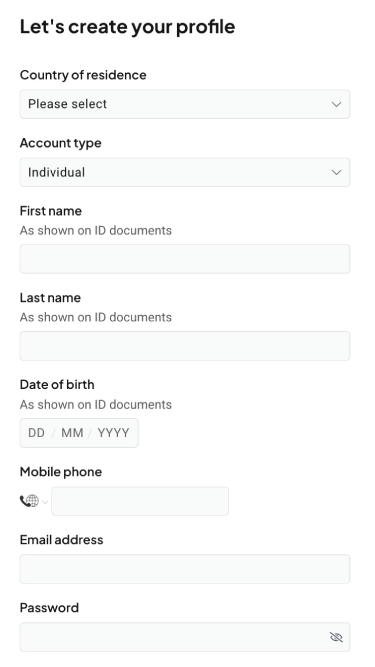
Pepperstone has a know-your-customer (KYC) process and will verify your identity. Upload a passport or driver’s license, plus a proof of residence (e.g.: a recent utility bill or bank statement).
Step 2: Deposit funds
Choose a suitable account type based on your trading experience and needs and fund your account. The minimum deposit in the UK is £250. However, Pepperstone recommends a starting balance of at least £500 to benefit from the full range of products it offers.
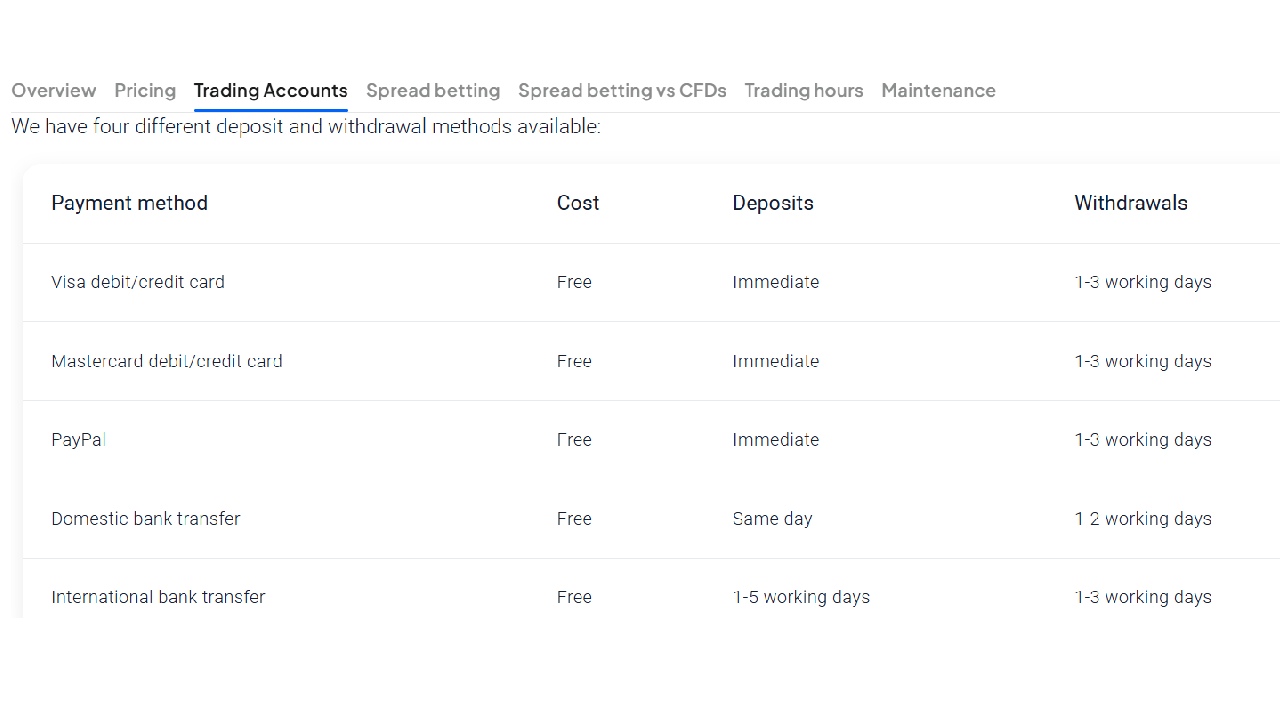
Pepperstone has several payment options, such as credit cards and bank transfers, as well as e-wallets including Skrill, PayPal, and Neteller in the UK.
Step 3: Download MT5
Visit the Pepperstone website and download the MT5 platform and install it on your PC. You can also trade directly from your browser with the Pepperstone MetaTrader 5 web platform as Pepperstone offers a web-based version of MetaTrader 5 which allows you to access and execute trades through your browser without needing to download any additional software.
MetaTrader 5 is also available for your mobile device for iOS and Android. Download it from your app store.
Whichever way you are accessing it, launch the MT5 platform and enter your Pepperstone login details, including your server address, which is provided by Pepperstone.
Step 4: Educate yourself about MT5’s features
Pepperstone and other MT5 brokers offer detailed tutorials about the platform’s functionality. To get the most out of the platform:
Understand the MT5 interface:
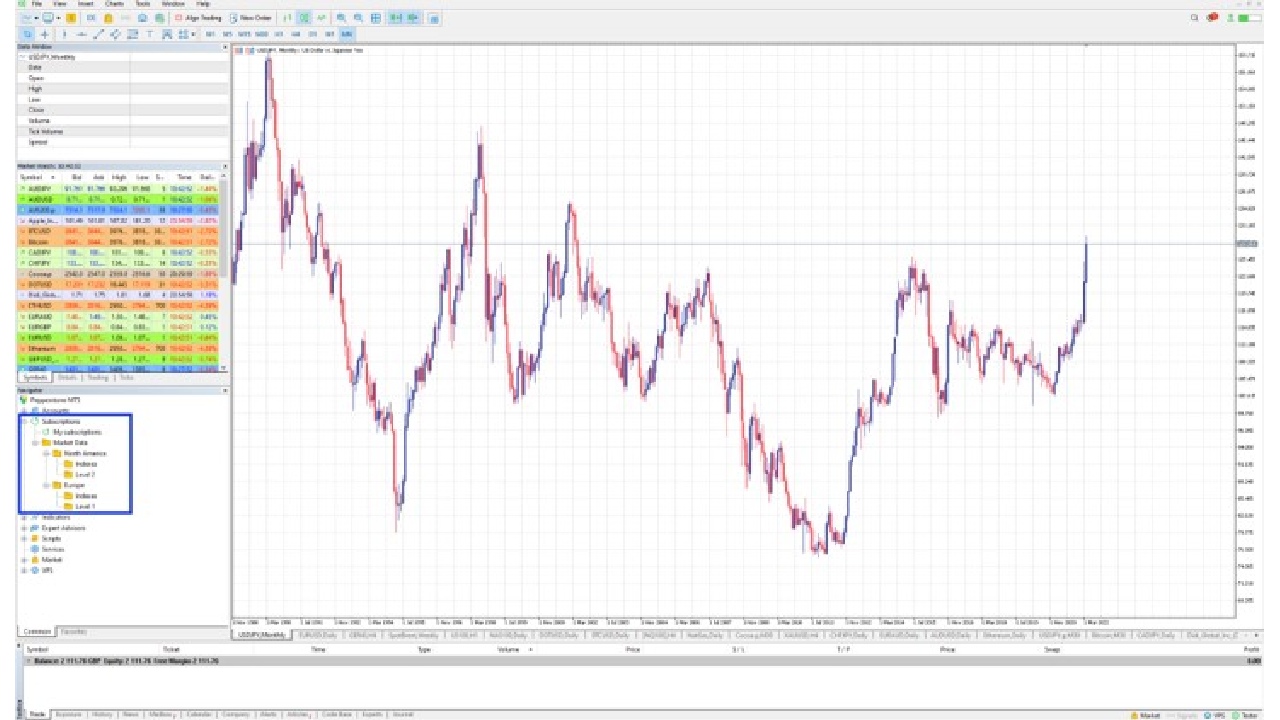
- Market Watch: Displays a list of tradable instruments.
- Chart window: Used for technical analysis and placing orders.
- Terminal window: Shows open positions, order history, and account balance.
- Toolbox: Contains tools and indicators for technical analysis.
Learn to Use MT5’s Tools to Analyse the Market
- Use technical analysis tools and indicators to identify potential trading opportunities.
- Consider factors like price trends, support and resistance levels, and momentum indicators.
Step 5: Place a trade
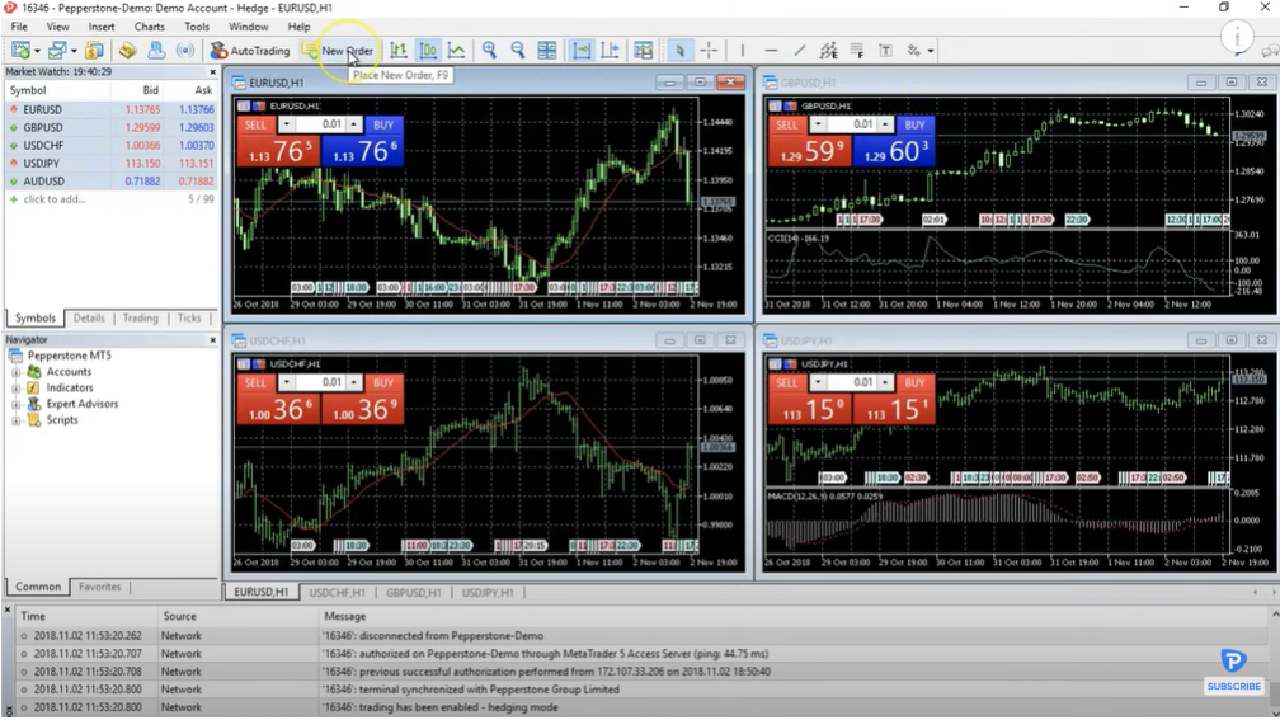
Method 1: Using the New Order window:
- Right-click on the chart and select “New Order.”
- Choose your order type (market, limit, stop, etc.), specify the volume, set a stop-loss and take-profit level, and click “Buy” or “Sell.”
Method 2: Using the one-click trading panel:
- Right-click on the chart and select “Trading.”
- Adjust the volume, stop-loss, and take-profit levels in the panel.
- Click the “Buy” or “Sell” button to execute the trade.
Now that you have placed your first trade on the MT5 platform, keep an eye on the chart of your chosen instrument and monitor your open positions in the terminal window.
Set your stop-loss and take-profit orders to manage risk and adjust your positions based on market developments. When you’re ready, close your position by right-clicking on the trade in the terminal window and selecting “Close Position.”
Many UK CFD brokers support MT5, offering a range of tools to help you execute and manage trades efficiently.

How We Rate Brokers
We manually review the brokers on our list. Below are the key metrics we check before listing online brokers on the website. For further details, you can also take a look at our online brokers rating guide, featured on ValueWalk.