

MetaMask vs Trust Wallet is a popular debate because these are among the most popular non-custodial crypto wallets in the world – boasting hundreds of millions of users.
They allow crypto users to store, send, receive, exchange and purchase cryptocurrencies. Plus, both wallets also support decentralized applications (DApps) and decentralized finance (DeFi) projects.
Though the two wallets are fundamentally similar, there are some key differences between them.
To help you understand the finer details, this guide details the key differences between MetaMask and Trust Wallet, including fees, features, supported cryptocurrencies and more.
Trust Wallet vs MetaMask – At a glance
Let’s quickly look at the main differences between Trust Wallet and MetaMask before a detailed comparison
| MetaMask | Trust Wallet | |
| Released | 2016 | 2017 |
| Supported OS | iOS, Android, Browser Extensions (Chrome, Firefox, Edge, Brave) | iOS, Android |
| User type | More suited for advanced and DeFi-focused users | Better for beginners and casual crypto users |
| Experience focus | Browser-first design, desktop-friendly | Mobile-first experience, smoother on phones |
| Ease of use | Requires manual setup for extra networks | Simple setup, beginner-friendly interface |
| Blockchains supported | Ethereum, BSC, Polygon, Arbitrum, Optimism, Avalanche, Solana (Q2 2025), Bitcoin (Q3 2025), and others | 100+ including Ethereum, BSC, Solana, Polygon, Avalanche, Bitcoin, Cosmos, and more |
| Supported cryptocurrencies | 1,000+ Ethereum and EVM-based tokens | 250,000+ cryptocurrencies and tokens |
| Native token swaps | Yes, mainly for Ethereum-based tokens | Yes, for multiple blockchains |
| Staking | Yes (limited to some ETH-based options via third-party dApps) | Yes (in-app staking for BNB, DOT, ATOM, etc.) |
| dApp integration | Built-in browser (mobile), deep dApp support on Ethereum and EVM chains | In-app dApp browser, wide dApp compatibility |
| NFT support | Supports Ethereum and Polygon NFTs (viewable in mobile app) | Full NFT support including viewing and management |
| Privacy level | Collects limited usage data (can be disabled) | No data collection or tracking, no KYC |
| Integration with hardware wallets | Supports Ledger and Trezor | Limited support via WalletConnect |
| Security features | Open-source code, encrypted keys, hardware wallet compatibility | Open-source code, biometric login, auto-lock, encrypted keys |
| Key features | Hardware wallet support, MetaMask card, programmable accounts, batch transactions | In-app swaps, staking, AI assistance, stablecoin earning |
| Fees | 0.875% swap fee plus network gas fees | No swap fees, only network gas fees |
| Fiat on-ramp | Yes (via integrations like MoonPay, Transak) | Yes (via providers like MoonPay, Ramp) |
Trust Wallet vs MetaMask – Which wallet is better for you?
Choosing a crypto wallet can feel like picking the right phone. Our options, Trust Wallet and MetaMask, help you store, manage, and swap crypto, but they do it in different ways. Find out how to store crypto here.
So whichever your choice is, it should match how you use crypto, not just what looks good on paper.
Beginners vs. advanced users
If you’re new to crypto, Trust Wallet feels more beginner-friendly. It’s simple, works straight out of the box, and doesn’t throw too many choices at you.
You can buy, send, and stake crypto in just a few taps. No browser extensions. No setup stress.
MetaMask is more advanced. You’ll need to understand networks like Ethereum and how to add new ones manually. It’s great if you already know your way around DeFi and want more control.
So, to recap, if you’re just getting started, Trust Wallet makes things easier. If you’re more technical and want full customization, MetaMask gives you that power.
Mobile-first vs browser-first experience
Trust Wallet was built for mobile users. It runs as an app on both Android and iOS. Everything—from token swaps to dApp access—happens in-app, making it smoother if you do most of your crypto stuff on your phone.
MetaMask started as a browser extension. That’s where it feels most natural. You can still use it on mobile, but the experience feels like a companion, not the core. It’s ideal if you’re on your laptop a lot and prefer managing crypto from there.
So if your phone is your primary device, Trust Wallet fits better. If you’re usually on your desktop, MetaMask feels more native.
Which is best for DeFi, NFTs, or multi-chain assets?
MetaMask is built for Ethereum and works well with most DeFi apps. It also supports NFTs, but only Ethereum-based ones by default which can be unfortunate. Still you can add other networks manually, but it takes extra steps.
Trust Wallet supports multiple blockchains right away—Ethereum, BNB Chain, Solana, and more. That makes it better for holding a wider mix of assets, including NFTs across chains.
MetaMask is still the go-to for Ethereum DeFi. But for multi-chain access and cross-chain NFTs, Trust Wallet gives you more right from the start. So your choice depends on where you spend most of your crypto time.
Wallet performance and reliability
According to recent news, Trust Wallet has hit a major milestone: over 200 million downloads worldwide, making it the most widely used self-custody crypto wallet globally and a key player. MetaMask, while popular among desktop users, boasts over 100 million users worldwide.
Speed of transactions and interface
Trust Wallet’s mobile app is optimized for quick access. Users can initiate transactions in under 10 seconds, with confirmation times averaging between 15–30 seconds, depending on network congestion. This simplicity allows users to manage assets and interact with dApps efficiently.
MetaMask is primarily a browser extension and that what its known for. It offers a responsive interface for desktop users. Transaction initiation is swift, but confirmation times can vary based on the Ethereum network’s current load. Users have reported that during peak times, transactions take longer to confirm, this shows the importance of monitoring gas fees and network status.
Downtime or network bugs
Trust Wallet and MetaMask have maintained high uptime with no outages or security-related issues reported in recent months. Meanwhile, Trust Wallet’s mobile-first approach has contributed to its stability which has ensured users have access to their assets and MetaMask, while reliable, has faced issues related to browser compatibility and network syncing, not to worry though these issues are typically resolved through updates.
User feedback on platforms like Reddit and X (Twitter) is generally neutral and indicates that both wallets are dependable for daily use. However, users should stay informed about updates and best practices to ensure the best, most optimal performance.
Privacy and data control
MetaMask collects some usage data by default, like clicks and error logs, through its connection to Infura and other services owned by ConsenSys.
You can turn most of this off in settings, but it’s opt-out, not opt-in. Trust Wallet, on the other hand, says it doesn’t collect personal data or track user behavior. No email, no ID, no KYC. Since it’s mobile-only, it also limits background tracking.
Both wallets let you stay anonymous, but MetaMask does more in the background unless you change the defaults. So if privacy is a top concern to you, Trust Wallet takes a lighter touch and that’s worth noting.
Integration with hardware wallets
MetaMask is primarily designed to support hardware wallets like Ledger and Trezor directly through its browser extension.
Anyone here can connect, sign transactions, and manage your assets securely without exposing private keys. This option is helpful if you hold large amounts or want added protection.
On the other hand, Trust Wallet doesn’t natively support hardware wallets. Workarounds use WalletConnect, but note that they’re not officially backed or consistently reliable.
If cold storage is part of your crypto set-up, MetaMask has an advantage with built-in support for industry-standard devices.
User reviews and feedback
Trust Wallet holds a 4.5-star rating on Google Play from over 2.3 million reviews (~50M downloads) and 4.7 stars from over 170K reviews on Apple’s App Store. Users often praise its wide token support and ease of use.
One Reddit user shared, “I’ve been using Trust Wallet as my daily driver since 2023… it’s super lightweight, and I can do most basic stuff like swaps and staking directly from the app.”
MetaMask has a 4.5-star rating on the App Store and is favored by those active in DeFi. A Reddit user noted, “MetaMask is solid for convenience, especially with DeFi, but I prefer a hardware wallet for extra security.”
However, some users have reported issues, with some complaints on the Better Business Bureau about significant token loss, though rare.
Both wallets have strong communities (Trust Wallet and Apps over 110K and MetaMask over 85K on Reddit) and are generally reliable – Trust Wallet appeals to users seeking simplicity, while MetaMask offers advanced features for more ‘experienced’ users.
Trust Wallet vs MetaMask – Key differences
Now, let’s delve into a more detailed look at Trust Wallet vs MetaMask.
Related: If these crypto wallets don’t quite meet your needs, check out our full roundups of the best Trust Wallet alternatives and best MetaMask alternatives.
Trust Wallet vs MetaMask: Pros and cons
Understanding the pluses and minuses of various wallets will guide you to the best crypto hot wallet for your needs. Here’s a summary of the main ones.
Pros and cons of MetaMask
Pros
- Multichain ready: Adds Solana and Bitcoin native support
- MetaMask card: Spend crypto via Mastercard-backed card
- Gas-free payments: Pay gas with any supported token
- Smart accounts: Programmable accounts via Ethereum upgrades
- Batch transactions: Combine actions, reduce fees via ERC-5792
- Multiple wallets: Manage many wallets with one login
Cons:
- Not beginner friendly: Overwhelming setup for new users
- High swap fees: 0.875% fee per swap transaction
- Manual Token Add: Must enter contract addresses manually
- Default tracking: Sends usage data unless disabled
- Browser-only: Requires Chrome, Firefox, or Brave extension
Pros and cons of Trust Wallet
Pros
- Stablecoin earn: Earn yield on stablecoins without locking funds
- AI assistance: Real-time AI tips for portfolio decisions
- Fiat conversion: Buy crypto directly with local currencies
- Advanced security: Detects fraud and phishing in real-time
- Token discovery: Swap and find tokens across chains
- TWT utilities: Use $TWT for perks and governance
Cons:
- No desktop app: Only available on mobile platforms
- No hardware support: Can’t connect Ledger or Trezor natively
- Regional restrictions: Earn feature not in U.S./UK
- Limited customization: Fewer advanced wallet settings or controls
- Too simplified: User interface lacks deeper features for power users
How to set up Trust Wallet or Metamask – Step-by-step guide
Both Trust Wallet and MetaMask are quick to set up, even for first-time users. Here’s how to get started with either wallet in just a few minutes.
Download and install
Visit the official website or app store of your chosen wallet.
- Trust Wallet: Available on the App Store (iOS), Google Play Store (Android), and as a browser extension for Chrome, Brave, Opera, and Edge.
- MetaMask: Available as a browser extension for Chrome, Firefox, Brave, and Edge, or as a mobile app on iOS and Android.
Once downloaded, open the app or extension and click “Get Started”.
Create a new wallet
Select “Create a New Wallet” (Trust Wallet) or “Create a Wallet” (MetaMask). Review and agree to the Terms of Service and Privacy Policy, then create a secure password.
Trust Wallet requires a 6-digit passcode, while MetaMask lets you choose a custom password.
Back up your recovery phrase
Both wallets will generate a 12-word recovery phrase (also called a seed phrase). Write it down on paper and store it somewhere safe, offline.
This phrase is the only way to recover your wallet if you lose access to your device.
Confirm recovery phrase
You’ll need to confirm your recovery phrase by selecting the words in the correct order. This step verifies you’ve backed it up properly and ensures wallet access security.
At this point you’re all set up and ready to securely manage your crypto assets using either wallet
| If you want to take your security further in 2025, check out our full guide on how to secure your crypto wallet. |
Trust Wallet vs MetaMask: Roadmap, ecosystem vision, and latest news
Both Trust Wallet and MetaMask are stepping up, aiming to be more than just wallets. They’re positioning themselves as key tools in the Web3 shift — but their paths look slightly different. Here are some key takeaways which show significant differences:
MetaMask: Expanding multichain capabilities
MetaMask is building out its ecosystem with a heavy focus on multichain access and real-world utility.
- Solana + Bitcoin Support: Native Solana support is expected by May 2025, with Bitcoin following in Q3. No bridges or wrapped tokens needed.
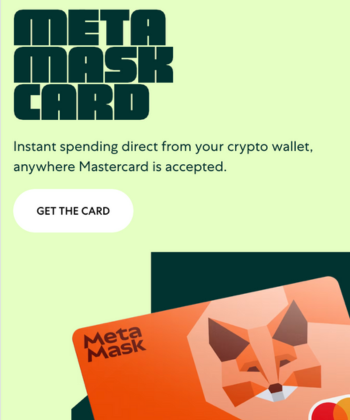
- MetaMask Card: Partnered with Mastercard to let users spend crypto directly on web and mobile devices.
- Multichain API (CAIP-25): Launched June 2025, this API enhances multi-chain support, enabling apps to connect across the Ethereum ecosystem, Solana, and Bitcoin simultaneously.
- Better UX: Unique features like programmable accounts and batched transactions aim to simplify user actions, remove user risk, and reduce gas costs for a wider range of users.
Latest MetaMask updates: Native token plans and multichain expansion
MetaMask is moving beyond its Ethereum roots and evolving into a true multichain wallet.
In September 2025, ConsenSys CEO Joseph Lubin confirmed the upcoming MASK token, created to decentralize MetaMask’s ecosystem and reward active users.
The official launch date and token details are not yet public, but a rewards program is already live and linked to future airdrops.
In October 2025, MetaMask introduced Multichain Accounts, allowing users to manage both EVM and Solana networks from a single account, with Bitcoin support on the way.
This update simplifies wallet management, expands network coverage, and positions MetaMask as one of the most versatile self-custody options available today.
Trust Wallet: Becoming a Web3 companion
Trust Wallet is doubling down on usability and real-world financial features.
- More AI integration: Exploring ways to pair AI with blockchain for better security and personalization, and working on stablecoin payments and basic mobile wallet financial tools.
- Launching launchpool: Will let users earn rewards by staking tokens in early-stage projects.
- Trust Wallet SWIFT coming: Uses Account Abstraction to simplify crypto access for mainstream users within Trust Wallet’s ecosystem.
Latest Trust Wallet updates: New rewards program and Extension V2 launch
Trust Wallet has entered a new growth phase with several major updates in late 2025.
In November 2025, it launched Trust Premium, a loyalty program that rewards activity like swapping, staking, and holding with points that unlock benefits and enhance the utility of its native token, Trust Wallet Token (TWT).
Earlier in September 2025, the team unveiled a new roadmap aiming to reach one billion users by 2030, focused on everyday finance, advanced trading, and integrated earning features.
Around the same time, the Extension V2 update improved security, syncing, and dApp access across major networks, reinforcing Trust Wallet’s goal of making self-custody more rewarding, accessible, and ready for mainstream adoption.
Conclusion
Trust Wallet and MetaMask are the most popular and reputable software wallets globally with interesting key features. Both wallets have their own strengths and weaknesses, and thus, choosing the right one depends on your personal preferences and needs.
Trust Wallet, for instance, is apt for those who want a simple and intuitive wallet with a user-friendly design that is capable of seamless integrations and also supports multiple tokens across several blockchains. All with affordable network fees.
MetaMask, on the other hand, is an excellent go-to choice because of its security features and diverse portfolio of assets, which are perfect for users who desire manual configuration and an advanced wallet that supports Ethereum and other EVM networks.
We always recommend a hardware wallet, but Trust Wallet and MetaMask are some of the most popular crypto wallets for a reason. Looking at user preferences, you can technically use both wallets together, provided you keep your private keys and recovery phrase safe.
For options beyond these two, check out these MetaMask and Trust Wallet alternatives.