

Stock trading software enables investors to make smart decisions. Some of the tools available include technical indicators, stock screeners, simulated trading, and data-driven insights.
In this guide, we review the 12 best stock trading software for 2025. We also explain how beginners can leverage stock trading software to increase their success rate.
The top 12 stock trading software
Check out the list below, which highlights the 12 best stock trading software for investors:
- eToro: Stock and ETF trading platform with 0% commission on thousands of shares from around the world. Offers powerful trading tools including customizable charting software, copy trading, and sentiment analysis.
- Danelfin: Award winning stock research platform providing users with a daily AI-driven ‘best stocks to buy’ report. Subscribers to advanced plans have access to a wide range of technical and sentiment data.
- AltIndex: This top stock trading software platform analyzes alternative data from many sources, including social media and website analytics. It then generates an AI sentiment score based on the trends discovered.
- Seeking Alpha: Stock trading software for long-term investors, giving you two trading signals a month through its Alpha Picks platform. It has outperformed the S&P 500 by 171 basis points since July of 2022.
- Webull: Beginners will appreciate the user-friendly trading software, available on Windows, Mac, and Linux. It comes packed with chart analysis tools and a free demo account, for risk-free learning.
- Thinkorswim: Developed by TD Ameritrade and now owned by Charles Schwab, the trading software offers technical and economic indicators, stock screeners, social sentiment, and custom alerts.
- TradingView: The free stock trading software for technical analysis supports thousands of stocks, cryptocurrencies, index funds, commodities, and currencies. Premium plans offer extra features and tools.
- Trader Workstation: Top-rated stock-trading software for seasoned traders with bespoke order types, risk management tools, premium market data, support for algorithmic robots, and paper trading.
- MetaTrader 4: MT4 offers stock trading software for multiple device types and operating systems. Supported by hundreds of online brokers, it lets investors automate their stock trading positions with robots.
- Power E*TRADE: While this stock trading software comes packed with advanced tools, its simple interface is suitable for newbies. Offers historical charting data with drawing tools and technical indicators.
- Stock Alarm: This great option for mobile traders that want real-time insights is available on iOS and Android. The app lets users set their own alerts, e.g.: for earnings reports or the RSI indicator exceeding 70.
- TradeStation: This online broker offers advanced desktop software that comes with plenty of proprietary tools, including RadarScreen, which ranks stocks based on 180+ fundamental and technical indicators.
Disclaimer for eToro: 61% of retail CFD accounts lose money – your capital is at risk.
The best software for stock trading reviewed
Now let’s take a more in-depth look at the 12 top-ranked stock trading software for 2025.
1. eToro: Top stock trading platform with copy trading features
Overseen by major regulators in the EU, US and UK, eToro is a global brokerage platform that offers 0% commission on stock trades in the UK and the US. Elsewhere, it charges $1 or $2 for stock trades. Exchange-traded funds (ETFs) are always commission free.
You can buy and sell thousands of stocks from the US, UK, Europe, Asia, and beyond, all with no fees, making it one of the most competitive trading platforms on the market today.
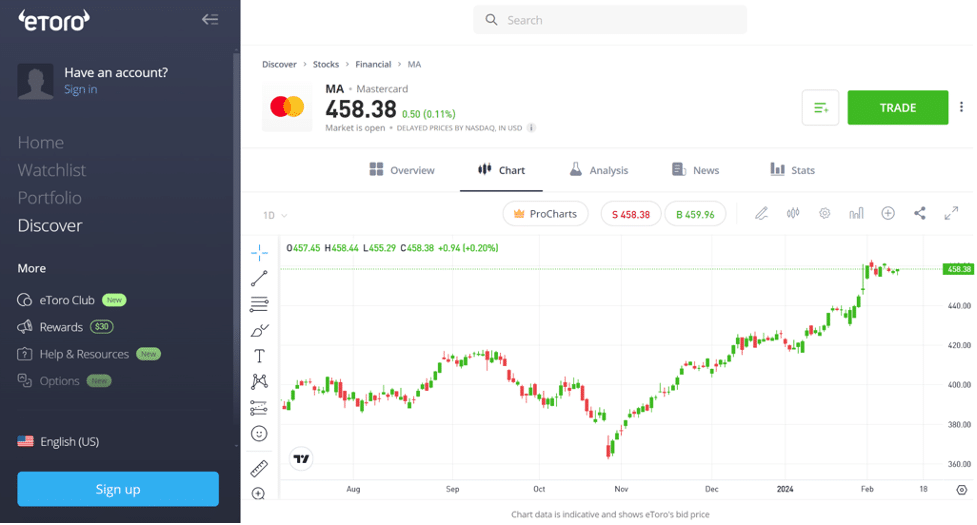
Although eToro does not strictly offer trading software, their web interface and mobile application include all the features you need from a stock trading platform.
To help you find the best stocks to buy, eToro has a proprietary charting platform with a wide selection of technical indicators and drawing tools. You can monitor multiple charts in a single window, compare multiple tickers on a single chart, and set price alerts so you never miss a move.
On top of that, eToro displays buying and selling activity for every stock on its platform. This enables you to monitor market sentiment and better identify momentum stocks.
eToro also supports copy trading for stocks and ETFs. You can automatically mimic the positions of more experienced traders, following every buy and sell they make without any manual order entry. You can copy as many traders as you want with a minimum of $200.
If you want to develop your own trading strategy, you can do so risk-free using eToro’s free demo account. The demo account is loaded with $100,000 in virtual money and you can reset it at any time.
| Key features | Supported devices | Price |
| 0% commission stocks and ETF trading in the UK and the US. Customizable trading platform with price alerts. Copy trading. | Web, iOS, and Android. | Free with $0 – $2 commission on stocks, free ETF trading |
Pros
- Trade thousands of shares around the globe
- Tracks trader sentiment for every stock
- Copy trade with as little as $200
- Free $100k demo account
- Compare multiple stocks on a single chart
Cons
- Cannot build custom technical indicators
- $10 per month fee after 12 months of inactivity
61% of retail CFD accounts lose money – your capital is at risk.
2. Danelfin: Daily ‘best stock picks’ calculated by AI driven algorithms
Named ‘Best Financial Research Company’ at the Benzinga Global Fintech Awards in 2023 and a finalist in 2024, Danelfin is one of the most successful stock trading platforms currently available. Alongside all the top stocks and ETFs from the American market, Danelfin also provides all the latest data on European companies.
Using the latest AI driven algorithms, Danelfin provides stock recommendations from 600+ technical indicators, 150+ fundamental insights, and 150+ social sentiment metrics.
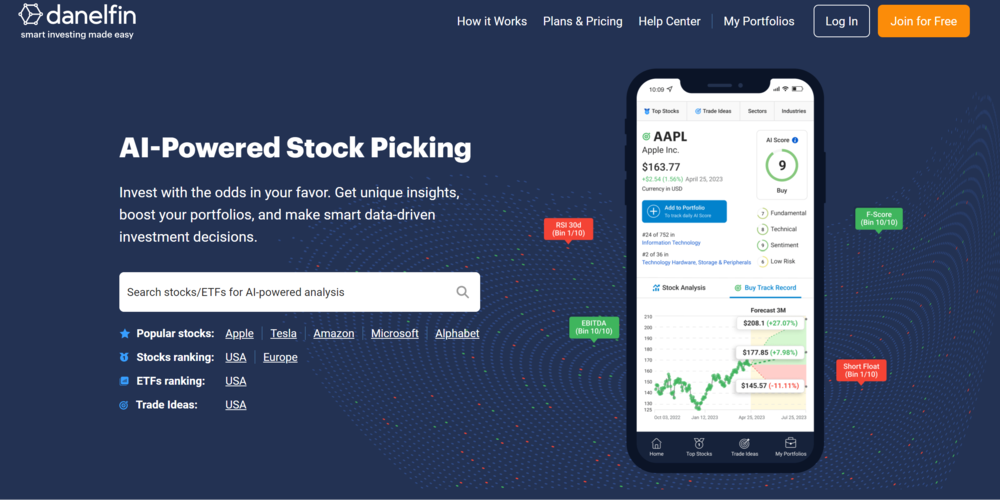
Collating masses of data each day, Danelfin calculates an individual rating score for the likely 60‑day performance of each stock or ETF between 1 and 10. With 1 being the lowest and 10 a ‘Strong Buy’, Danelfin – like other stock alerts services – does all the hard work and saves the user hours of extensive research.
The core AI data on stocks and ETFs can be manually reviewed at any time and subscribers to the Plus and Pro plans have access to unlimited data across thousands of companies. Furthermore, Pro plan subscribers can access a range of technical, fundamental and sentiment signals to help ensure they make the right investment decisions.
Danelfin has a reputation for delivering accurate and profitable data on a massive range of American and European stocks. Its performance between January 2017 and August 2024 outperformed the S&P 500 by 74 basis points.
| Key features | Supported devices | Price |
| Award winning AI stock analytical platform. Easy to use Platform. Daily report on the most promising stocks & ETFs. | iOS, Android, Windows and Mac | The basic plan is free. Plus & Pro cost $19 and $52 per month respectively on an annual plan. Paid monthly, it costs $25 and $70 per month. You can try both free for two weeks. |
Pros
- Award winning financial research platform
- Daily reporting of top 10 best stocks and ETFs
- Wide range of popular choices from American & European markets
Cons
- Limited to US and European markets
- Involves a learning curve for beginners, who may need time to make use of the AI scores in their own investments.
4. AltIndex: Real-time stock insights generated by social sentiment and AI
AltIndex is the most accurate stock predictor for investors seeking real-time insights. It offers a unique methodology that is based on alternative data. It crawls data from social media platforms and other websites to discover consumer sentiment and broader trends.
For instance, it extracts social media posts, comments, shares, likes, and mentions. The data sources include Facebook, Twitter, Reddit, and other networks. It also sends email alerts on the hottest stocks to buy.
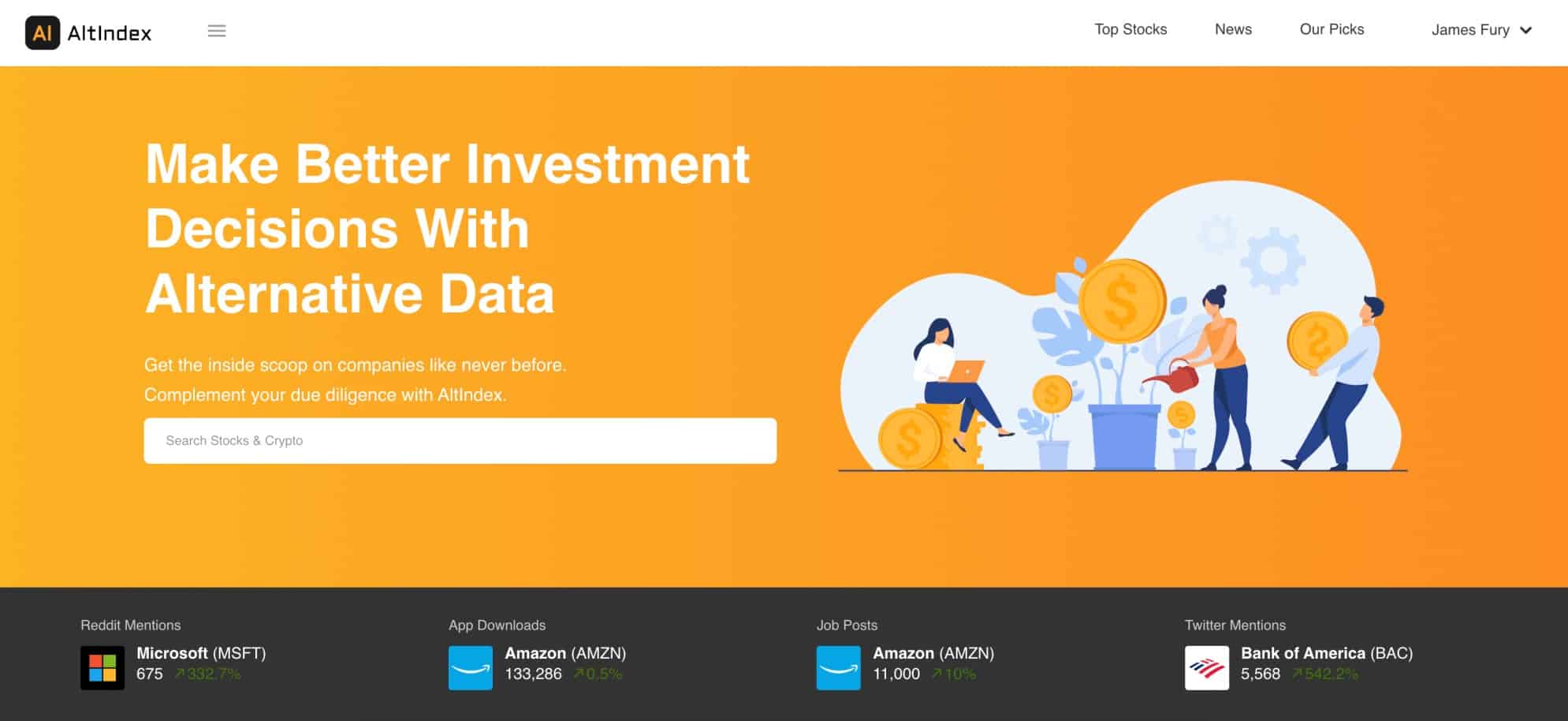
AltIndex will then analyze the data with emerging technologies to evaluate overall sentiment on thousands of stocks. For example, consider a technology company that has just released a new smartphone.
After the launch, AltIndex data will reveal whether consumer sentiment on the smartphone is positive, neutral, or negative. This gives investors early insights into whether or not the stock is likely to report strong quarterly earnings.
As one of the best stock research tools, AltIndex enables investors to secure a first-mover advantage. We also like that AltIndex tracks job postings and employee satisfaction. If postings are up and employees are happy, this highlights healthy growth.
AltIndex will also scrape data from website analytics. If more people are visiting a website, this could mean that sentiment on the brand is positive. The best thing about AltIndex is that it displays social sentiment scores in an easy-to-understand way.
Its artificial intelligence rates stocks between 0 and 100 via its stock prediction software. The scoring system updates every day and incorporates new data. Stocks with a sentiment score of 70 or more are considered a strong buy. While those with a score of 30 or under are considered a strong sell.
AltIndex is also a good stock trading software for time-starved investors. This is because the platform sends real-time alerts when it generates a new stock recommendation. Those with more time on their hands can view stock ratings manually. This can be filtered by the industry.
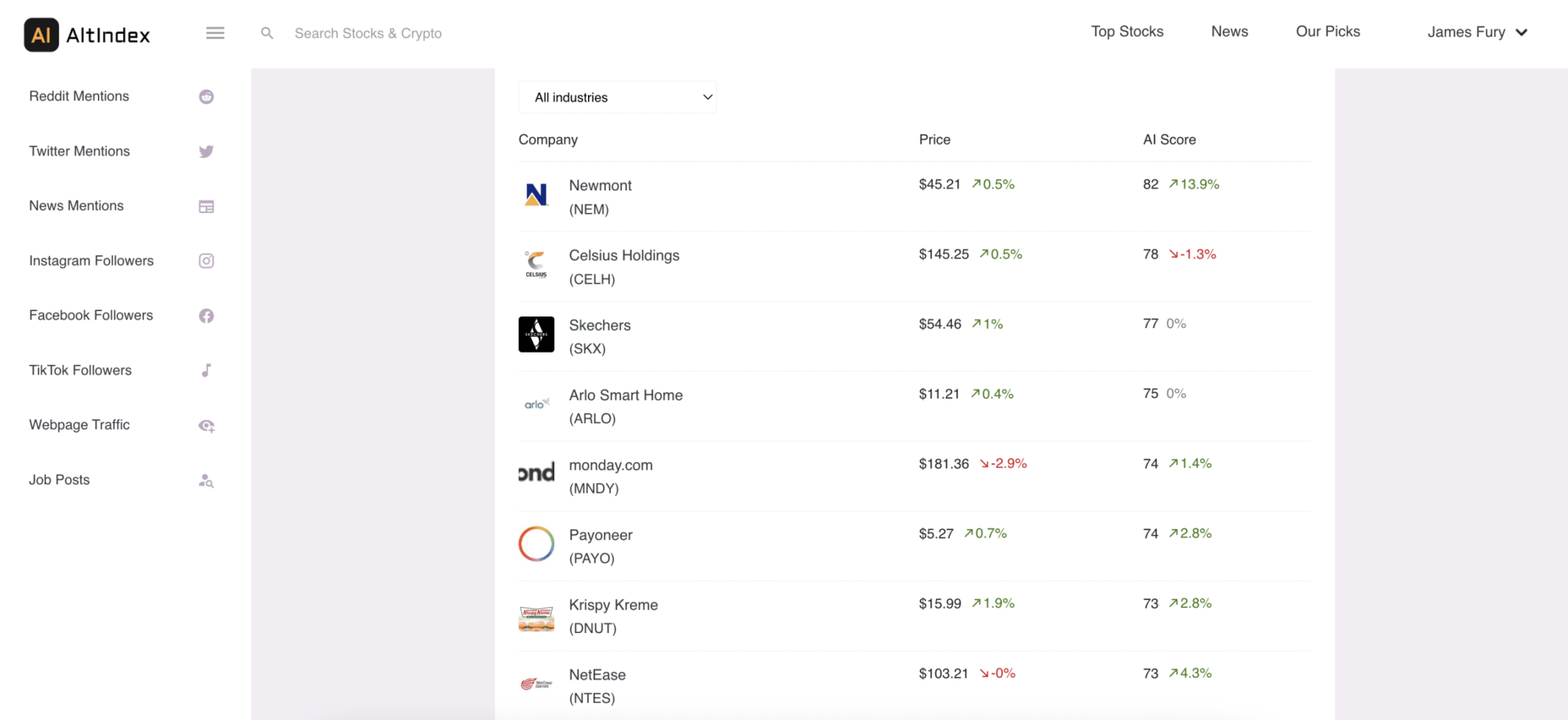
We also like that AltIndex often highlights small-cap stocks that would otherwise stay under the radar. This will appeal to growth investors looking for the next big stock. Additionally, AltIndex also offers social sentiment analysis on the leading cryptocurrencies.
This includes the most familiar altcoins, such as Ethereum, XRP, Uniswap, and Dogecoin. When it comes to pricing, available plans cost $199, and $399 and $499 per year. Each plan offers 10, 25 and unlimited AI stock picks monthly, respectively. Plans can be canceled at any time.
| Key features | Supported devices | Price |
| AI-backed sentiment scores on thousands of stocks and cryptocurrencies. Data is extracted and analyzed via machine learning and natural language processing. Also offers stock recommendations via email alerts. | Desktop and mobile browsers. | Prices range from $199 a year to $499 per year. |
Pros
- Ranks thousands of stocks and cryptos based on their overall sentiment score
- Popular stock picking service for beginners and experienced equity traders
- Find small-cap gems with high upside potential
- Receive stock recommendations via email
- Ideal for beginners that want guidance on which stocks to buy and sell
Cons
- Is not backed by a broker – so does not support trading
- As it’s a new platform, there is limited historical data available on the alternative indicators
4. Seeking Alpha: Top stock trading software for long-term investors, get 2 signals every month
Seeking Alpha is a top stock trading software to use when looking for long-term investments. The team at Seeking Alpha consists of several in-house analysts who study the in-depth fundamentals of different companies and stocks.
Their goal is to track company valuations and profitability before suggesting any stock picks. Since Seeking Alpha goes deep into the fundamentals of a stock, they provide two monthly stock signals to members. The signals are provided on US-based and international stocks.
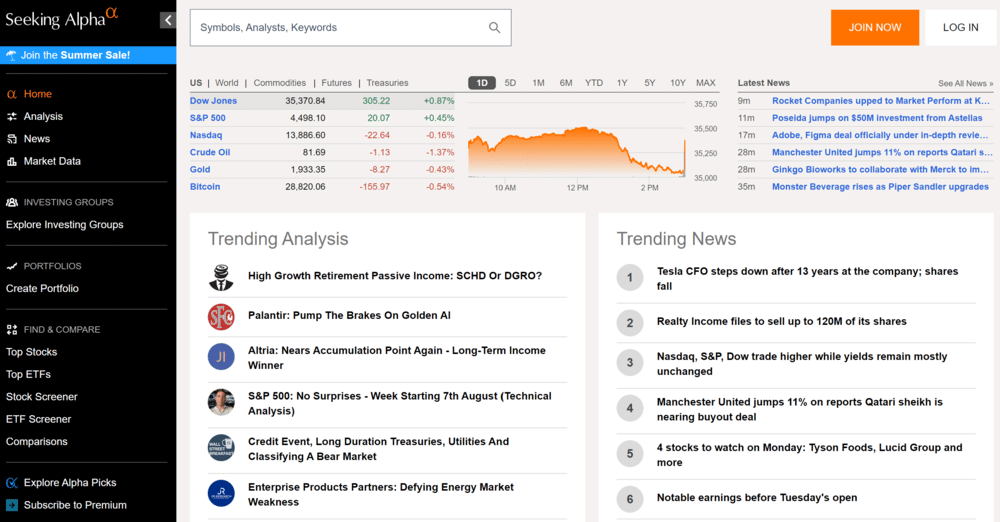
In addition, Seeking Alpha regularly updates members on their outstanding positions. If a ‘Hold’ changes to a ‘Sell,’ users are instantly notified on the platform. A stock rating is also provided and constantly updated to keep investors informed.
Since launching in 2009, Seeking Alpha has offered an annualized average return of 25% per year. However, it’s crucial to note that this figure is generated using just the ‘Strong Buy’ recommendations that the platform provides.
Since 2009, Seeking Alpha has also outperformed the S&P 500 by 20% year on year. Seeking Alpha’s trading software is available for an annual fee of $299 on the Premium plan. Its Pro access costs $2,400/year. A one-month trial is available for $4.95 and $99 on the two plans, respectively.
| Key features | Supported devices | Price |
| Two stock trading signals provided monthly. Regular updates on outstanding positions. Provides fundamental analysis of stocks. | Web, iOS, and Android. | $299 per year on the Premium, $2,400 on the Pro plan. Discounted for the first year. |
Pros
- Offers two stock trading signals every month
- Outperforms the S&P by 20% every year (since 2009)
- Analyzes the fundamentals of a stock
- 7-day free trial provided
- Offers updates on outstanding positions
Cons
- Does not offer a monthly plan
- Annual average return is based on ‘Strong Buy’ recommendations
5. Webull: Beginner-friendly stock trading software pre-loaded with virtual funds
Webull is one of the best stock trading software for beginners. The software is free to download and supported by Windows, Mac, and Linux devices. This is in addition to an app for iOS and Android.
That said, users will need to open an account with Webull before being able to access its software. There is no requirement to make a deposit, as Webull offers free paper trading accounts.
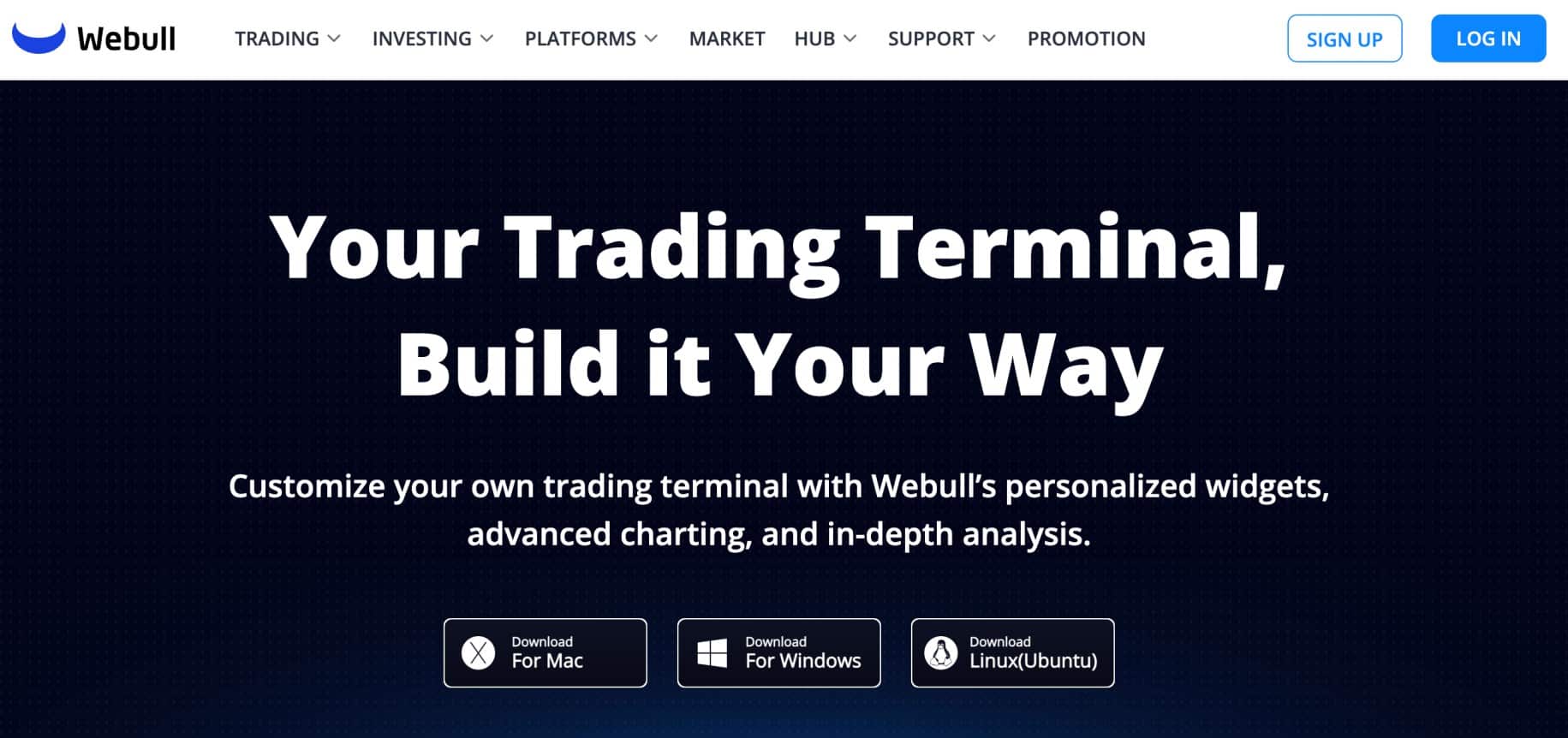
This comes pre-loaded with $1 million in virtual funds. As such, beginners can practice their trading strategies without risking any money and unlimited virtual funds.
The Webull software comes with plenty of features. This includes more than 50 technical indicators, all of which are customizable. It also supports more than 60 technical signals, including candlesticks and classic patterns. Chart drawing tools are also available, enabling traders to find emerging trends.
We also like that users can customize their trading screen. For instance, the trader might want order book data on the right, charts in the middle, and watchlists on the left.
The Webull software also supports multiple order types. This includes everything from trailing stop-losses and limits to markets, brackets, and take-profits. Webull also supports real-time, custom stock alerts.
Parameters include price targets, technical signals, financial news, and volume hikes. In terms of investment fees, Webull offers commission-free trading on stocks, options, and ETFs on US exchanges.
There is no minimum deposit and it also supports fractional assets. For example, stock and funds are available from just $1 regardless of the market price.
| Key features | Supported devices | Price |
| Free stock trading software for those with a Webull account. Comes pre-loaded with $1 million in virtual funds. Supports technical indicators and signals, custom order types and trading screens, alerts, and financial news. | Windows, Mac, Linux, iOS, and Android. | Free for basic account, for premium account. It is $3.99 per month or $40 per year when paid annually. |
Pros
- One of the best stock trading software for beginners
- $1 million in virtual funds – trade stocks risk-free
- Dozens of technical indicators and signals
- Plenty of order types supported
- Set custom stock alerts across many parameters
Cons
- Financial news on the sited can be dated
- An account is required to access the software
6. Thinkorswim: High-level stock trading software for professional traders
Thinkorswim is the proprietary trading software developed by TD Ameritrade and is now part of Charles Schwab, which acquired TD Ameritrade in 2020. This is one of the best options for seasoned traders who want high-level tools. The software is fully customizable, so traders can adjust their trading screen as needed.
Thinkorswim supports more than 400 technical studies, including support, resistance, and monkey bars. Traders can also deploy up to 20 chart drawing tools at any given time. You can trade stocks, ETFs, options and futures with any Thinkorswim application.
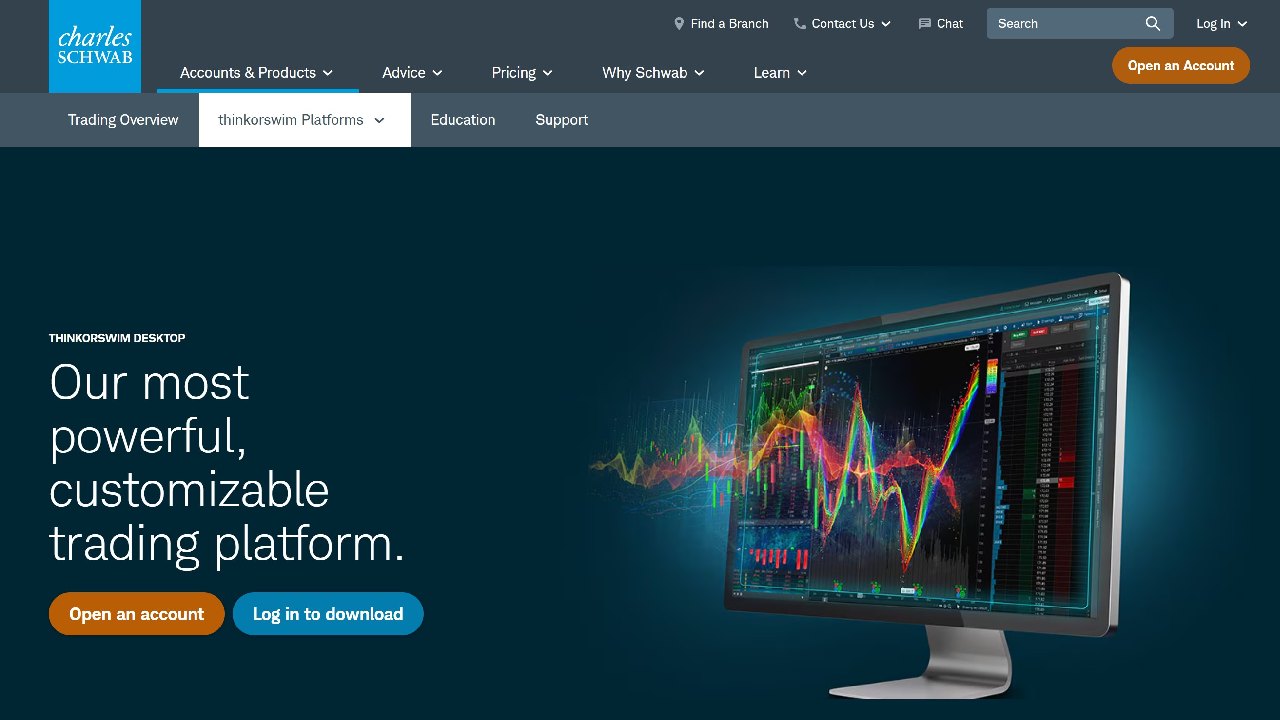
It’s also ideal for gaining insights into fundamental data. It supports more than 400,000 data points that are delivered in real-time. Traders can also examine company financials, such as revenue, operating profits, and dividends.
Thinkorswim also offers one of the best stock screeners in the market. This comes with an unparalleled range of filters, enabling investors to find stocks that align with their financial goals.
We also like Thinkorswim for its social sentiment tools. This keeps users informed on public attitudes toward companies. Users can also set up custom alerts to stay updated with key technical developments. Thinkorswim is also available as an app for iOS and Android.
While this comes with limited functionality, it enables traders to buy and sell stocks on the go. Thinkorswim also supports other asset classes, including options, futures, forex, and ETFs.
While there are no fees to use Thinkorswim, you’d need an account with TD Ameritrade. In terms of investment fees, TD Ameritrade offers 0% commission trading on US-listed stocks and ETFs.
| Key features | Supported devices | Price |
| Advanced trading software for seasoned investors. More than 400 technical studies and up to 20 drawing tools. Also offers bespoke alerts, in-depth order books, and stock screeners. | Windows, Mac, Linux, iOS, and Android. | Free |
Pros
- Good stock trading software for seasoned traders
- Supports more than 400+ technical studies
- Access real-time pricing and in-depth order books
- Trading screens are fully-customizable
Cons
- Highly advanced – not suitable for beginners
- Exclusively caters to traders in the US
7. TradingView: Free desktop software for technical analysis
TradingView is the most popular free stock charting software in the market. More than 100 million investors and traders use the platform globally. While TradingView is also available on web browsers, its desktop software offers the most advanced features.
The software is available for Windows, Mac, and Linux devices. Once installed, users will have access to more than 400 pre-built technical indicators.

That said, there are more than 100,000 additional indicators that can be installed manually. These were created by the TradingView community, giving users access to indicators not commonly supported by online stock brokers.
Moreover, the TradingView software also supports more than 110 smart drawing tools. These enable traders to assess trends, perform forecasts, and mark potential entry and exit points.
TradingView also has its own development tool – Pine Script. This allows traders to design their own custom indicators and strategies – and import them into TradingViews. We also like that TradingView supports real-time stock alerts with 13 custom conditions.
Although TradingView is favored by technical traders, it also supports fundamental research. This includes financial statements, valuation analysis, and financial news. TradingView is also among the best stock trading software for supported markets.
It supports tens of thousands of stocks from the US and overseas. This is in addition to cryptocurrencies, forex, indices, futures, and bonds. TradingView is not a broker, so it imports real-time data from leading trading platforms.
Although TradingView is free to use, it also comes with premium plans. These range from $12.95 to $199.95 per month. Premium plans come with additional functionality and features. That said, the free plan will be fine for beginners.
| Key features | Supported devices | Price |
| Free stock trading software for desktop users. Supports 100,000+ technical indicators and 110+ drawing tools. Charts can be customized and trading scripts can be written. Supports tens of thousands of stocks from multiple markets. Also supports other assets. | Windows, Mac, Linux, iOS, and Android. | Free, but premium plans are also available – ranging from $12.95 to $199.95 per month. |
Pros
- Free stock charting software for 2025
- Supports more than 100,000 technical indicators
- Write custom strategies and indicators via Pine Script
- Also supports fundamental analysis tools
- Available on desktop and mobile devices
Cons
- The sheer number of analysis tools will be overwhelming for newbies
- Some features, e.g., multi-chart layouts and advanced indicators aren’t available on the free version
8. Trader Workstation: Professional software suite with unrivaled insights and tools
Trader Workstation (TWS) is an advanced trading platform backed by Interactive Brokers. The software supports thousands of financial instruments from 36 countries. This includes stocks, ETFs, options, futures, forex, and bonds.
TWS will appeal to short-term traders deploying a high-frequency or scalping strategy. It comes packed with technical features, including dozens of drawing tools and economic indicators.
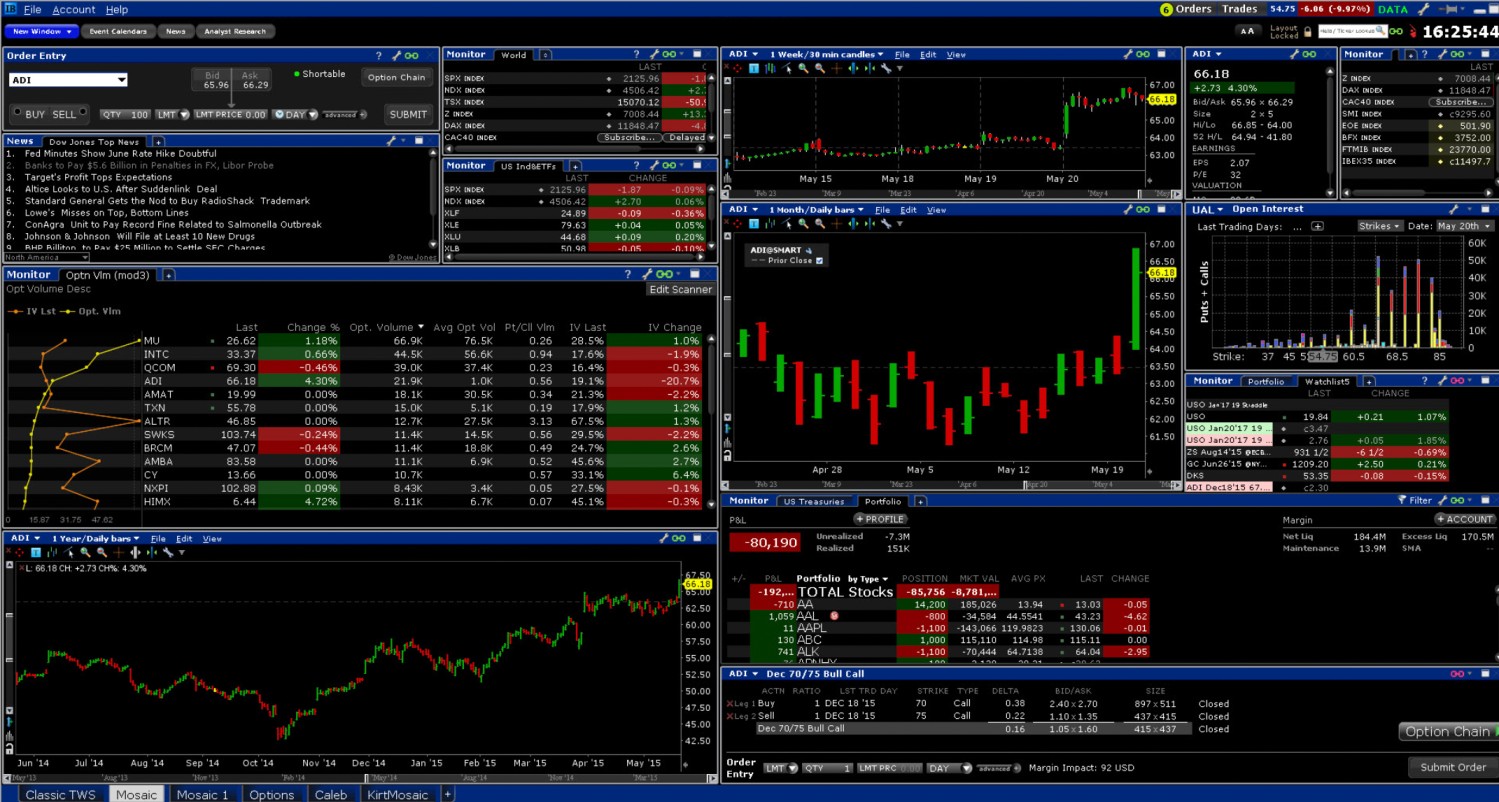
It also supports real-time financial news streaming, alongside live market commentary from Reuters and the Dow Jones. TWS is fully customizable. Traders can import custom charts, watchlists, order books, and plenty of other metrics.
We also like TWS for its high-level risk management tools. Its proprietary software – IB Risk Navigator, supports pricing assumptions, simulated outcomes, and risk exposure predictions.
TWS also supports paper trading facilities. This enables traders to perfect their strategies without risking their own capital. TWS supports multiple devices, but its desktop software comes with the most advanced features.
Supported operating systems include Windows, Mac, and Linux. The software is free to download, but users need to open an account to access the platform.
| Key features | Supported devices | Price |
| Supports thousands of financial instruments from 36 countries. Real-time financial news streaming and live market commendatory. Dozens of technical and economic indicators, plus risk management tools. Paper trading facilities are available. | Windows, Mac, Linux, iOS, and Android. | Free |
Pros
- One of the most advanced stock trading software for experienced investors
- Supports real-time financial news and market streaming
- Wide spectrum of technical and economic indicators
- Paper trading facility with simulated outcomes
Cons
- Will not suit novice or intermediate traders
- Crypto trading only available through the Crypto Plus option via partners Paxos and Zero Hash
9. MetaTrader 4: Free desktop software supporting automated trading robots
MetaTrader 4 (MT4) is the great stock market software for automated trading. Launched in 2005, MT4 is used by millions of traders worldwide. Hundreds of online brokers offer their clients access to the software.
Users simply need to log into MT4 with their brokerage credentials. The MT4 desktop software is free to download and is available for Windows, Mac, and Linux. MT4 comes with plenty of tools that will appeal to technical traders.
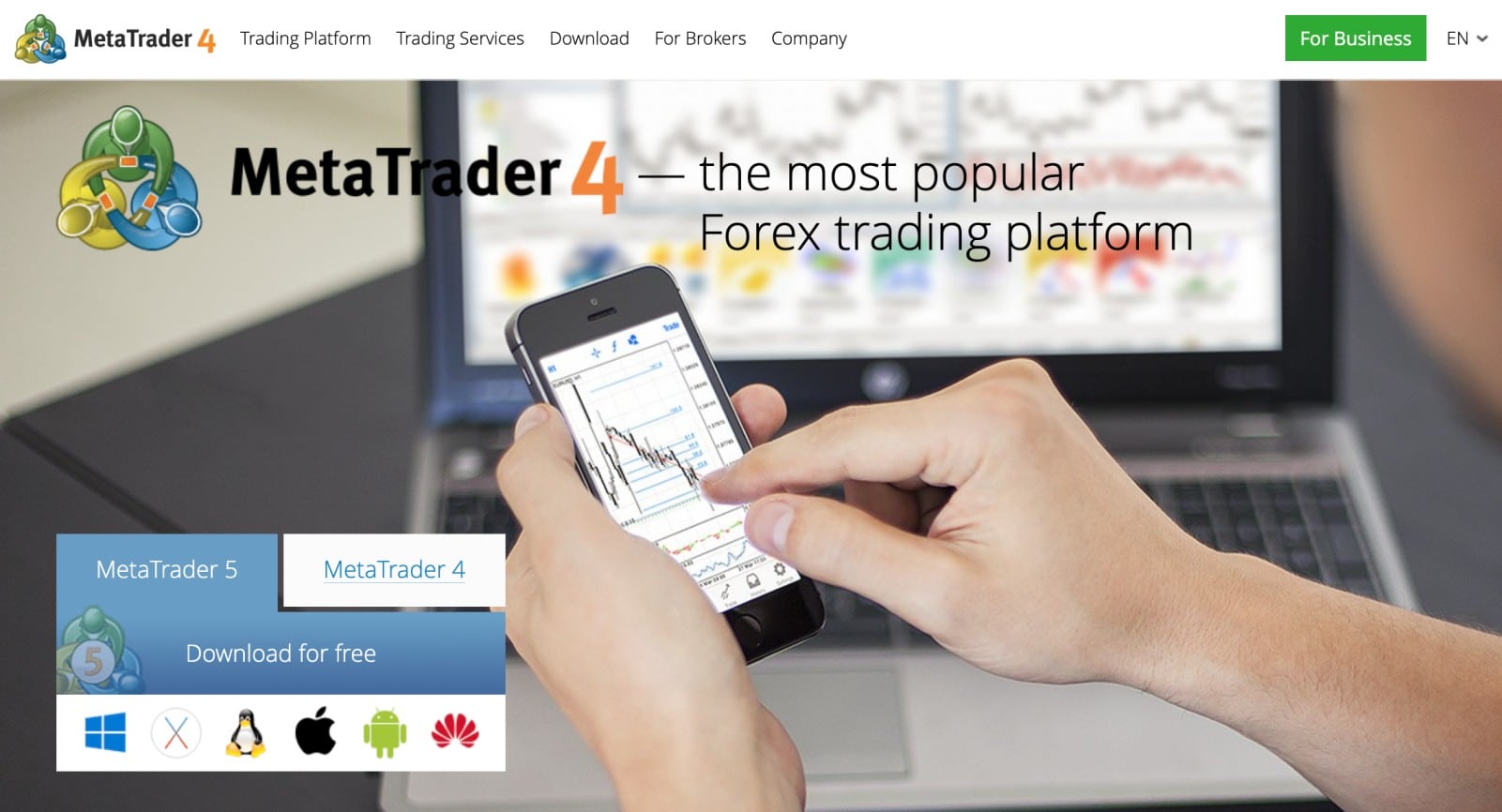
This includes 30 in-built indicators and more than 2,000 free custom indicators that traders can manually import. This is in addition to analytical objective lines, multi-chart screens, and custom order types. That said, we found that MT4 is one of the best stock analysis software platforms for automated trading.
The MT4 marketplace sells hundreds of strategies and bots, which can then be uploaded to the platform. The bot will then trade stocks on behalf of the user. MT4 also supports demo accounts, which is ideal for backtesting bots. However, traders need to open an account with a compatible broker.
| Key features | Supported devices | Price |
| Third-party trading software that connects to hundreds of online brokers. Supports chart analysis, technical indicators, custom order types, and automated trading. | Windows, Mac, Linux, iOS, and Android. | Free |
Pros
- Popular third-party trading software that connects to online brokers
- Thousands of technical indicators and drawing tools
- Import bots and trade stocks automatically
- Free to download and use
Cons
- An account needs to be opened with a broker before having access to MT4
- Focus on forex instruments, less support for stocks and commodities
10. Power E*TRADE: User-friendly trading software for first-time analysts
Power E*TRADE is a stock trading software from Morgan Stanley that will appeal to novice analysts. While it comes packed with analysis tools, its user-friendly layout is suitable for beginners. The trading platform is neatly laid out, with the majority of the screen displaying pricing charts.
To the right of the chart are watchlists and financial news. And to the left of the chart is where users place orders. There is also a search box that enables traders to quickly find their preferred markets.
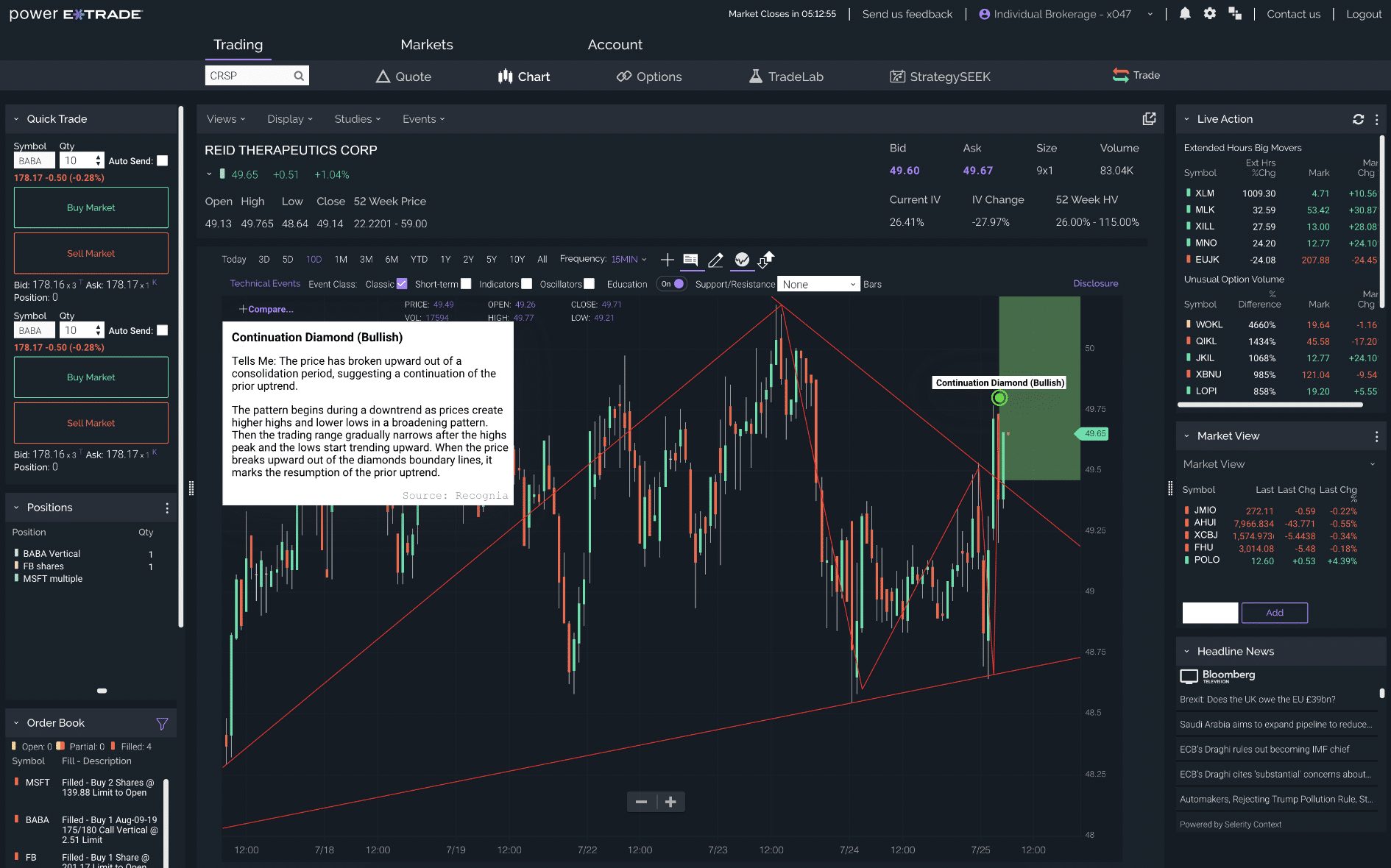
We also like the risk-reward tool offered by Power E*TRADE This offers detailed insights into potential profits and losses based on adjustable parameters. The software also allows traders to discover the most suitable exit strategy before entering a position.
After opening an account, Power E*TRADE is accessible via standard web browsers. It also comes as an app for Android and iOS. It offers 16 chart types, more than 120 technical studies and more than 30 drawing tools. It also supports paper trading with $100,000 in virtual money.
| Key features | Supported devices | Price |
| Browser-based trading platform suitable for beginners. Lots of useful features, including technical pattern recognition, risk-reward projects, and exit strategies. Also supports paper trading. | Web browsers, iOS, and Android. | Free |
Pros
- Make smart trading decisions as a beginner
- Get insights on risk-reward predictions and exit strategies
- Learn technical analysis risk-free via the paper trading account
- Supports stocks, options, futures, ETFs, and other assets
Cons
- Does not does not provide free real-time market data to all clients
- It doesn’t offer access to international stock or forex markets
11. Stock Alarm: Custom stock alerts with more than 125 parameters
Stock Alarm is a good stock tracking software for mobile users. This mobile app for Android and iOS sends real-time notifications when custom alerts are triggered. Stock Alarm supports more than125 custom parameters. This includes technical indicators such as the RSI and MACD.
For instance, the user can opt to receive alerts if a large-cap stock hits an RSI reading of more than 70. Fundamental alerts are also possible.
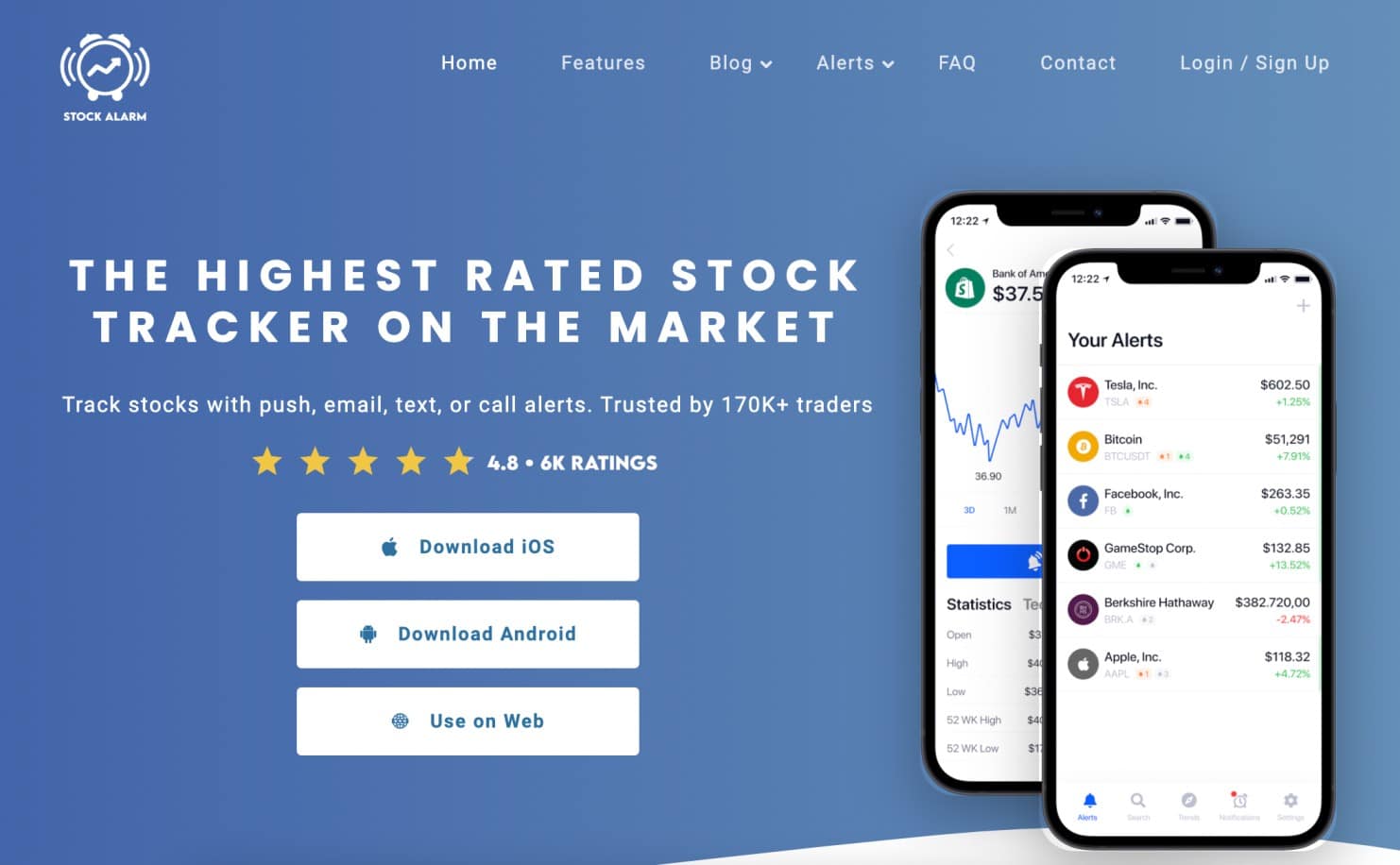
This includes everything from earnings reports and CPI data to mortgage rates. Not only does it support push notifications but also telephone calls, SMS, and emails. This ensures that users never miss an important market movement. We also like that Stock Alarm supports multiple exchanges. In addition to the US markets, it also supports exchanges in the UK, Japan, Canada, Singapore, and Australia. It supports tracking in more than 65,000 financial assets, including US and international stocks, ETFs, mutual funds, cryptocurrencies, forex, major indices, and commodities.
| Key features | Supported devices | Price |
| Set up custom alerts on thousands of stocks and cryptocurrencies. Choose from more than 125 technical and fundamental alert filters. | iOS and Android. | Free |
Pros
- Receive real-time stock alerts – never miss a market movement
- More than 125 custom parameters
- Alerts are sent via push notifications, SMS, emails, or calls
- Free to use
Cons
- Does not offer any analysis tools
- Its blog is out of date
12. TradeStation: Advanced charting platform with custom stock ranking tools
TradeStation is a popular online broker that has developed its own trading software. The platform can be downloaded onto Windows and Mac desktop devices. One of the best features available is RadarScreen, which is native to TradeStation. In a nutshell, this enables investors to rank stocks based on custom specifications.
For instance, the investor might want to view stocks based on a selection of technical indicators and fundamental ratios. RadarScreen updates in real-time, ensuring that trading opportunities are never missed.
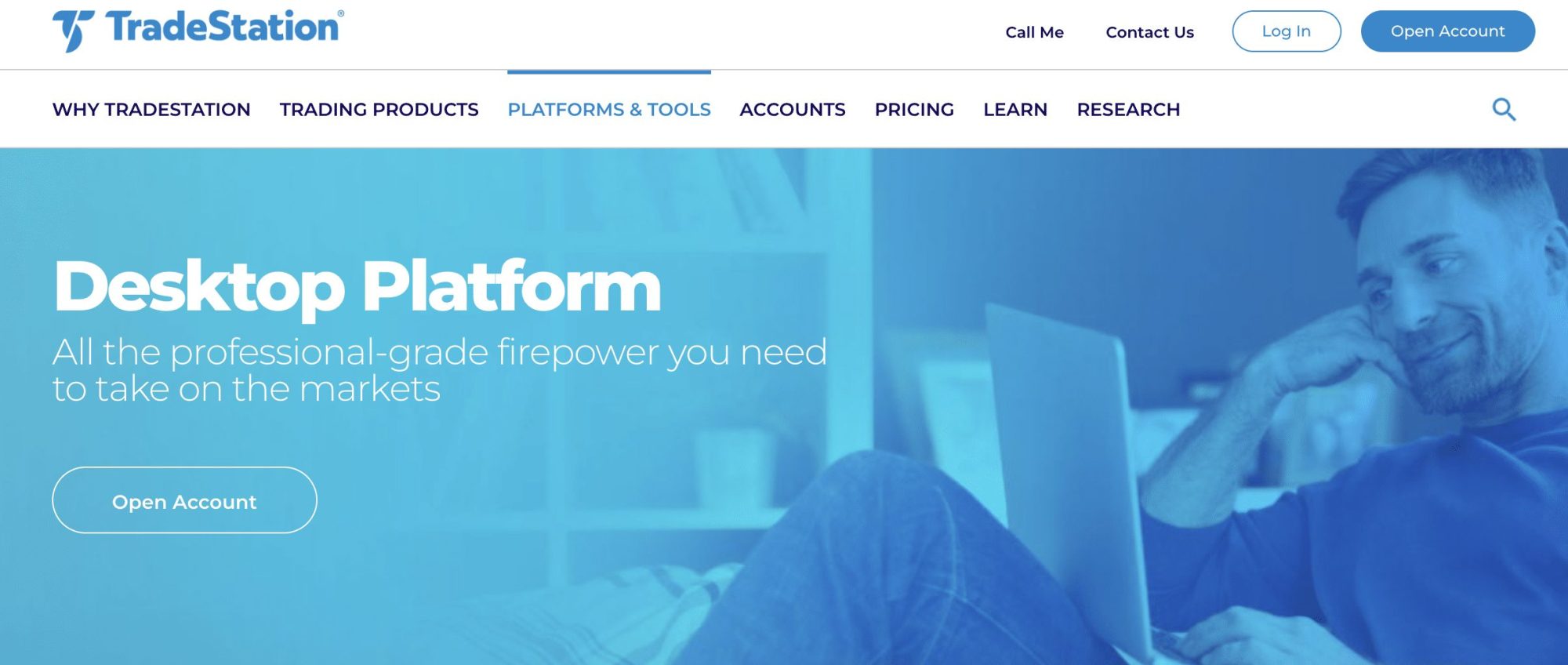
Another feature of TradeStation is its backtesting facility. This enables traders to test their strategies and assess how they would have performed across 30+ years of data.
The strategy can then be adjusted to ensure it aligns with current market conditions. TradeStation also allows users to write scripts for custom indicators and strategies. Supported markets are extensive on TradeStation. This includes thousands of stocks, futures, options, funds, and cryptocurrencies.
One downside is TradeStation has an inactivity fee of $10 a month for traders who don’t have $5,000 average end-of-month equity balance or at least 10 trades placed during the previous 90-day period.
| Key features | Supported devices | Price |
| Set up custom alerts on thousands of stocks and cryptocurrencies. Choose from more than 125 technical and fundamental alert filters. | iOS and Android. | Free |
Pros
- Build custom stock trading tools and strategies
- Backtesting facility with more than 30 years of historical data
- RadarScreen ranks stocks based on custom metrics
- Also comes as a mobile app for iOS and Android
Cons
- Some of the best analysis features won’t be suitable for beginners
- Inactivity fee of $10 a month.
Types of stock trading software
We have discussed a range of stock trading software to suit all investor profiles. Investors still unsure which software is right for their needs can read on.
Data and analysis software
The first option is software that yields alternative data and analytics. AltIndex is a good example here. The platform offers social sentiment scores that are crafted by artificial intelligence. The scores are determined from social media metrics, such as followers, likes, and comments.
AltIndex also scans website traffic, Google searches, and employee satisfaction. The online software then ranks each stock based on its AI sentiment score. The idea is that stocks with a high score are viewed positively by society. This could be because of a new product, environmental practices, or customer service.
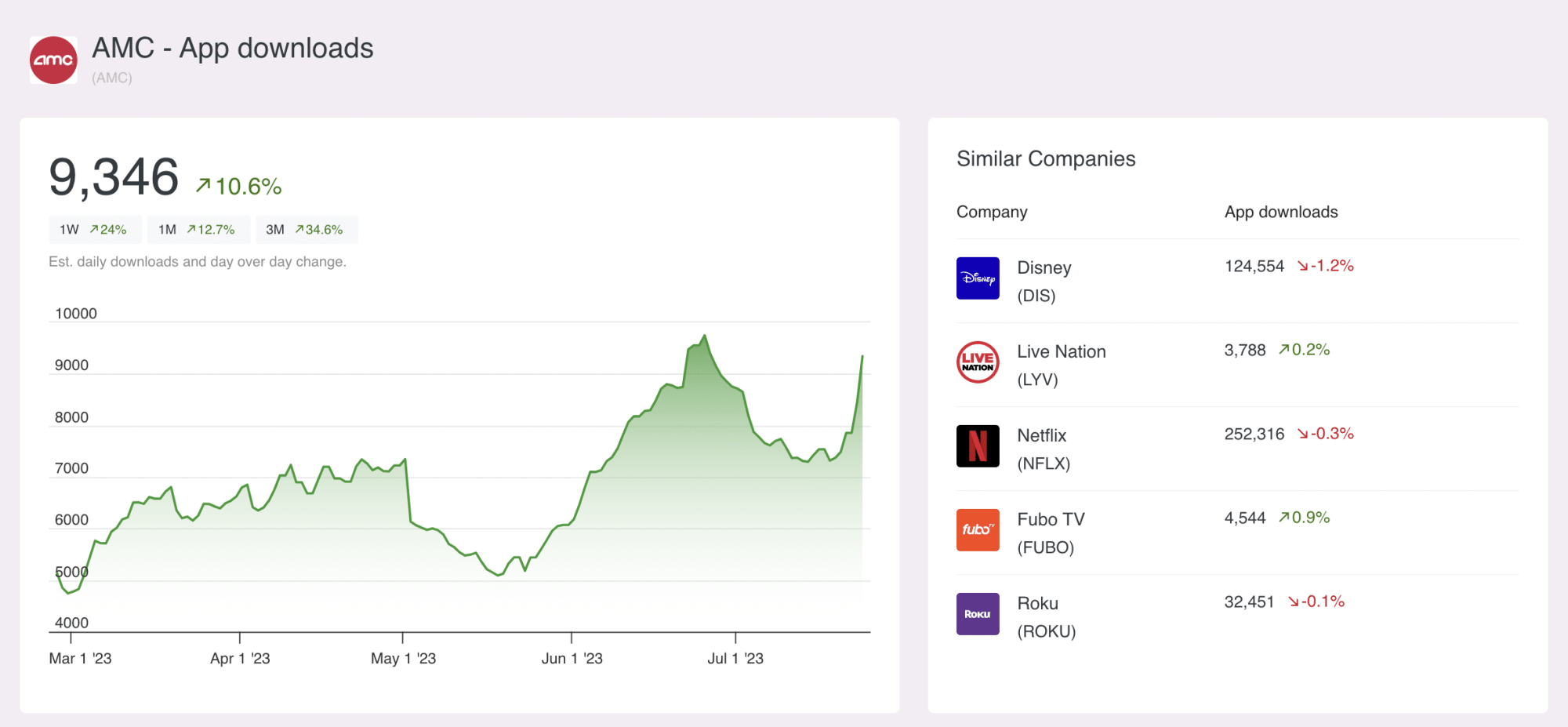
Ultimately, AltIndex is aimed at investors that seek trading ideas, insights, and recommendations on the best stocks. It also supports cryptocurrencies, including Bitcoin, Dogecoin, and XRP.
Charting software
Some of the best stock trading software specializes in charting analysis. This will appeal to traders who make decisions based on quantitative data. Software providers typically offer hundreds of technical and economic indicators.
This includes everything from the MACD and RSI to Fibonacci retracement levels. Additionally, the software will include chart drawing tools. This enables traders to look for trends and potential market movements.
What is the best charting indicator for beginners?
- There are hundreds of technical indicators that help investors make data-driven decisions.
- It can take many years to truly master the chart analysis process.
- That said, one of the best charting indicators for beginners is the relative strength index (RSI).
- Put simply, this indicator highlights stocks that are potentially overbought or oversold – meaning a reversal is imminent.
- If the RSI reading is above 70, the stock could be overbought. If it’s below 30, the stock could be undersold.
Stock tracking software
Some online stock trading software specializes in tracking tools. Stock Alarm, for example, offers real-time alerts on thousands of stocks.
Users can customize their alert parameters. This includes fundamental data like interest ratings and earnings calls. Technical-driven parameters include economic indicators and volume.
Automated trading software
We also came across software providers that supported automated trading. For example, MT4 enables users to buy trading robots and upload them into its desktop software.
After setting up the trading parameters, the robot will buy and sell stocks on behalf of the user. Bots can be purchased externally or from the MT4 marketplace.
Backtesting software
One of the best features offered by stock trading software is backtesting. This enables traders to test new strategies against historical market data.
The backtesting facility will determine how the strategy would have performed in previous market cycles. The strategy can be adjusted and re-tested if needed.
Brokerage trading software
Many of the tools that provide stock tips and insights are backed by regulated brokerages, giving traders the best of both worlds.
Not only can they perform chart analysis, backtest strategies, and stay updated with financial news – but directly trade stocks too.
The benefits of stock trading software
The main benefits of using a stock trading software are summarized below:
- Stock trading software provides insights into the financial markets. This includes everything from social sentiment and chart analysis tools to real-time financial news streaming.
- Some stock trading software doubles up as an online broker. This enables users to trade insights without needing to leave the software.
- Stock trading software is also ideal for staying up-to-date with the markets. This includes custom alerts, stock trading signals, and stock recommendations.
- Another advantage is that stock trading software encourages investors to do their own research – rather than relying on third parties. Most of the data provided by the software will be from primary sources.
How to pick the right online stock trading software
In this section, we explain how investors can pick the best stock trading software for their requirements.
Type of trading software
Investors should consider that they want to get out of stock trading software.
For example:
- Advanced traders might seek software that offers high-level charting tools, technical indicators, and custom order types. Thinkorswim is a good option here, as the platform is aimed at seasoned traders.
- Beginners might prefer software that provides insights into what stocks to trade. AltIndex is a good option here, as it sends out stock recommendations via email.
Alternatively, some investors will prefer software that offers automated trading. This removes the need to perform any manual research and analysis. Instead, the bot trades on the user’s behalf.
Core features
Investors should also consider what core features they seek from stock trading software. For instance, some investors want to keep track of the stock markets in real-time. In this instance, stock alerts and real-time financial news are useful.
Alternatively, some investors will want to test out new strategies in a risk-free environment. Backtesting facilities and paper trading accounts are both useful here.
Trading facilities
Some stock trading software is offered by online brokers. This option will suit investors who want to directly buy or sell stocks after discovering insights.
Make sure the broker is regulated and that it charges reasonable fees. The best stock brokers offer commission-free trading on small account minimums.
Pricing
Investors should also check what fees apply when choosing stock trading software.
If the software is offered by an online broker, then it will likely be free. This is because the broker wants people to trade so that it earns commissions.
Some providers offer a free service but with limitations. For example, while basic features on TradingView are free of charge, premium plans are required for full functionality.
Supported devices and operating systems
Investors should check what devices and operating systems the software supports. Most are compatible with Windows and Mac desktops. Linux is often supported too.
For mobile users, most stock predictors now offer dedicated iOS and Android apps, which conveniently sync with the desktop version through the same account, ensuring seamless access across devices.
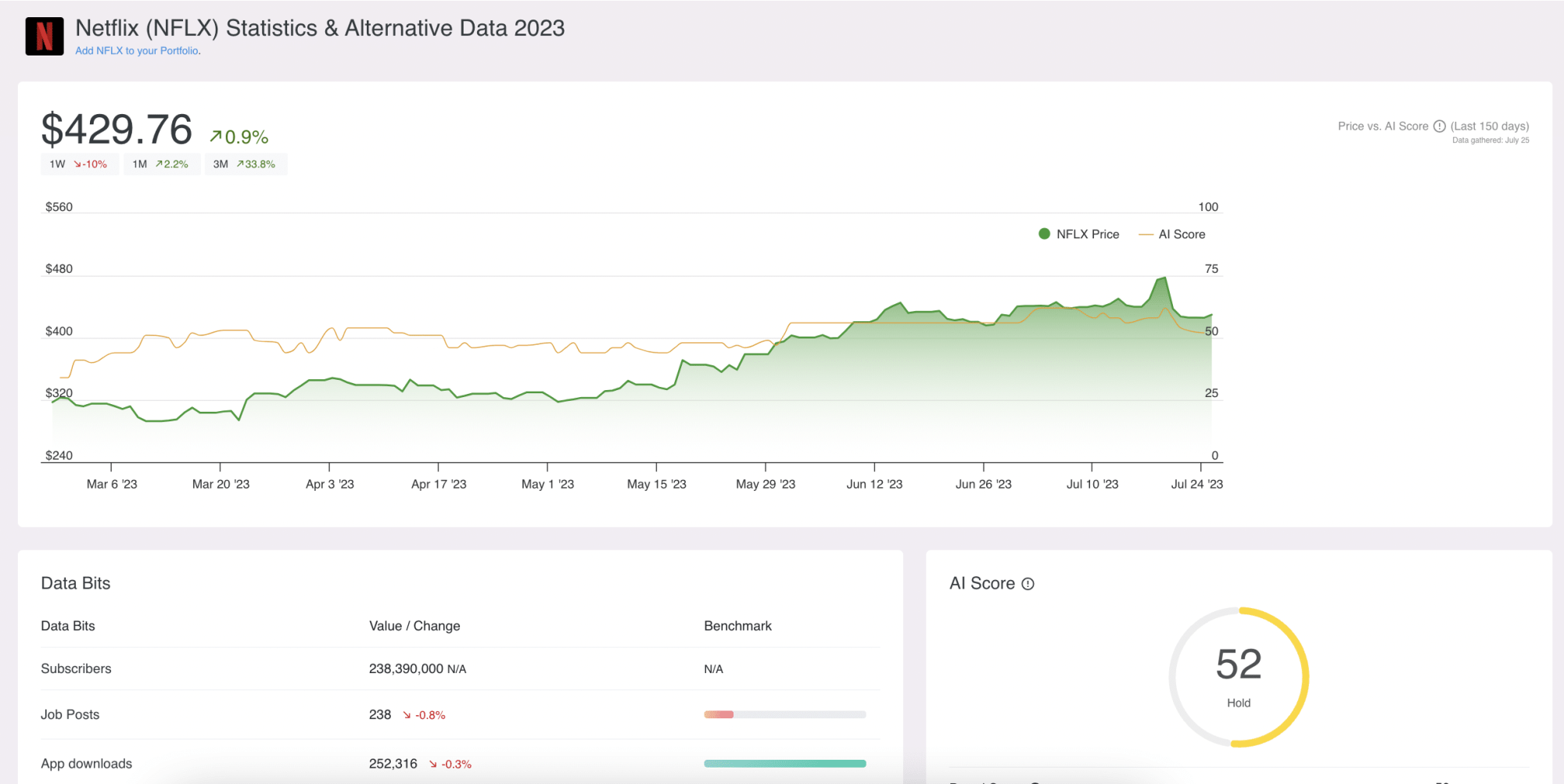
AltIndex – which is one of the best alternative data providers, operates a web-based service. This means there is no requirement to download or install any software.
What is the best device type for trading software?
- Trading software is often supported by web browsers, mobile apps, and desktop software
- Those looking to conduct in-depth technical analysis are best suited for desktop software. This usually comes with the most advanced features and the best user experience.
- Investors who prefer trading on the move will be better suited to a mobile app. But this limits the ability to perform high-level analysis.
User-friendliness
The user-friendliness of the software should also be considered. On the one hand, software providers like Thinkorswim and Trader Workstation are aimed at experienced traders. Beginners will find its features and tools overwhelming.
That said, providers like AltIndex cater to novice traders. No prior experience is needed, as AltIndex handles all the analysis through AI stock-picking technology. Users simply receive an AI sentiment score based on real-time metrics, making it easier to track your stocks without feeling lost in complex data.
Is stock trading software worth it?
Whether or not stock trading software is worth it depends on the goals of each investor. For example, most trading software is aimed at active traders such as stock portfolio trackers which help users monitor their portfolios more efficiently. They come with plenty of tools and features that enable traders to analyze the stock markets.
For example, technical indicators, chart drawing tools, and data-driven insights. In other words, stock trading software is ideal for traders that never want to be more than a click away from the markets.
Additionally, stock trading software is suitable for traders who need help making investment decisions. For instance, AltIndex members receive up to 50 stock recommendations every month. Investors are told which stock to buy and what entry price to set. As such, AltIndex appeals to complete novices.
That being said, not all investors need to use stock trading software. This is especially the case when investing in index funds with a dollar-cost averaging strategy. Every month, the investor will add funds to their index fund portfolio regardless of market conditions. Therefore, trading software isn’t required.
Conclusion
Stock trading software offers many benefits for investors – from analysis tools and insights to price alerts and signals.
The best option for beginners is eToro. The platform may not provide trading software, but the mobile app and web trading platform offers all tools you need to start trading stocks.
You can access technical indicators, drawing tools, and copy trading mechanisms – making it one of the top smart trading tools powered by AI available today.
61% of retail CFD accounts lose money – your capital is at risk.
FAQs
What is the best trading software tool?
What software is used for stock trading?
Is there software that tells you when to sell and buy stock?
References
- https://www.oracle.com/hk/artificial-intelligence/machine-learning/what-is-machine-learning
- https://www.ibm.com/topics/artificial-intelligence
- https://coinmarketcap.com/currencies/bitcoin
- https://www.theguardian.com/business/stock-markets
- https://intelligent.schwab.com/article/dollar-cost-averaging
- https://www.fidelity.com/viewpoints/investing-ideas/the-market-cycle-and-investors
Disclaimers:
US Crypto Trading is offered via eToro USA. US Securities trading is offered via eToro USA Securities, Inc.(“The BD”), a broker dealer registered with the Securities and Exchange Commission (SEC). The US Broker Dealer is a member of the Financial Industry Regulatory Authority (FINRA) and Securities Investor Protection Corporation (SIPC). eToro USA (NMLS ID: 1769299 ) is not a registered broker-dealer or FINRA member and your cryptocurrency holdings are not FDIC or SIPC insured.
ValueWalk is not an affiliate of eToro USA Securities, Inc. or eToro USA LLC. ValueWalk is compensated if you access certain of the products or services offered by eToro USA LLC and/or eToro USA Securities Inc. Any testimonials contained in this communication may not be representative of the experience of other eToro customers and such testimonials are not guarantees of future performance or success.